Guide
Upsampler ai reviewUpsampler pricingUpsampler video generatorUpsampler freeUpsampler AI Video Review: Models, Credits & Free Tools
Upsampler is a pay-per-credit workspace for AI image generation, video generation and upscaling. Plans are Starter at $0 with no included monthly credits, Pro at $15 with 1,400 credits, Premium at $30 with 3,000 and Business at $95 with 10,000. Its strength is switching among many models in one account; its main limitation is that it creates or enhances assets rather than assembling a complete narrated social video.
By the FluxNote Editorial Team · Last updated: August 26, 2026

Upsampler Pricing: Quick Answer
| Plan | Monthly price | Included credits | Extra-credit price | Concurrent jobs | Queue size |
|---|---|---|---|---|---|
| Starter | $0 | 0 | $0.04/credit | 2 | 25 |
| Pro | $15 | 1,400 | $0.03/credit | 4 | 50 |
| Premium | $30 | 3,000 | $0.02/credit | 6 | 75 |
| Business | $95 | 10,000 | $0.01/credit | 15 | 100 |
Upsampler lists API access and a commercial license across all four plans. Starter is not a monthly free-credit subscription: it provides account access and pay-as-you-go pricing, while separate no-signup free tools let visitors test lighter models.
How Much Does Upsampler Video Generation Cost?
Upsampler's official pricing gives ranges because each model has a different compute cost:
| Operation | Published credit range |
|---|---|
| Image generation | 1 to 22 credits per image |
| Image upscaling | 0.25 to 1 credit per megapixel |
| Video generation | 0.4 to 17 credits per second |
| Video upscaling | 0.2 to 2.5 credits per megapixel-second |
An 8-second generated clip can therefore cost from 3.2 credits on a low-cost model to 136 credits on a flagship model. A 10-second 1080p upscale is about 20.7 megapixel-seconds, or roughly 4.1 to 51.8 credits at the published range. Model choice, duration and resolution matter more than the subscription name.
Which AI Video Models Does Upsampler Offer?
Upsampler's current model catalog covers 17+ video-generation models, including families such as Grok Imagine, Wan, LTX, Pruna P-Video, Seedance, Kling, Runway and Veo. The catalog changes frequently as new versions arrive.
The key benefit is one shared credit balance. You can use a low-cost draft model for motion and composition, then spend more credits on a final clip without opening separate subscriptions. Check the official AI model index for the active lineup and the exact credits per second before starting a batch.
Is Upsampler Free?
Upsampler has a $0 Starter account, but it includes zero monthly credits. You buy additional credits at four cents each when you want to use paid models. That makes Starter pay-as-you-go rather than a conventional recurring free allowance.
Upsampler also publishes separate no-signup tools, including a lighter free video generator and free video upscaler.
Those tools are useful for testing but should not be confused with included credits for every model in the signed-in workspace.
Which Upsampler Plan Is Best?
Starter
Best for occasional use and people who want no recurring payment. The trade-off is the highest extra-credit price.
Pro at $15
The practical entry subscription. Its 1,400 credits cover many draft generations or a smaller number of expensive flagship clips.
Premium at $30
Better for regular production. It more than doubles the included pool to 3,000 and reduces extra credits to two cents.
Business at $95
Designed for high throughput, API workloads and larger queues. It includes 10,000 credits, 15 concurrent jobs and the lowest top-up rate.
Estimate one representative clip with the exact model and settings, then multiply by monthly shot volume plus retries. A generic cost-per-video estimate is unreliable on a multi-model platform.
Upsampler Video Generator vs Video Upscaler
The video generator creates new motion from text or an image. The video upscaler takes an existing clip and increases resolution or reconstructs detail. They solve different problems and use different credit formulas.
Upsampler currently lists multiple video upscalers, including FlashVSR, SeedVR 2 and a lower-cost GAN option. For already-clean footage, the cheaper models may be sufficient.
For degraded or very low-resolution video, a stronger temporal model can justify the higher megapixel-second cost. Run a short section before committing the entire source file.
Upsampler vs FluxNote: Model Hub or Full Video Builder?
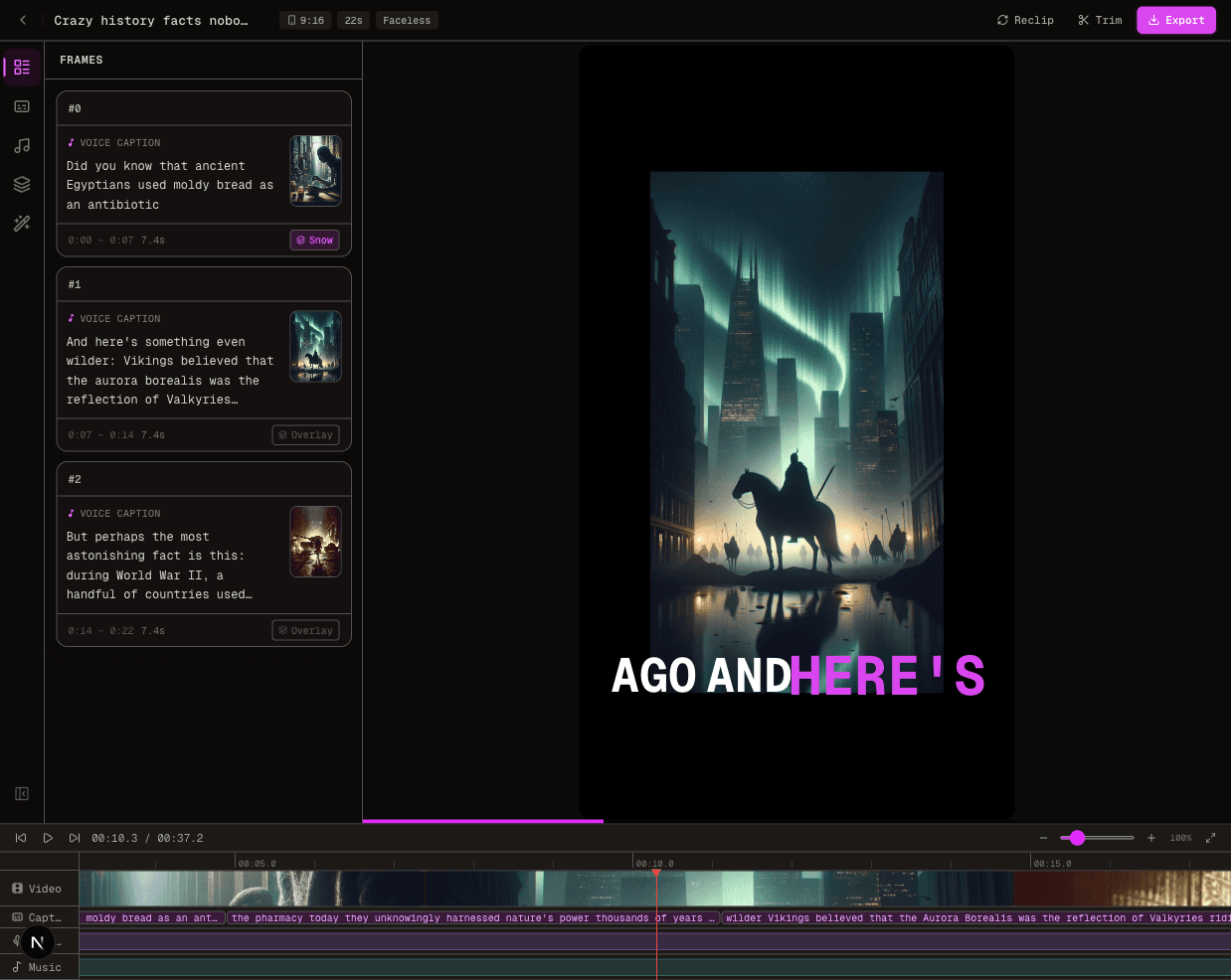
Upsampler is strongest as a model hub for generating and enhancing individual visual assets. It does not primarily replace the work of scripting, narration, caption design, music selection and timeline assembly.
FluxNote is a better fit when the goal is a finished TikTok, Reel, Short, faceless video or ad.
It combines those production steps and still exposes the timeline for edits.
Use Upsampler when you want precise model choice or upscaling; use FluxNote's AI video generator, video editor or UGC Ads Studio when the output must be a complete publishable video.
Verdict and Official Sources
Upsampler is worth considering when you want access to many image and video models without managing separate accounts, especially if you can route drafts to cheap models and reserve premium models for final shots. It is less direct for creators who want one prompt to become a narrated, captioned and edited video.
We verified plan prices and credit ranges against Upsampler's official pricing page, and model coverage against the AI model index and video-model comparison.
Because models and per-second rates change quickly, the estimate shown before generation is the final source for cost.
Create Videos With AI
From inspiration to your own creation
Put your next idea into action.
Videos, images and ads. One creative studio. Pick what you want to make—or try the walkthrough before you sign up.
Your ideas. Your videos. No camera required.
Turn your next story into a faceless video. Explore the workflow, then create your own in FluxNote.
- 01 Choose a style
- 02 Add your idea
- 03 Make it your own
Start with an account. Create at your own pace.
Loading walkthrough… Full-screen link below if needed.
Tool access and generation allowances depend on your plan.
Frequently Asked Questions
Related Resources
- GuideTurn Leonardo AI Image Into Video: 4 Methods for 2026
- GuideVEED AI Video Generator Review: What They Actually Generate
- GuideCanva AI Video Generator (2026): Features, Limits & Review
- GuideKapwing AI Video Generator Review
- GuideGrok AI Video Generator Guide 2026
- GuideRunway ML vs FluxNote: Pricing
- GuideLeonardo AI Pricing 2026: Plans, Tokens & Free Limits
- ToolText to Video AI: Turn Text Into Videos [Fast]