Complete feature guide

Every FluxNote feature,one by one.

Videos, images, voice, music, avatars, ads, audiobooks, publishing and an agent, all on one credit balance. This guide walks through each studio and tool in the app, what it does and what its options are. Last updated 26 November 2026.

34 feature areas · Free plan · No credit card · Watermark-free video exports

Browse free AI tools

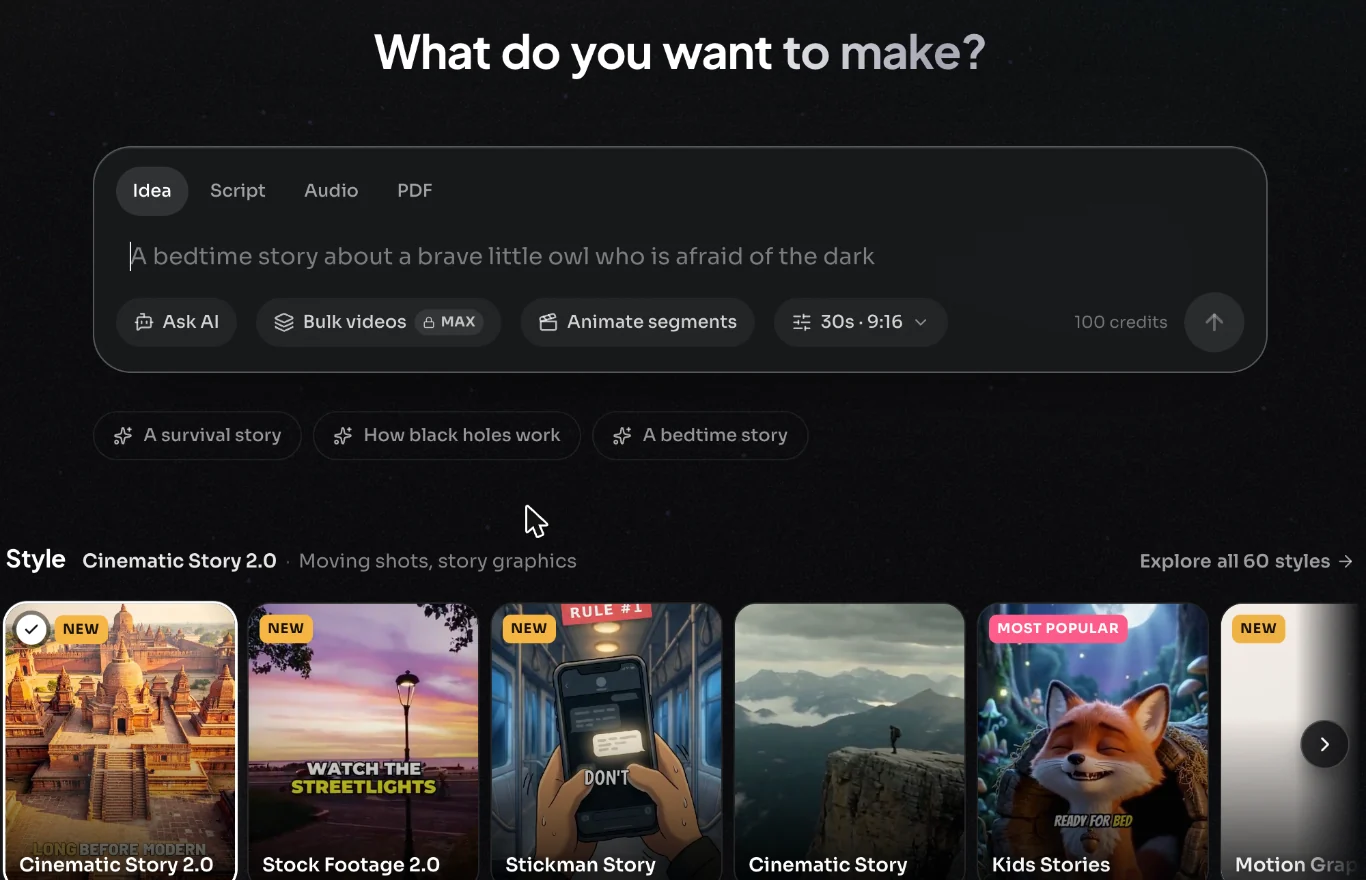
FluxNote create screen: type an idea, choose Idea, Script, Audio or PDF input and pick a style
34
feature areas
60
video styles
4,000+
AI voices
233
free creator tools
38
API endpoints

In short

What can you do with FluxNote?

FluxNote is a web-based AI creation platform for videos, images, voice, UGC ads, lip sync, music, editing and publishing. Everything below shares one project history and one credit balance, so a voice, image or clip you make in one studio can be used in another.

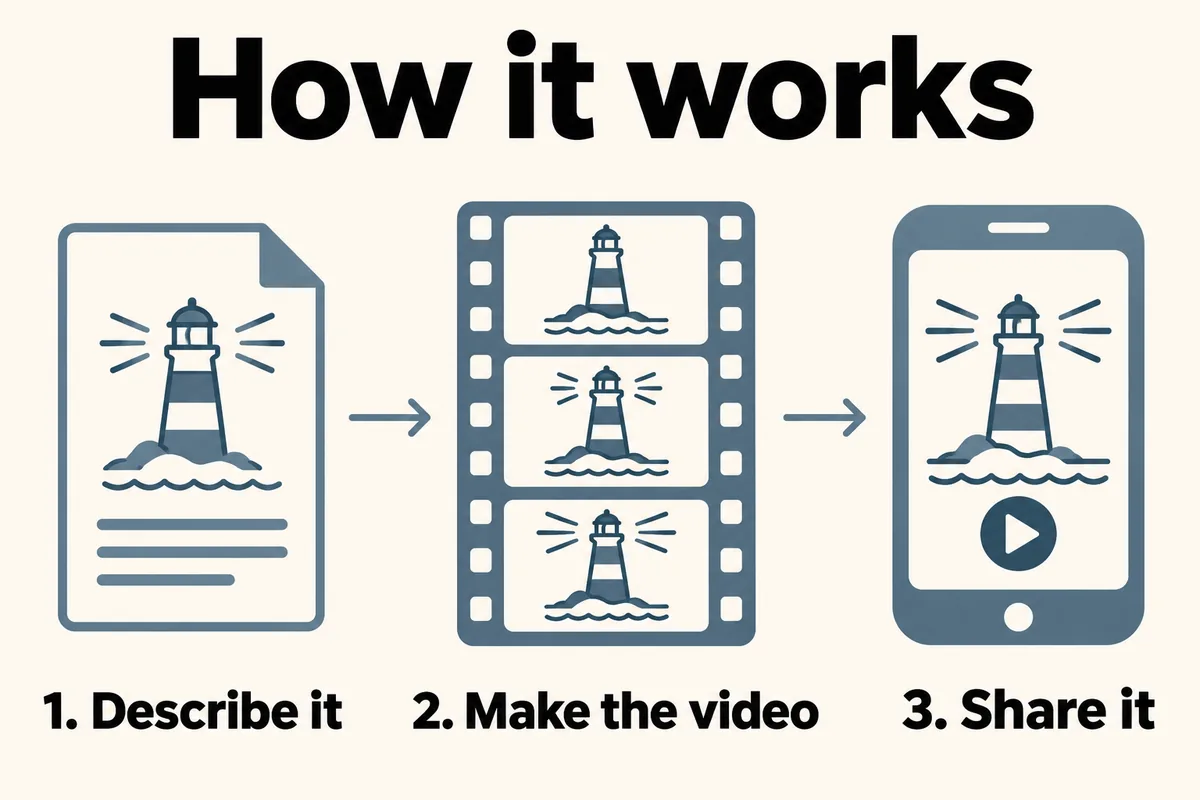
How it works: Describe it, then make the video, then share it

Create videos

7 features

Faceless video generator

Available nowFaceless › Create

The core FluxNote workflow. Type an idea, paste a script, upload audio or drop in a PDF, pick a style, and FluxNote builds the finished video: script, voiceover, scene visuals, animated captions and background music, all on an editable timeline. No camera and no face.

What you can do

  • Start from an Idea, a Script, an Audio file or a PDF using the four input tabs
  • Use Ask AI to suggest a topic when you have no idea yet
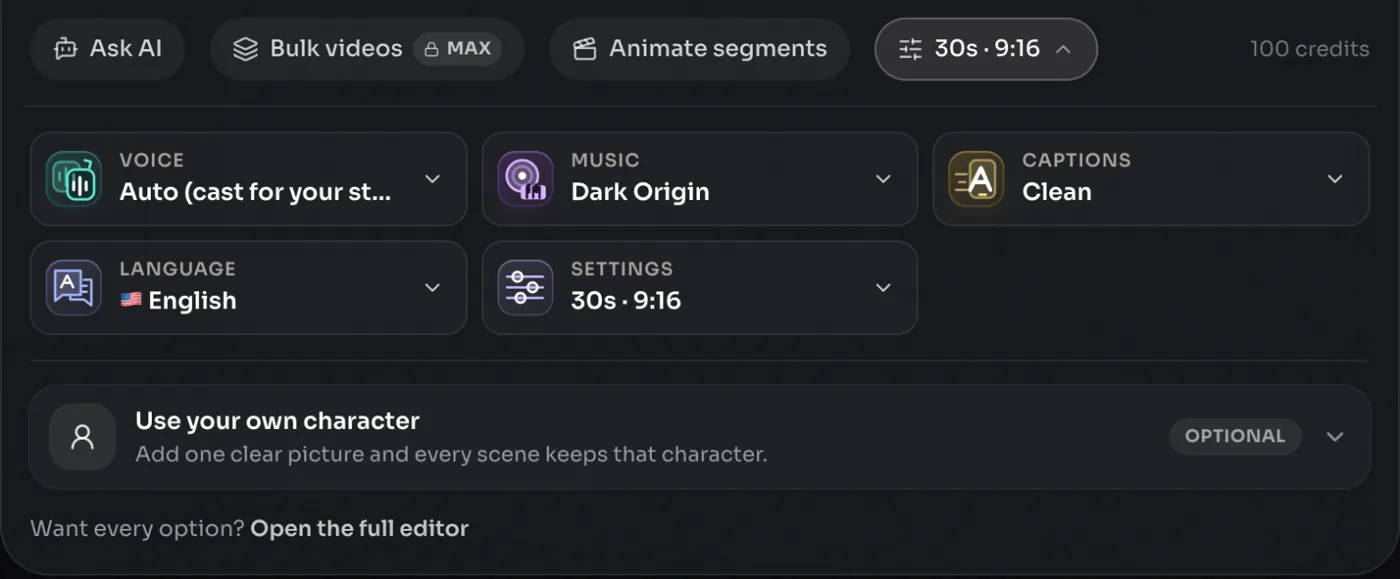
  • Choose length and format, for example 30 seconds in 9:16, and see the credit price before you create
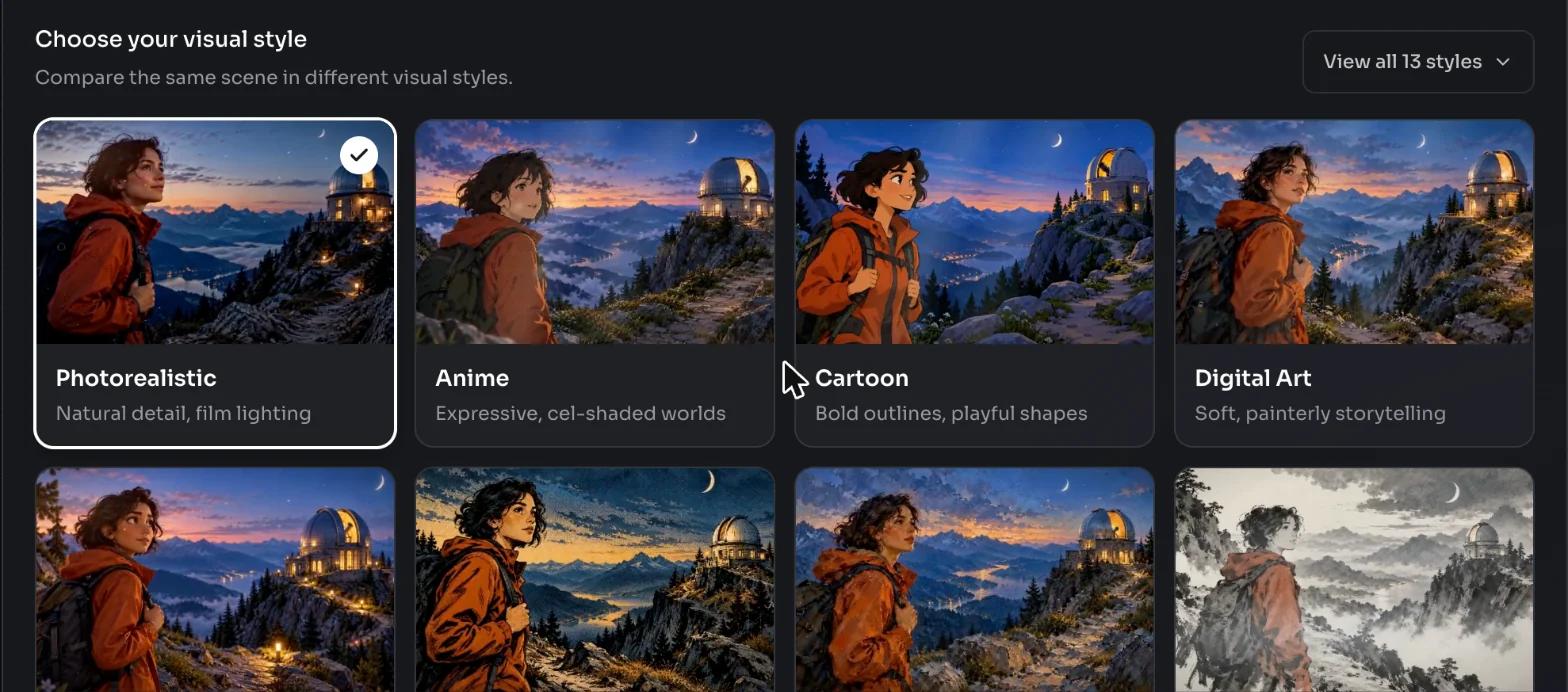
  • Pick from 60 visual styles, and compare the same scene across visual looks such as Photorealistic, Anime, Cartoon, Digital Art, 3D Animated, Comic Book, Oil Painting and Japanese Ink
  • Turn on Animate segments so scenes move instead of sitting still
  • Use Bulk videos to queue several videos at once (Max plan and above)
  • Add one clear picture under Use your own character, and every scene keeps that character
  • Open the full editor when you want every option

Options and limits

  • Voice, Music, Captions, Language and Settings panels, each with its own picker
  • Audio uploads accept MP3, WAV, M4A and WEBM up to 50 MB
  • PDF uploads accept files up to 25 MB
  • Script tab: write or paste your full script, optionally starting mid-sentence for a more natural hook
FluxNote Faceless create screen with Idea, Script, Audio and PDF tabs and a row of video styles
Faceless settings panel with voice, music, captions, language, length and use your own character

Faceless video generator page →Faceless YouTube →

60 video styles

Available nowFaceless › Create › Style

Every video starts with a style, and FluxNote ships 60 of them. Styles decide how scenes look and move, from cinematic stories and stock footage to stickman stories, kids stories and motion graphics.

What you can do

  • Browse styles with previews and choose one before you create
  • Look for the New and Most popular badges (Cinematic Story 2.0, Stock Footage 2.0 and Stickman Story are marked New, Kids Stories is marked Most popular)
  • Use motion graphics styles for animated explainers designed around your topic
  • Compare the same scene rendered in different visual looks before committing

Options and limits

  • Style categories include explainers, stories, social-native, kids and nursery, and characters
  • 51 of the styles run on Autopilot
Same scene shown in Photorealistic, Anime, Cartoon, Digital Art, 3D Animated, Comic Book, Oil Painting and Japanese Ink

Use your own character

Available nowFaceless › Create › Settings

Add one clear picture and every scene keeps that character. It is optional, and it lives in the same settings panel as voice, music, captions and language.

What you can do

  • Upload a single clear picture of a character
  • Keep the same character across every scene of the video
  • Combine it with any style, voice and caption look

Options and limits

  • Optional, with a collapsible panel under the main settings
  • For a character that returns across many episodes, use Autopilot series

Ask AI and Write with AI

Available nowCreate boxes across the app

When you have no idea or no words, the AI helpers write them for you. They sit next to the prompt in the faceless create box, Kids Studio and AD Studio.

What you can do

  • Ask AI: suggest a topic when you do not know what to make
  • Write with AI (AD Studio): draft the ad description for you
  • Tap an example chip such as A survival story, How black holes work or A bedtime story to fill the box in one click

Options and limits

  • Example chips change by studio, for example Time for Bed and Kindness Leads the Way in Kids Studio

Inspiration, Remix and History

Available nowInspiration and History tabs in each studio

Most studios open with an Inspiration feed of real examples and a History tab of your own work. Use an example as a starting point instead of a blank prompt.

What you can do

  • Image Studio: tap Remix on any image to reuse its prompt
  • Video Studio: tap Recreate to start from a clip you like
  • Music Studio: tap Use prompt on any track
  • AD Studio and Sammoha: start from templates and the Motion Library
  • Open History to reopen anything you generated before

Options and limits

  • Examples are labelled with their model or style where they have one

Autopilot series

Available nowAutopilot

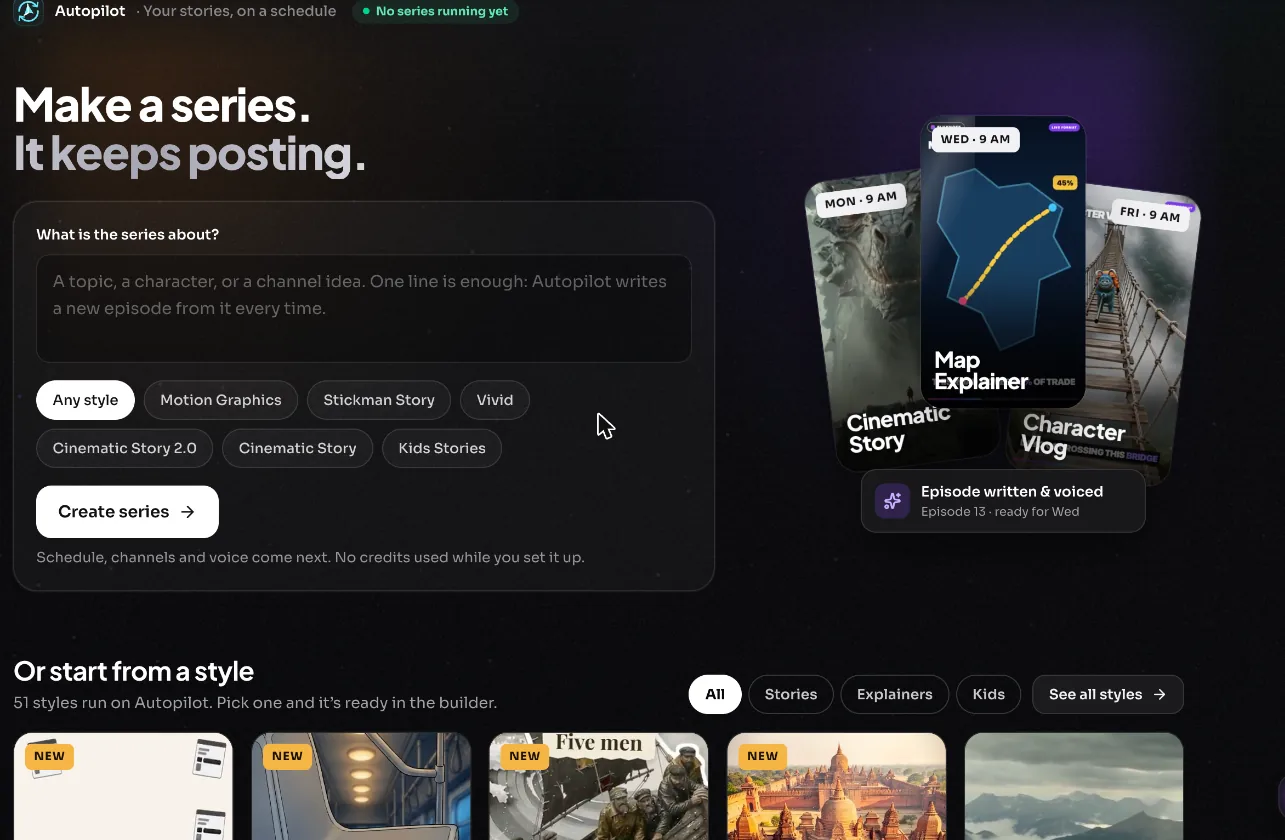
Autopilot turns one idea into a series that keeps posting. Describe the series once, and Autopilot writes a new episode from it every time, so there is no weekly effort on your side. You set the schedule, channels and voice after you create the series, and no credits are used while you set it up.

What you can do

  • Describe the series in one line: a topic, a character or a channel idea
  • Pick a style or leave it on Any style (Motion Graphics, Stickman Story, Vivid, Cinematic Story 2.0, Cinematic Story and Kids Stories are offered up front)
  • Choose from 51 styles that run on Autopilot, filtered by Stories, Explainers and Kids
  • Set a posting schedule by day and time, for example Monday, Wednesday and Friday at 9 AM
  • Connect channels so episodes are posted or scheduled for you
  • Review the episode pipeline: written, voiced, ready, scheduled, posted

Options and limits

  • Publish to 9 social platforms on paid plans
  • Multiple accounts per platform need the Max plan and above
  • Approval can be review-first or automatic
FluxNote Autopilot: Make a series. It keeps posting.

Auto-posting page →

Video Studio

Available nowTools › Video

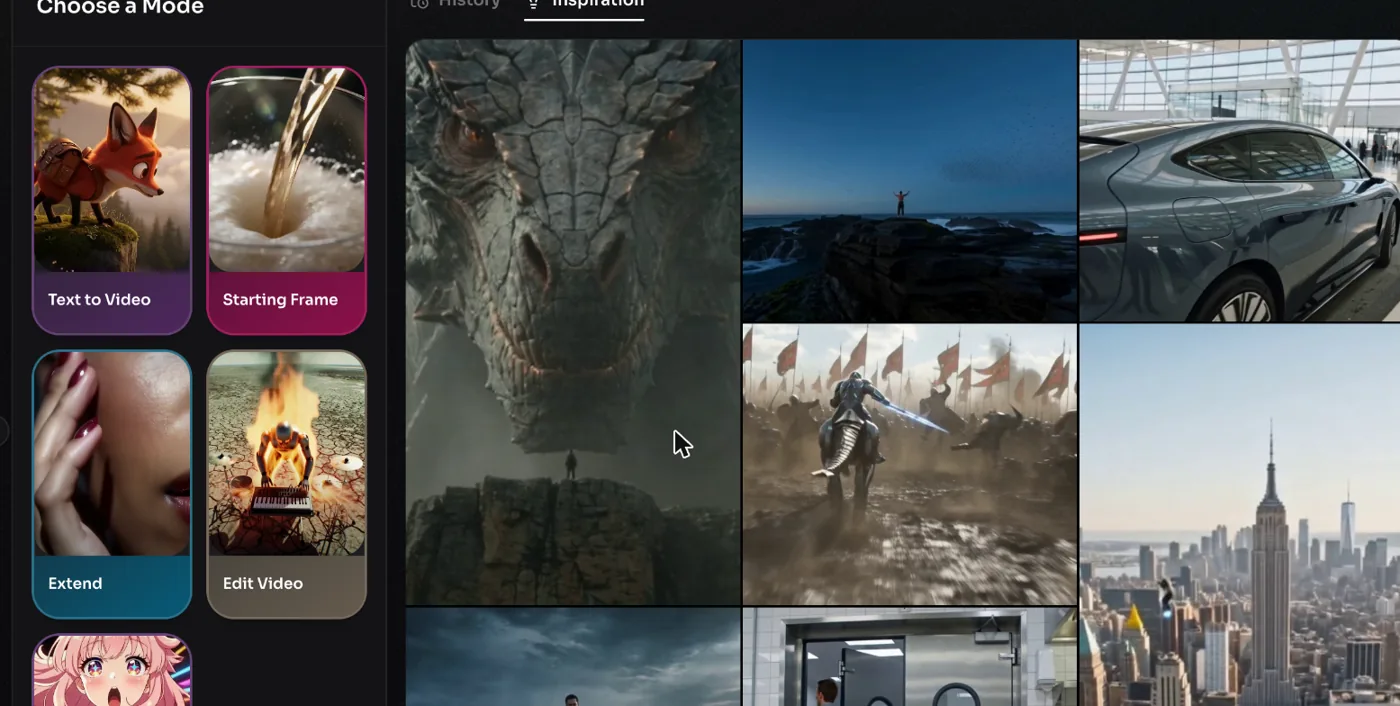
A model-driven video generator with five modes. Use it when you want a clip rather than a full narrated video, and keep every generation in History.

What you can do

  • Text to Video: generate a video from a written idea
  • Starting Frame: bring a still image to life with motion
  • Extend: continue a clip beyond its last moment
  • Edit Video: transform an existing video using text
  • Captions: add and style subtitles for any video
  • Browse the Inspiration feed and use Recreate to start from a prompt you like

Options and limits

  • History tab keeps your previous generations
  • Multiple video models in one subscription, including Veo, Kling, Seedance, Runway, Hailuo and PixVerse
Video Studio mode picker: Text to Video, Starting Frame, Extend, Edit Video and Captions beside the Inspiration feed

Text to video generator →AI video models →Image to video →

Video · image · voice · music · publishing

Try it on your own idea

FluxNote turns a topic or script into a finished short video with an AI script, voiceover, captions and visuals.

Start creating freeFree to start. No credit card required.

Studios

10 features

AD Studio and UGC ads

Available nowStudios › AD Studio

Describe an advertisement and AD Studio builds it. Your product and avatar appear as chips in the prompt, and you pick the ad format, hook, setting and length. FluxNote also offers creator-style UGC ads built from a product URL, a script or a reference image.

What you can do

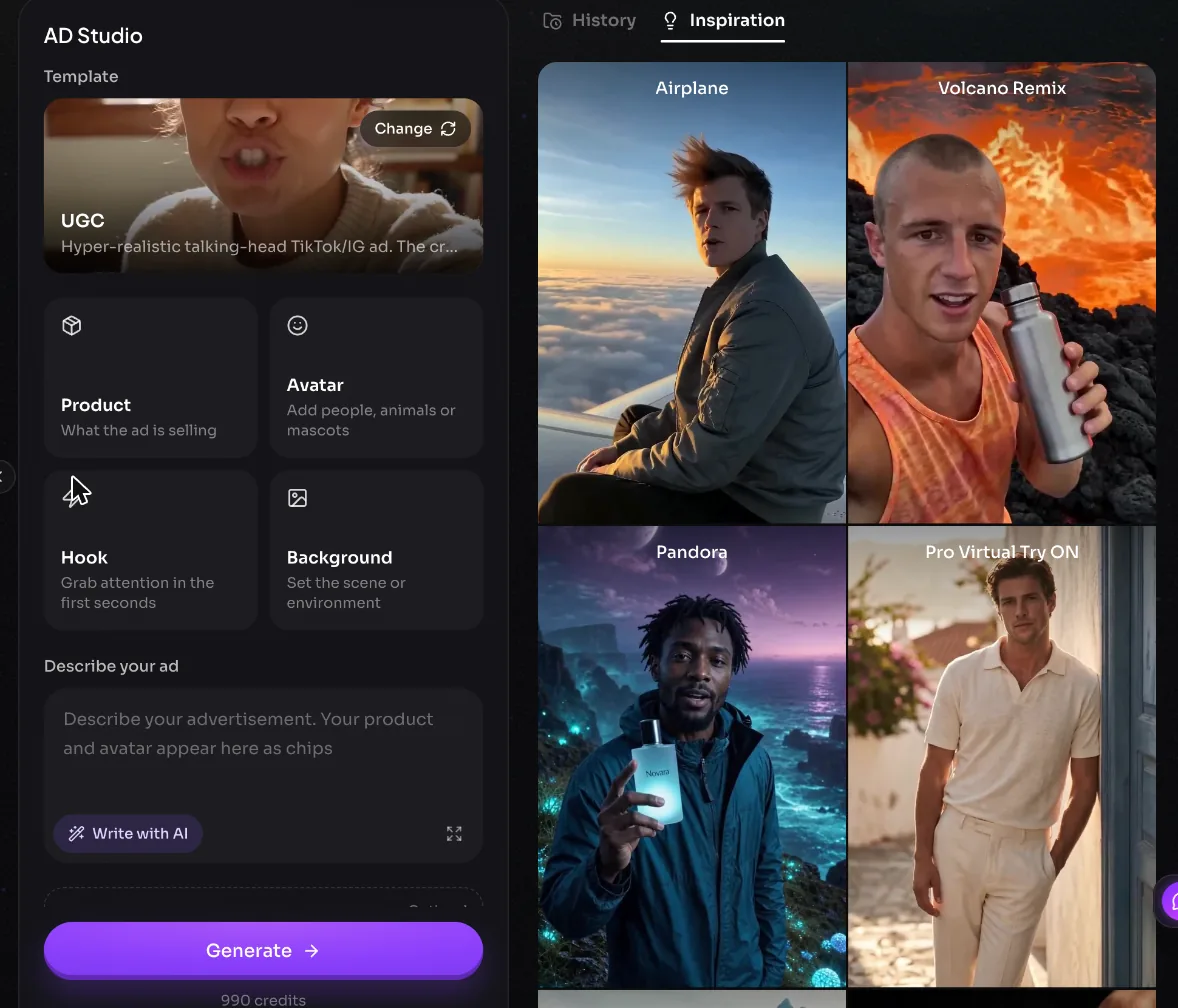
  • Pick a Template, starting with UGC (a hyper-realistic talking-head TikTok and Instagram ad), and change it any time
  • Add a Product (what the ad is selling) and an Avatar (people, animals or mascots)
  • Set a Hook to grab attention in the first seconds, and a Background to set the scene or environment
  • Describe your ad in plain words, or tap Write with AI to draft it for you
  • Choose a length such as 10 seconds
  • Start from proven formats: product showcase, creator review, flash sale and comparison
  • Use Inspiration prompts such as Hyper-Motion Product Ad, Pro Virtual Try On and ASMR as starting points
  • Add presenters, lip sync, voiceover, music, captions and editable brand elements

Options and limits

  • Rise plan and above
  • The credit price is shown on the Generate button before you generate
  • Product and avatar media are attached as chips in the prompt box
  • Inspiration and History tabs sit beside the builder
AD Studio with a UGC template, Product, Avatar, Hook and Background chips, and the Inspiration feed

UGC Ads Studio →AI video ads →

Avatar Studio

NewStudios › Avatar Studio

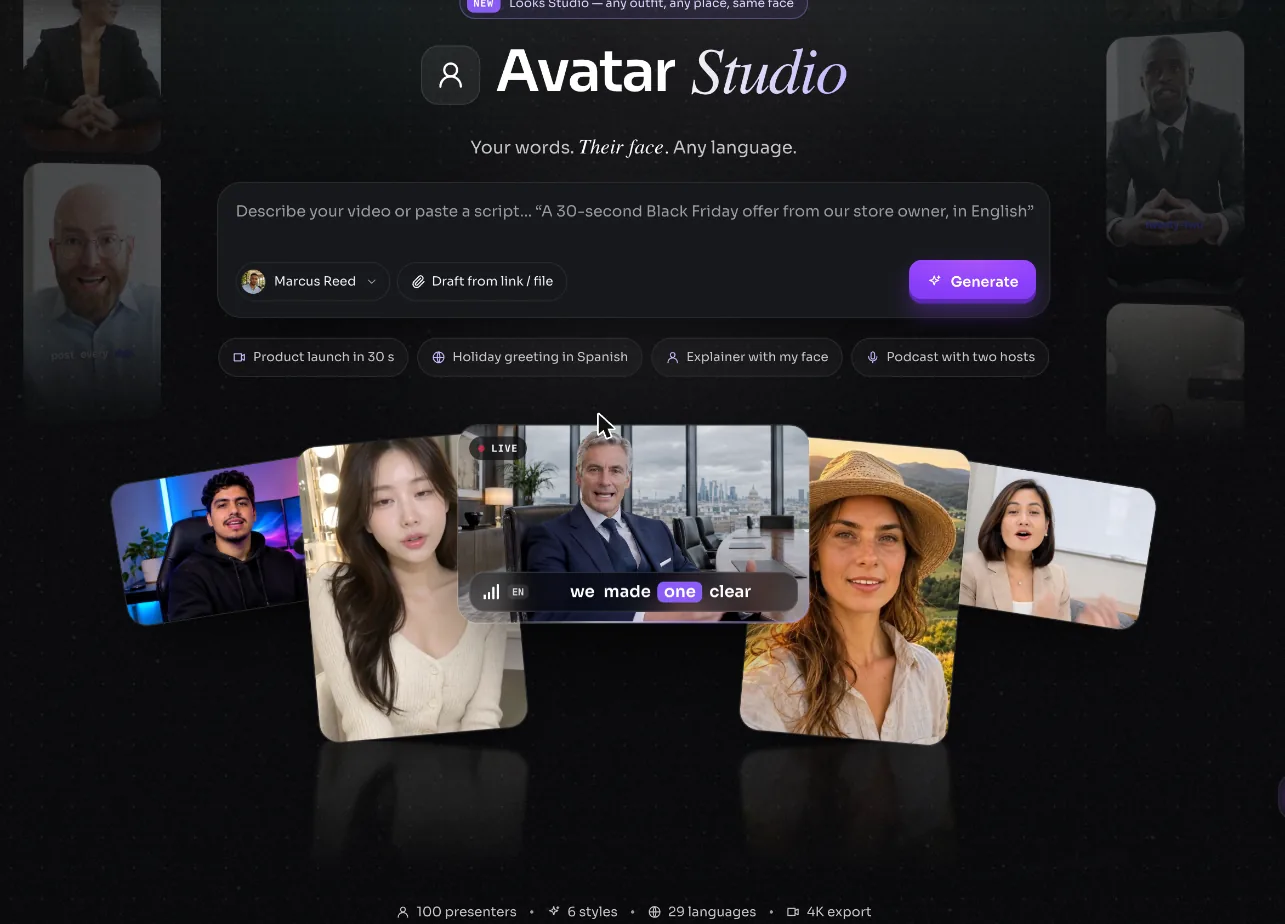
Your words, their face, any language. Write or paste a script, choose a presenter, and Avatar Studio produces a talking-presenter video. The new Looks Studio keeps the same face in any outfit and any place.

What you can do

  • Describe the video or paste a script, or use Draft from link or file
  • Choose from 100 presenters in 6 styles
  • Generate in 29 languages
  • Start from ideas such as a 30-second product launch, a holiday greeting in Spanish, an explainer with your face or a podcast with two hosts
  • Use Looks Studio to put one face in any outfit and any place
  • Turn stock footage of real people into avatars that say your script (Real people. Any scene.)

Options and limits

  • Rise plan and above
  • Presenter picker beside the prompt
  • Preview samples across settings such as office, boardroom, home studio, kitchen and rooftop
Avatar Studio: Your words. Their face. Any language. with 100 presenters, 6 styles and 29 languages

Sammoha

NewStudios › Sammoha

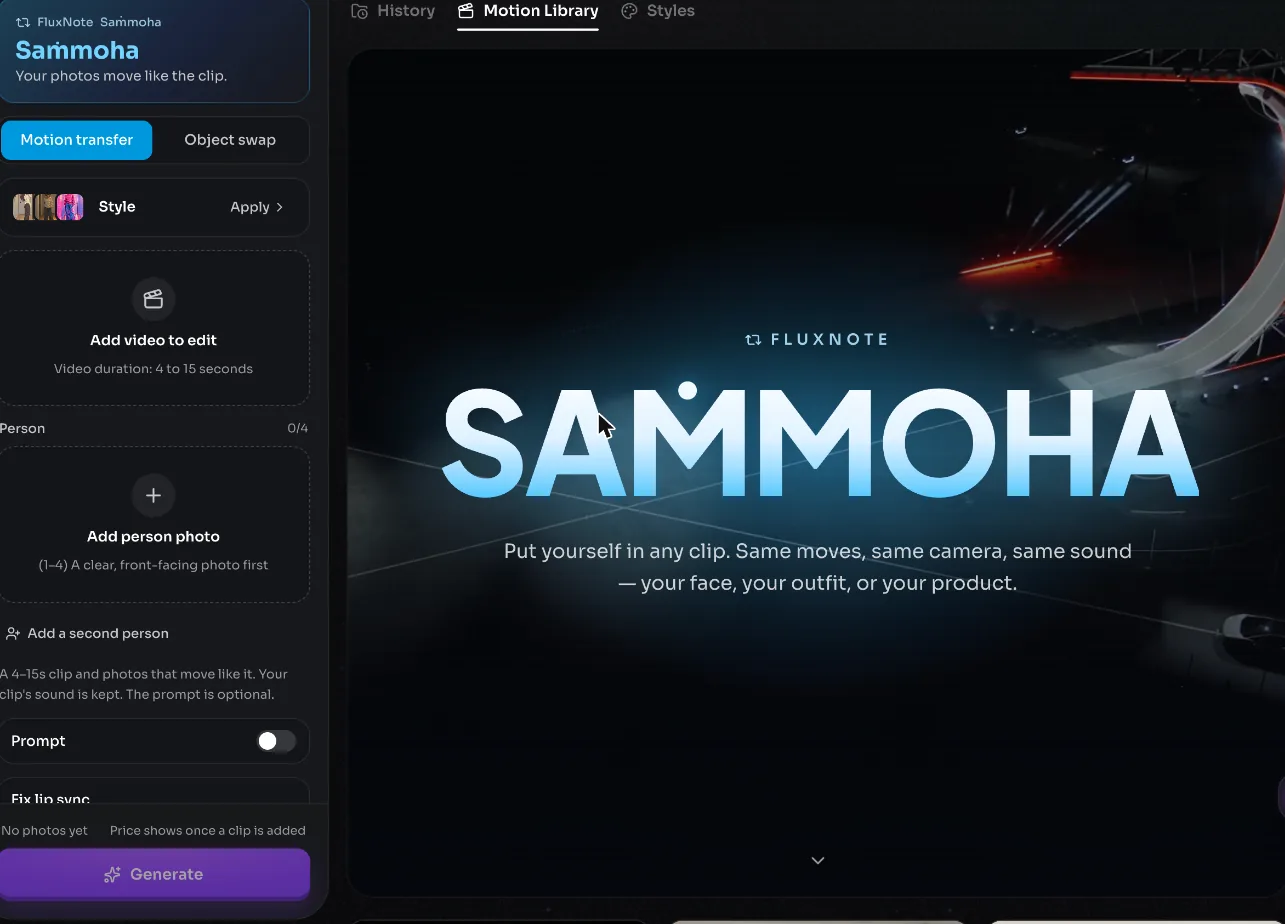
Put yourself in any clip. Sammoha keeps the same moves, the same camera and the same sound, and swaps in your face, your outfit or your product.

What you can do

  • Motion transfer: your photos move like the clip you upload
  • Object swap: replace an object in the clip
  • Apply a Style from the Styles tab
  • Upload a 4 to 15 second clip and 1 to 4 clear, front-facing person photos
  • Add a second person
  • Keep your clip's own sound, and add an optional prompt
  • Fix lip sync to re-sync mouths to your clip's own voice (extra credits per second)
  • Pick Standard or Pro quality

Options and limits

  • Pro plan and above
  • Motion Library of ready-made clips to start from
  • History of your previous generations
  • The price shows once a clip is added
Sammoha: put yourself in any clip, with motion transfer and object swap

Kids Studio

NewStudios › Kids Studio

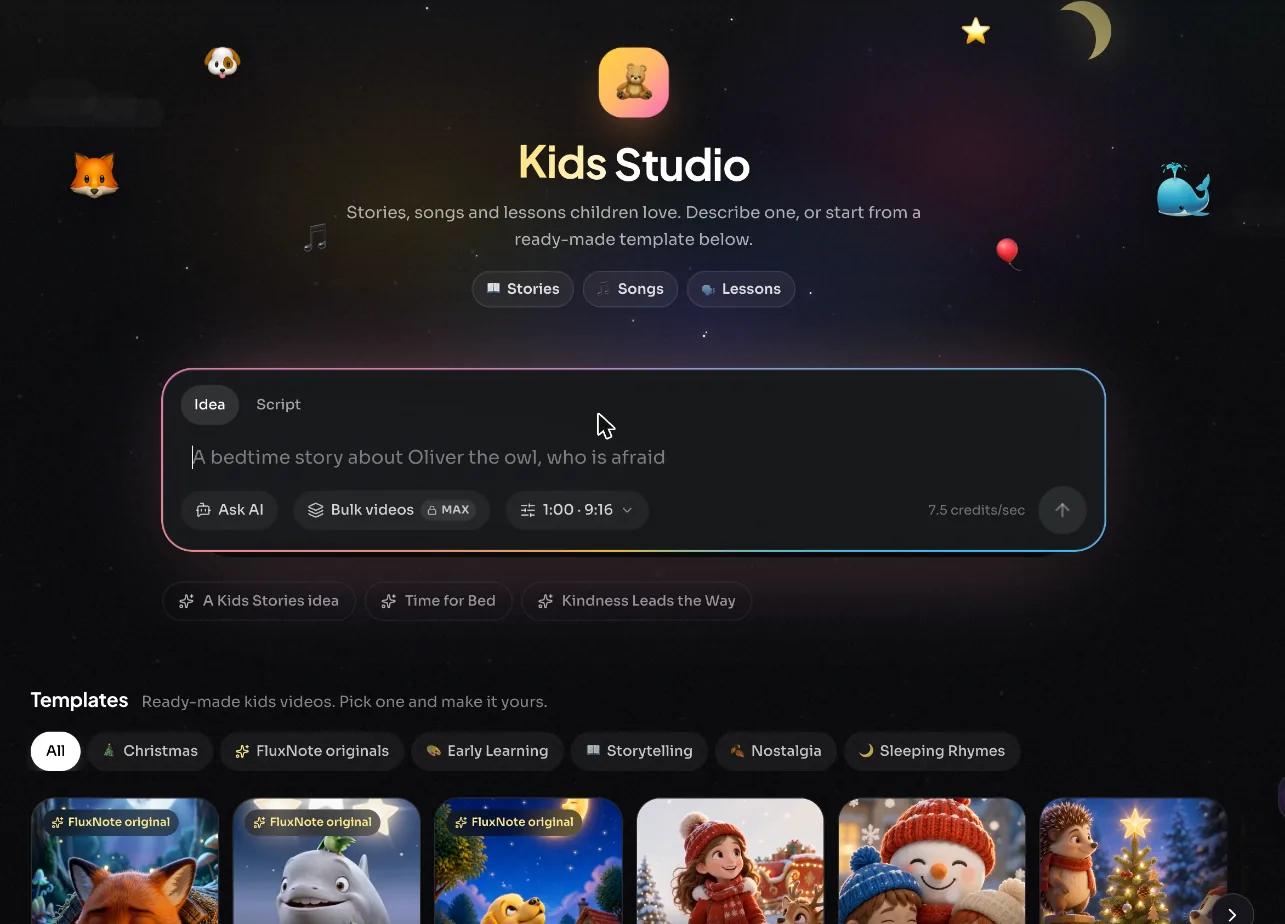
Stories, songs and lessons that children love. Describe one, or start from a ready-made template, and Kids Studio builds a finished kids video.

What you can do

  • Choose Stories, Songs or Lessons
  • Start from an Idea or a Script, with Ask AI to help
  • Use ready-made templates by theme: Christmas, FluxNote originals, Early Learning, Storytelling, Nostalgia and Sleeping Rhymes
  • Set length and format, for example 1:00 in 9:16
  • Pick a voice, music and language, and choose how the storyboard renders
  • Use Bulk videos on the Max plan and above

Options and limits

  • Price is shown per second of video
  • Open the full editor for every option
Kids Studio with Stories, Songs and Lessons, an idea box and ready-made templates

Slideshow Studio

NewStudios › Slideshow Studio

Pick a trending slideshow. Slideshow Studio keeps its structure and rhythm and rewrites every slide for your topic.

What you can do

  • Choose a trending slideshow as the template
  • Search slideshows, or filter by category: B2C App, Self Improvement, Course and Digital Product, Relationships, Personal Brand, Productivity, Fitness, Study, B2B App and E-Commerce
  • See each slideshow's slide count, views and likes before you pick one
  • Rewrite every slide for your own topic while the structure and pacing stay the same

Options and limits

  • Each card shows how many slides the original has

Music Studio

Available nowStudios › Music Studio

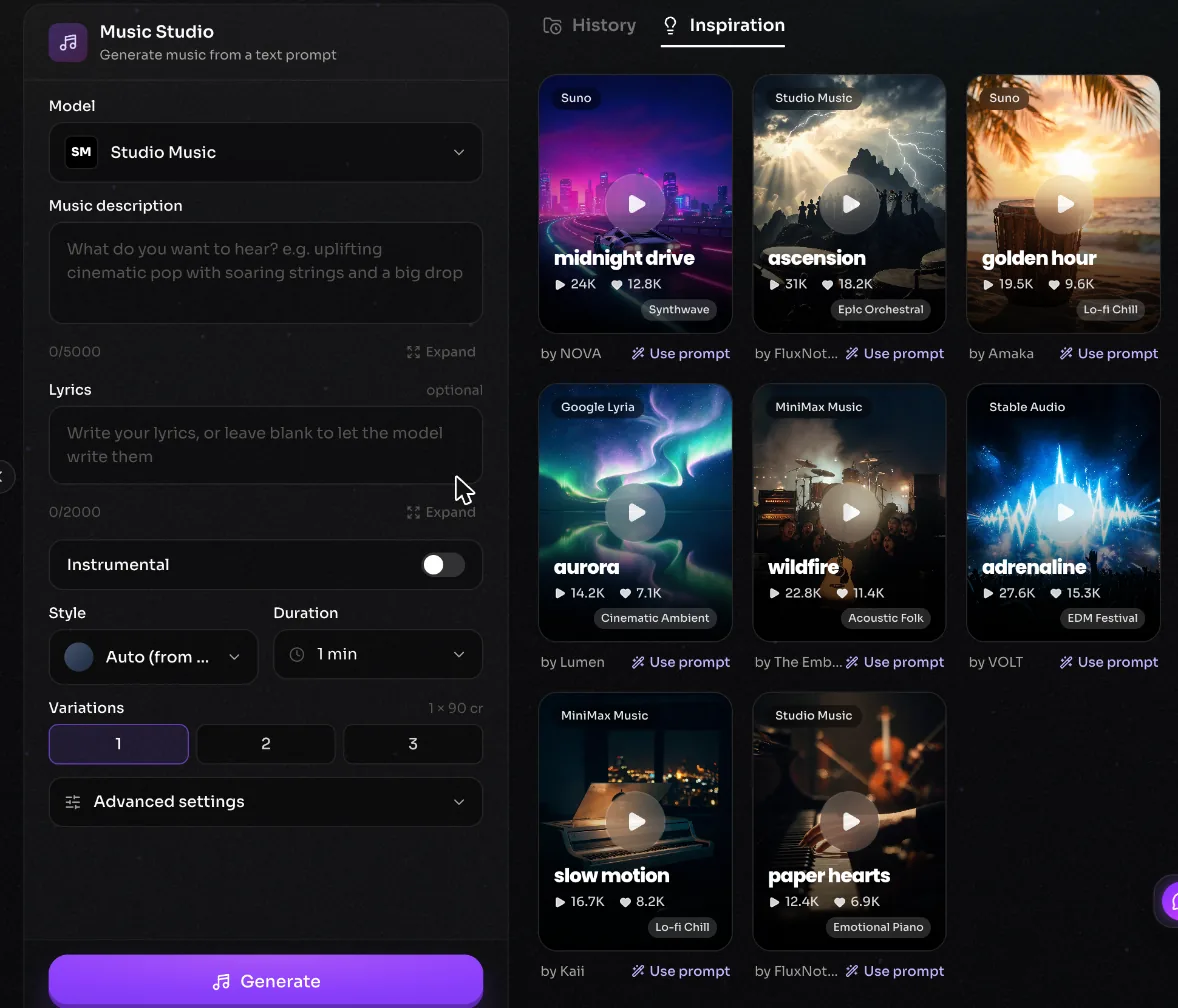
Generate original music from a text prompt: songs with lyrics, instrumentals and background tracks, across several music models.

What you can do

  • Write a music description of up to 5,000 characters
  • Add optional lyrics of up to 2,000 characters, or switch on Instrumental
  • Pick a style or leave it on Auto from the prompt
  • Choose a duration, for example 1 minute
  • Generate 1 to 3 variations at once
  • Browse the Inspiration feed and reuse a prompt
  • Open Advanced settings for finer control

Options and limits

  • Rise plan and above
  • Models in the feed include Studio Music, Suno, Google Lyria, MiniMax Music and Stable Audio
  • Each Inspiration card shows its model, genre (for example Synthwave, Epic Orchestral, Lo-fi Chill, Cinematic Ambient, Acoustic Folk, EDM Festival and Emotional Piano), plays and likes, and a Use prompt button
  • History keeps your previous tracks
  • The credit cost is shown before you generate
Music Studio with model, description, lyrics, instrumental switch, style, duration and variations

AI music generator →

Lipsync Studio

Available nowStudios › Lipsync Studio

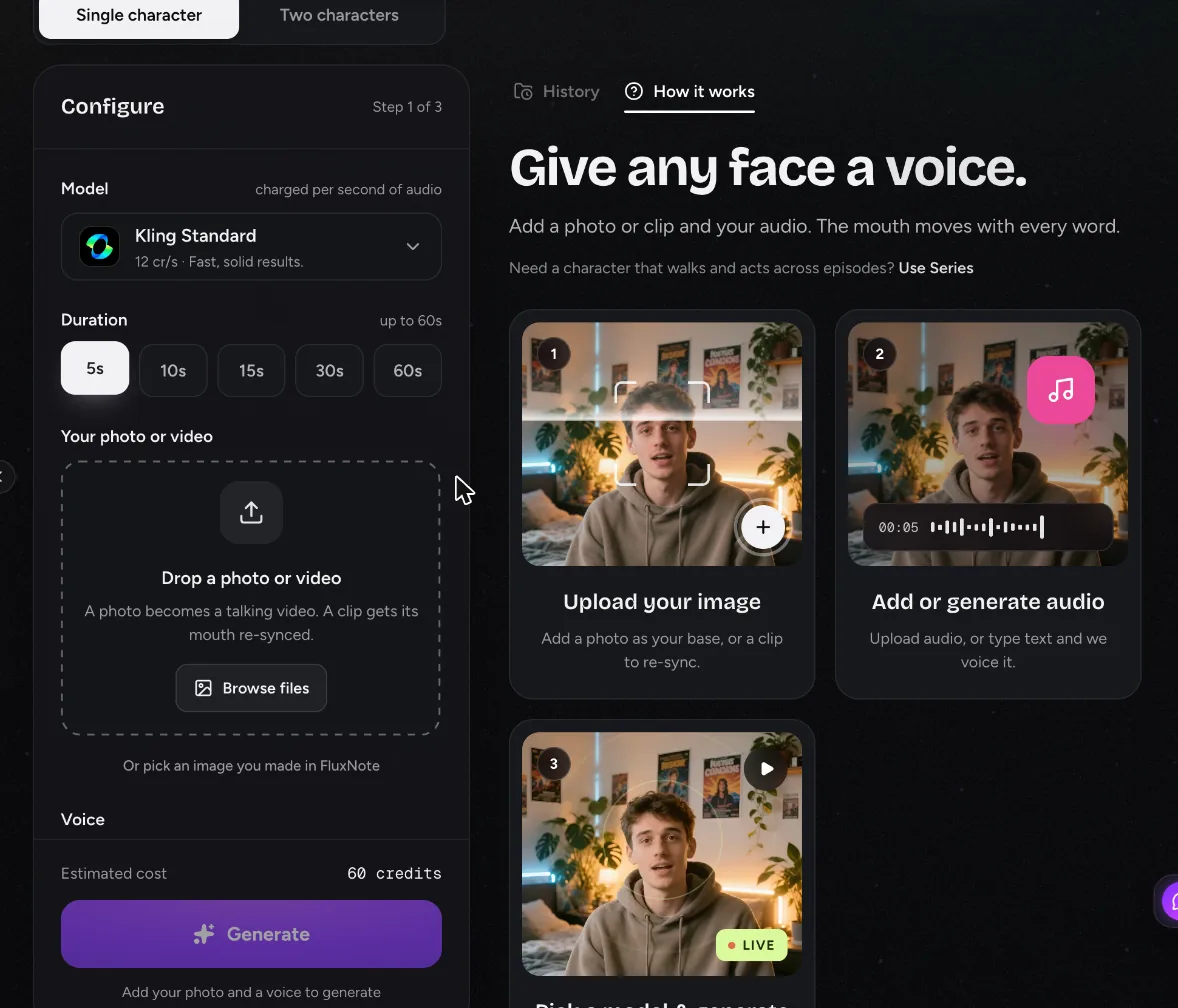
Give any face a voice. Add a photo or a clip plus your audio, and the mouth moves with every word. A photo becomes a talking video, and a clip gets its mouth re-synced.

What you can do

  • Choose Single character or Two characters
  • Pick a model, for example Kling Standard
  • Choose a duration up to 60 seconds: 5, 10, 15, 30 or 60
  • Upload a photo or video, or pick an image you made in FluxNote
  • Add a voice by uploading MP3, WAV or M4A, typing a script for a voice, or recording your own
  • Add an optional prompt

Options and limits

  • Rise plan and above
  • Charged per second of audio, and the estimated cost updates as you set it up
  • Three steps: upload your image, add or generate audio, then pick a model and generate
  • For a character that walks and acts across episodes, use Autopilot series
Lipsync Studio: Give any face a voice, with model, duration, photo upload and a three-step guide

AI lip sync →

Broadcast Studio

NewStudios › Broadcast Studio

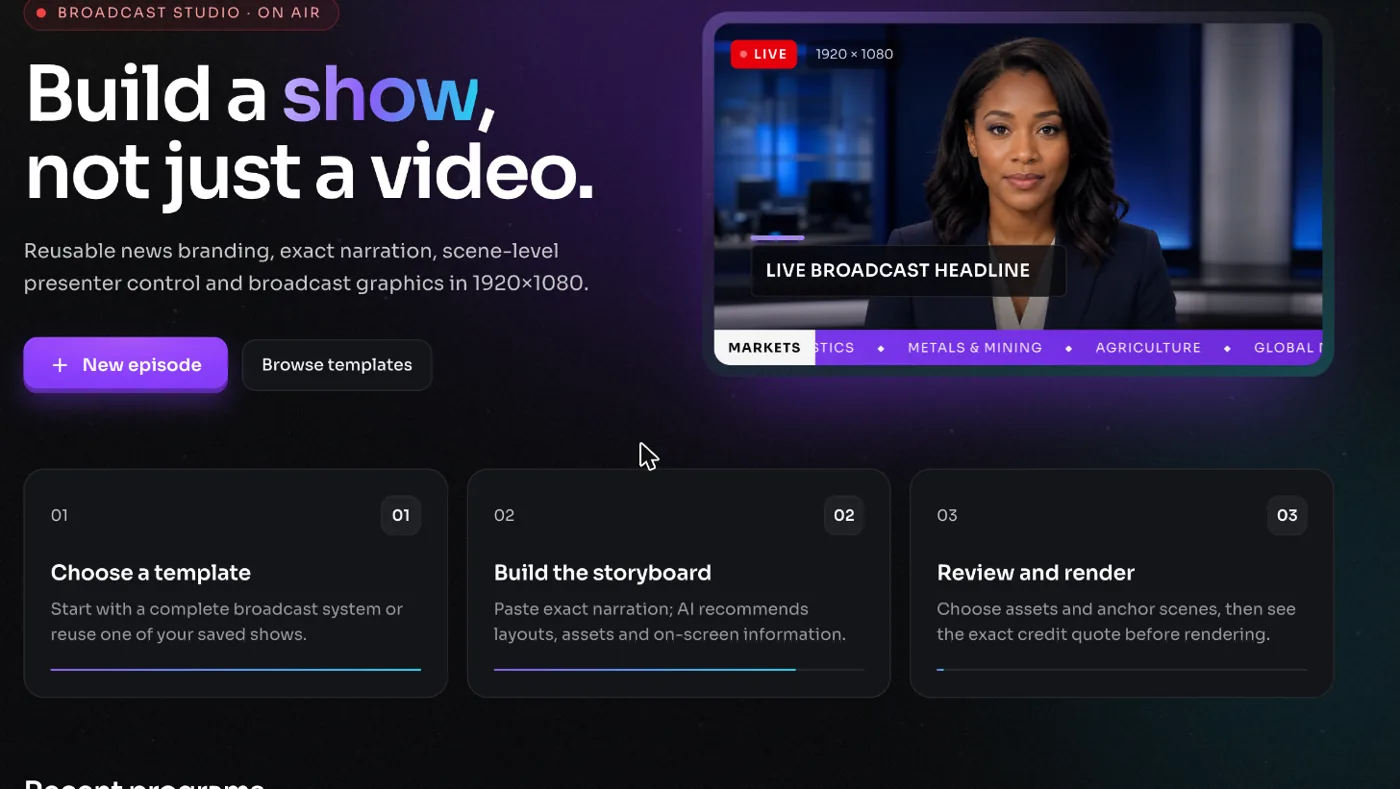
Build a show, not just a video. Broadcast Studio gives you reusable news branding, exact narration, scene-level presenter control and broadcast graphics in 1920 by 1080.

What you can do

  • Start a New episode, or browse templates
  • Choose a complete broadcast template, or reuse one of your saved shows
  • Paste exact narration, and let AI recommend layouts, assets and on-screen information
  • Choose assets and anchor scenes, then see the exact credit quote before rendering
  • Keep Recent programs together as a reusable show kit

Options and limits

  • Output in 1920 by 1080
  • Ticker, headline and lower-third style broadcast graphics
Broadcast Studio: Build a show, not just a video, with three steps from template to render

Audio Clone

Available nowOther › Audio Clone

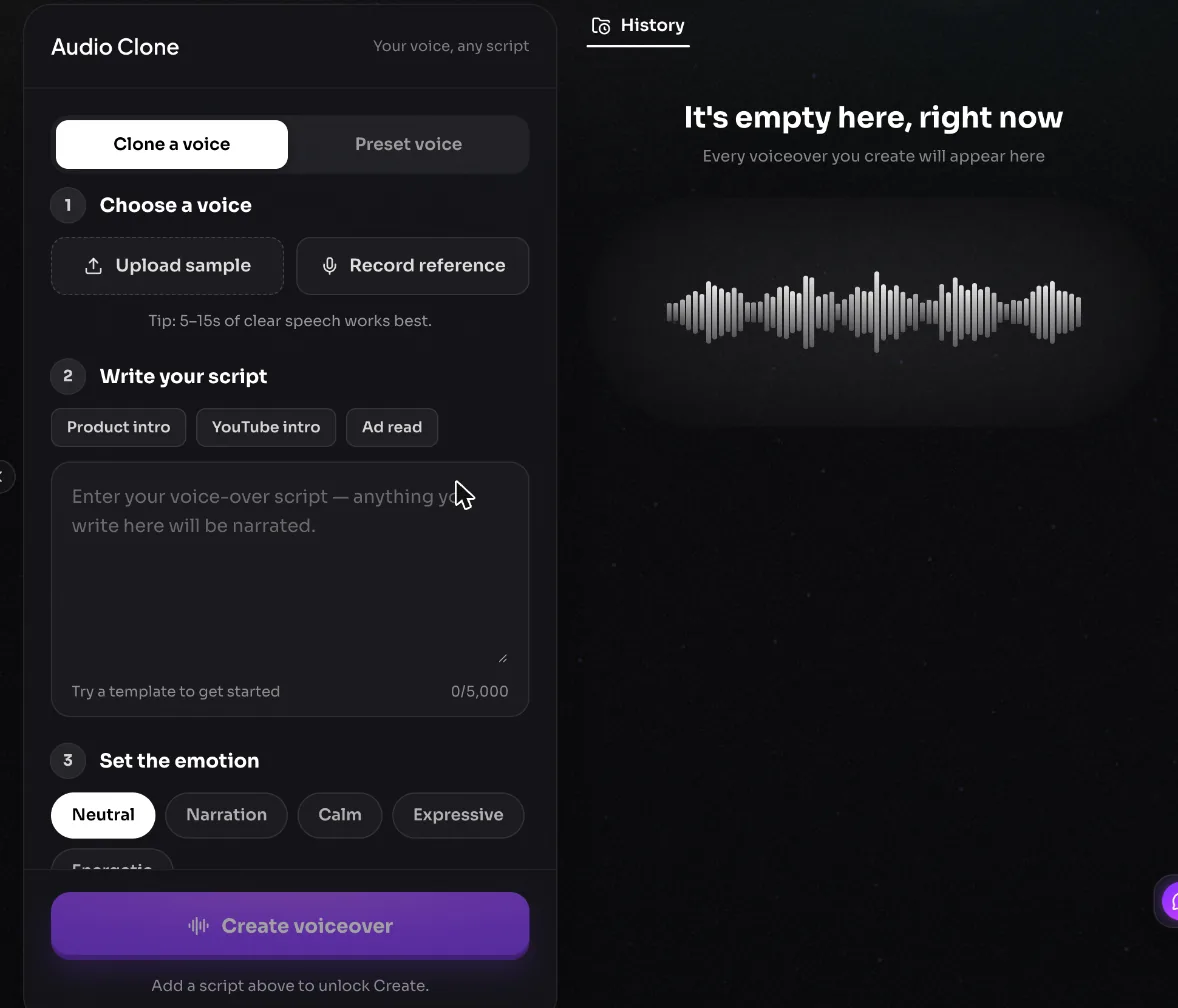
Your voice, any script. Clone a voice from a short sample, or use a preset voice, then write a script and set the emotion.

What you can do

  • Choose a voice: clone one, or use a preset voice
  • Upload a sample or record a reference (5 to 15 seconds of clear speech works best)
  • Write a script of up to 5,000 characters, or start from a template: Product intro, YouTube intro or Ad read
  • Set the emotion: Neutral, Narration, Calm, Expressive or Energetic
  • Create the voiceover and keep it in History

Options and limits

  • Script limit is 5,000 characters
  • History keeps every voiceover you create
Audio Clone: clone a voice or pick a preset, write a script and set the emotion

Audiobook Studio

Available nowOther › Audiobooks

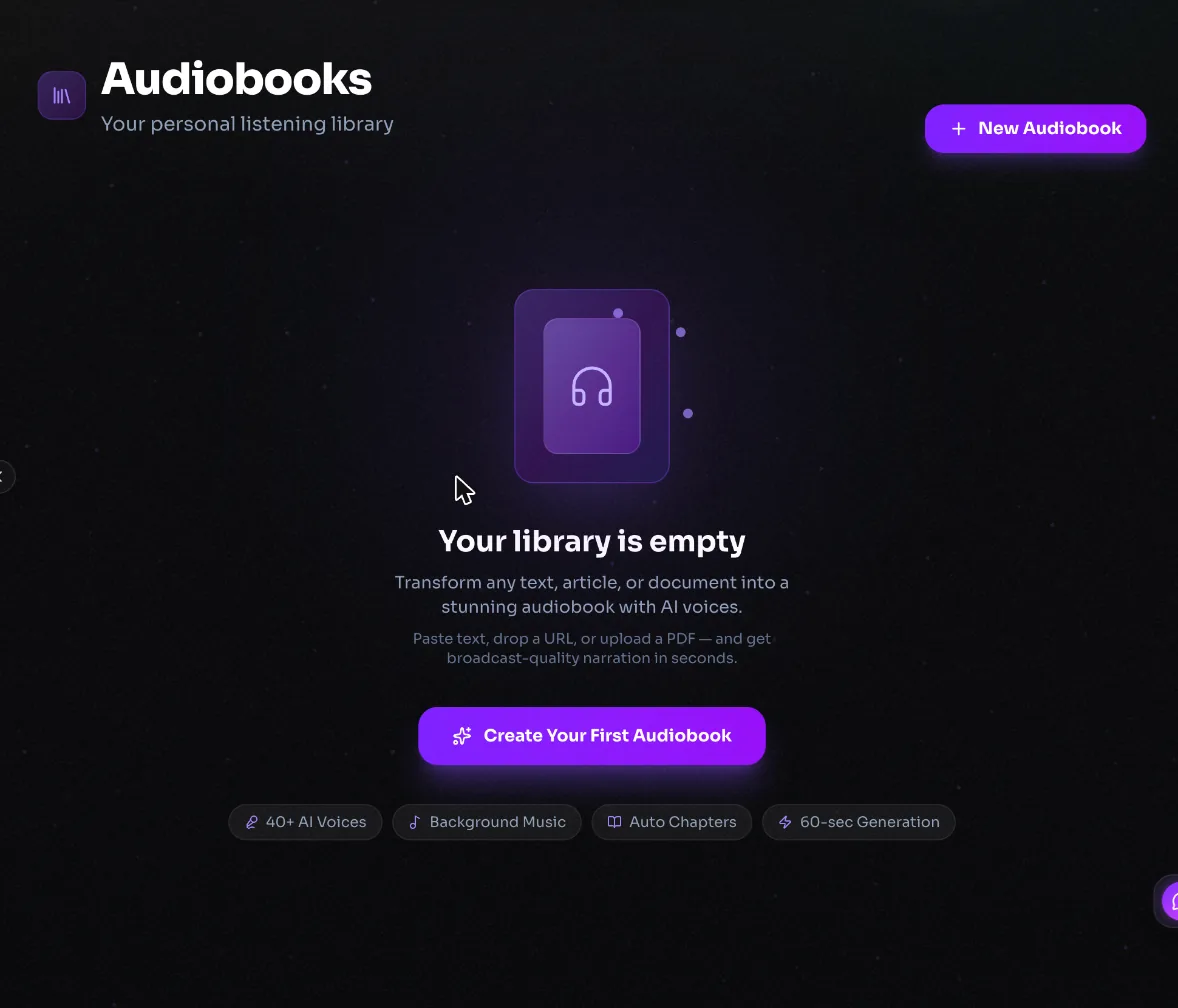
Turn text, an article, a URL or a PDF into structured long-form narration with AI voices, chapters and a personal listening library.

What you can do

  • Create a new audiobook by pasting text, dropping a URL or uploading a PDF
  • Choose from 40+ AI voices
  • Add background music
  • Get automatic chapters
  • Keep every audiobook in your library, with listening and project history

Options and limits

  • Start with New Audiobook, or Create Your First Audiobook
Audiobooks: your personal listening library with 40+ AI voices, background music and auto chapters

Audiobook Studio →

Images

4 features

Image Studio

Available nowTools › Image

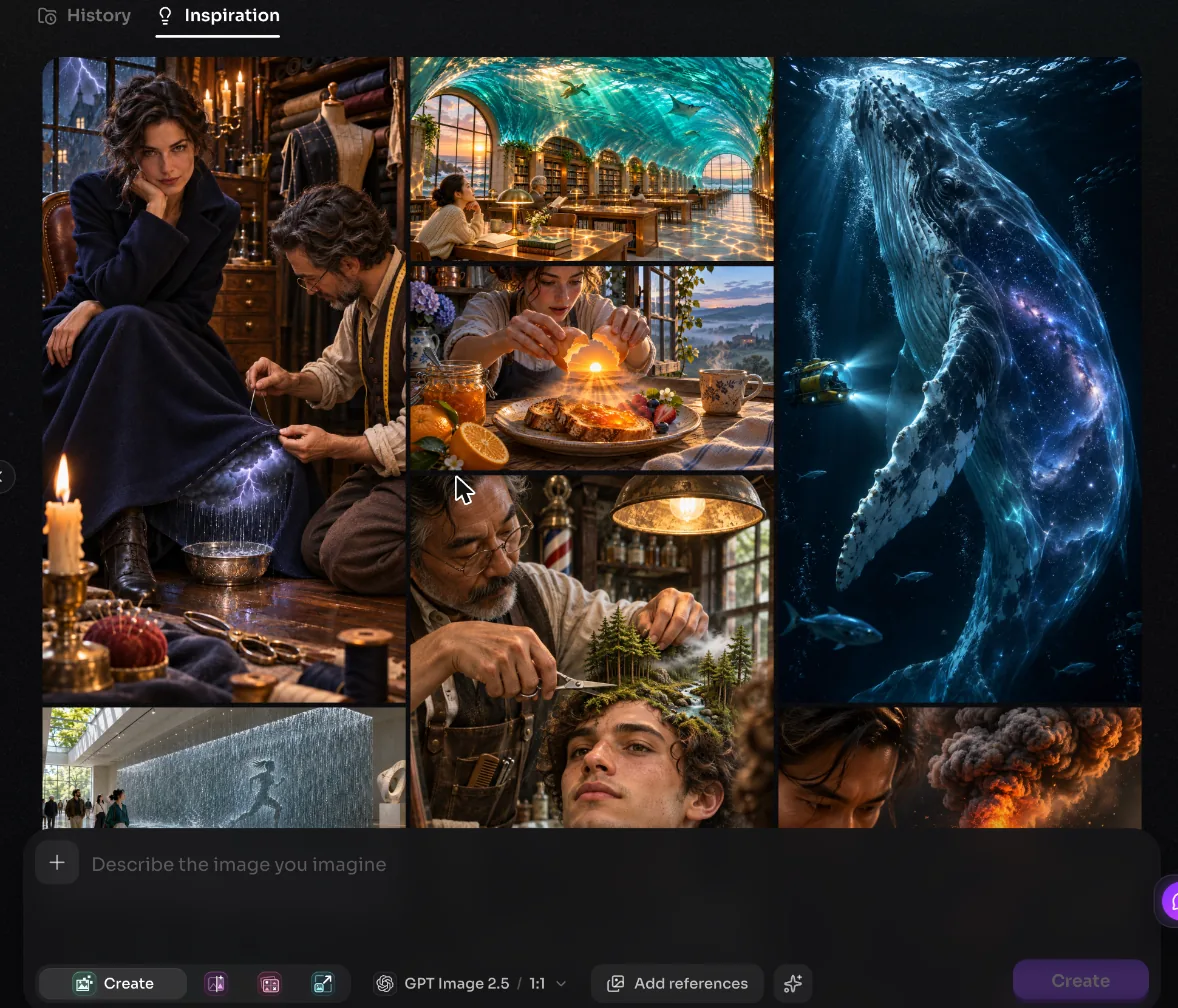
Generate, edit and compare images across multiple model families, then animate selected frames into video. Every generation is kept in History.

What you can do

  • Create images from a prompt, with an aspect ratio such as 1:1
  • Use Edit, Style reference and Upscale modes from the same screen
  • Pick a model, with GPT Image 2.5 shown as the default
  • Add references to guide the result, and tap the sparkle button to improve your prompt
  • Browse the Inspiration feed and Remix any prompt
  • Animate an image into video from the same project

Options and limits

  • 24 image models are in the Image Studio picker (6 featured and 18 more), from fast drafts to photoreal, edit and identity-lock models
  • Model groups: Photoreal, Artistic, Edit and Refine, and Identity Lock
Image Studio with the Inspiration feed, prompt box, model picker and Add references

AI image models →

Edit and Upscale

Available nowTools › Edit and Tools › Upscale

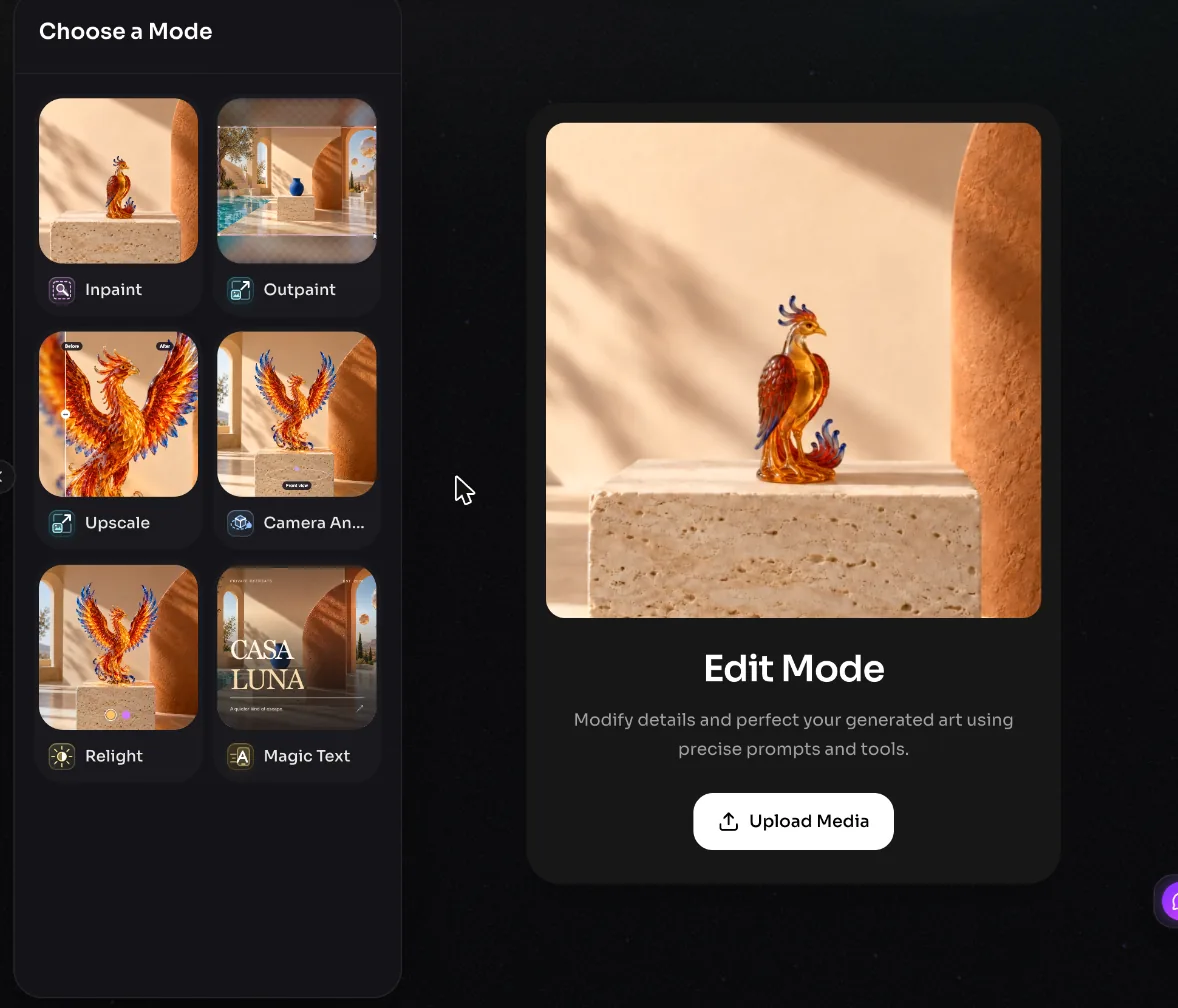
A set of image editing modes: change part of a picture, extend it, upscale it, change its camera angle or relight it.

What you can do

  • Inpaint: change or replace part of an image
  • Outpaint: extend an image beyond its edges
  • Upscale: raise the resolution of an image
  • Camera Angles: re-frame an image from a new angle
  • Relight: change the lighting
  • Magic Text: change or add text inside an image

Options and limits

  • Six modes in total
  • Edit Mode modifies details and perfects generated art using precise prompts and tools
  • Upload media to start
Edit modes: Inpaint, Outpaint, Upscale, Camera Angles, Relight and Magic Text

Image to video

Available nowVideo Studio › Starting Frame

Turn a generated image or an uploaded frame into an AI video clip, with model choice, motion direction and format controls.

What you can do

  • Start from an image you made in FluxNote or one you upload
  • Choose a model and direct the motion
  • Pick a format that matches where the clip will be posted

Image to video →

AI kissing video generator

Available nowFeatures hub

Turn a photo of two people into a short kissing video. Describe the kiss, pick a model and generate. It is credit-based and is meant for people who agreed to be in it.

What you can do

  • Upload a photo of two people
  • Describe the kiss and pick a model
  • Generate a short clip

Options and limits

  • Use only photos of people who have agreed

AI kissing video generator →

Voice, captions and music

3 features

AI voiceover

Available nowVoice picker in every video workflow

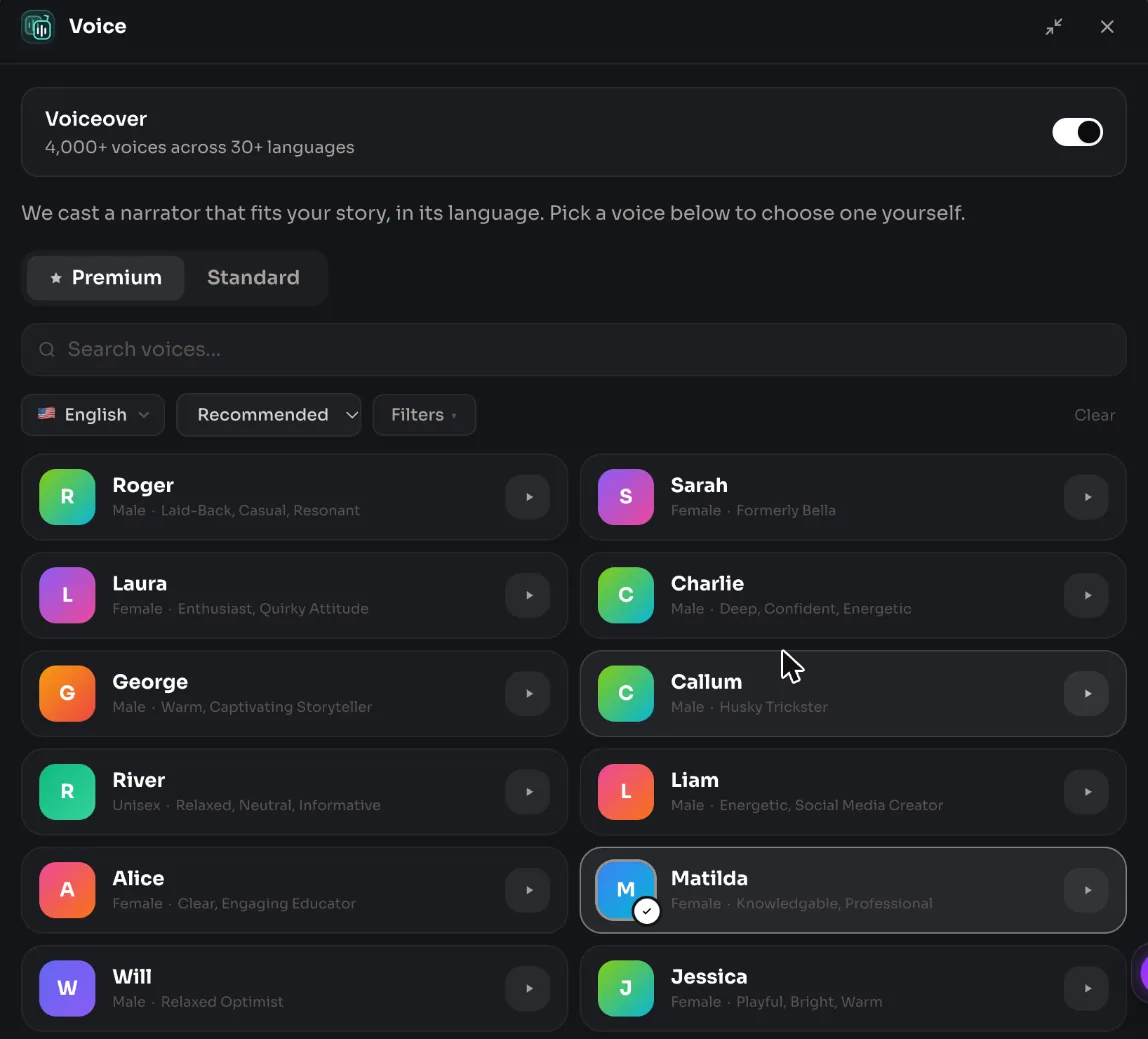
FluxNote casts a narrator that fits your story in its language, or you pick one yourself. Voiceover is built in to videos, audiobooks and lip sync, so you never record your own audio.

What you can do

  • Choose from 4,000+ voices in 38 languages (the full library is on paid plans)
  • Switch between Premium and Standard voices
  • Search voices, and filter by language, style and recommendation
  • Preview each voice before you choose it
  • Switch voiceover on or off with one toggle

Options and limits

  • Each voice shows its gender and character, for example warm storyteller, relaxed or energetic
FluxNote voice library with 4,000+ voices

AI voiceover generator →

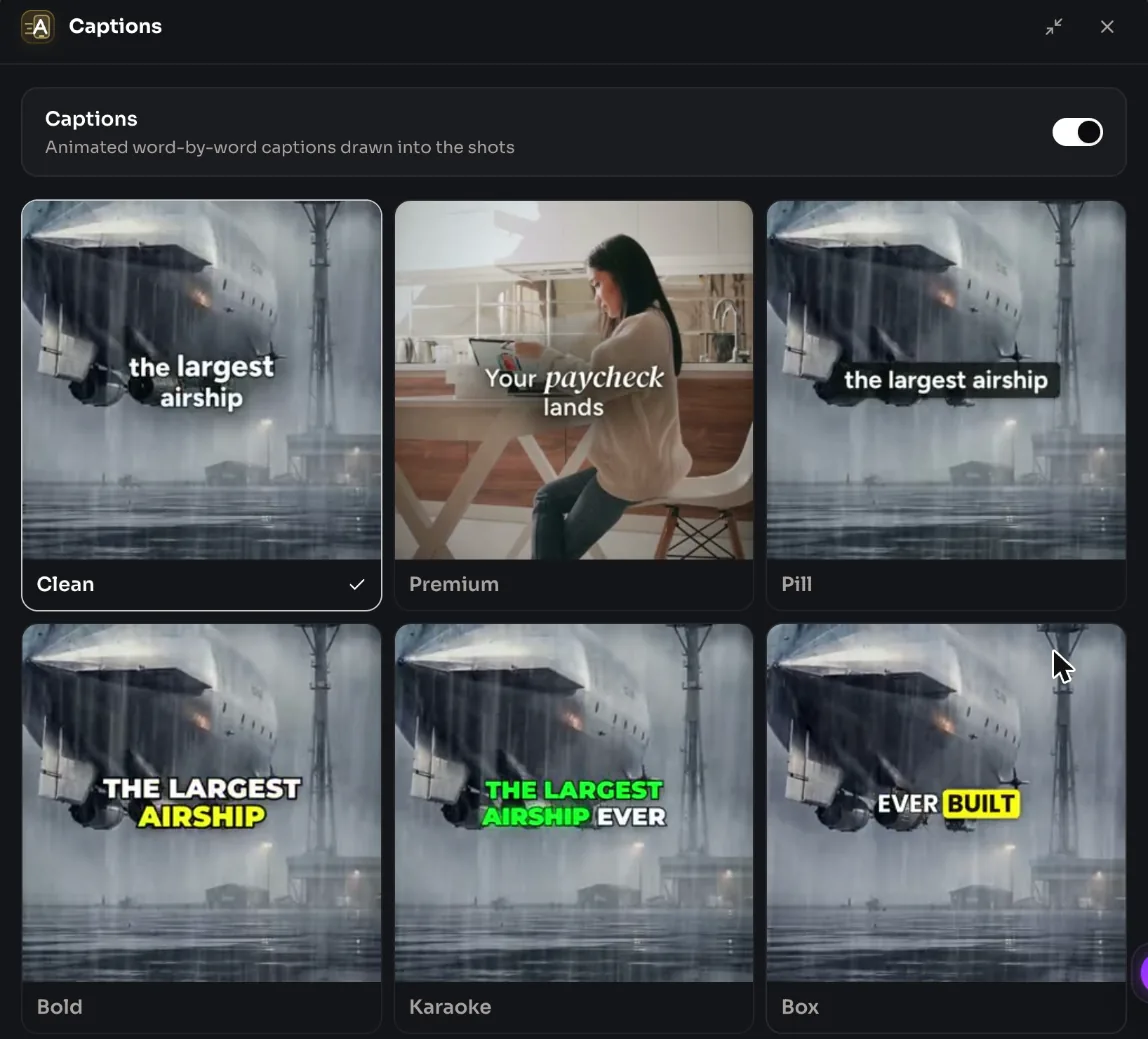
Animated captions

Available nowCaptions picker in every video workflow

Captions are drawn word by word into the shots, so your video reads well with the sound off. Preview each look on a real frame before you choose.

What you can do

  • Switch captions on or off with one toggle
  • Choose from styles including Clean, Premium, Pill, Bold, Karaoke and Box, and more
  • Style subtitles for any video in Video Studio's Captions mode
  • Use the free AI subtitle generator for subtitles outside a full project

Options and limits

  • 60+ animated caption styles designed for short-form retention
Caption styles Clean, Premium, Pill, Bold, Karaoke and Box previewed on video frames

AI subtitle generator →

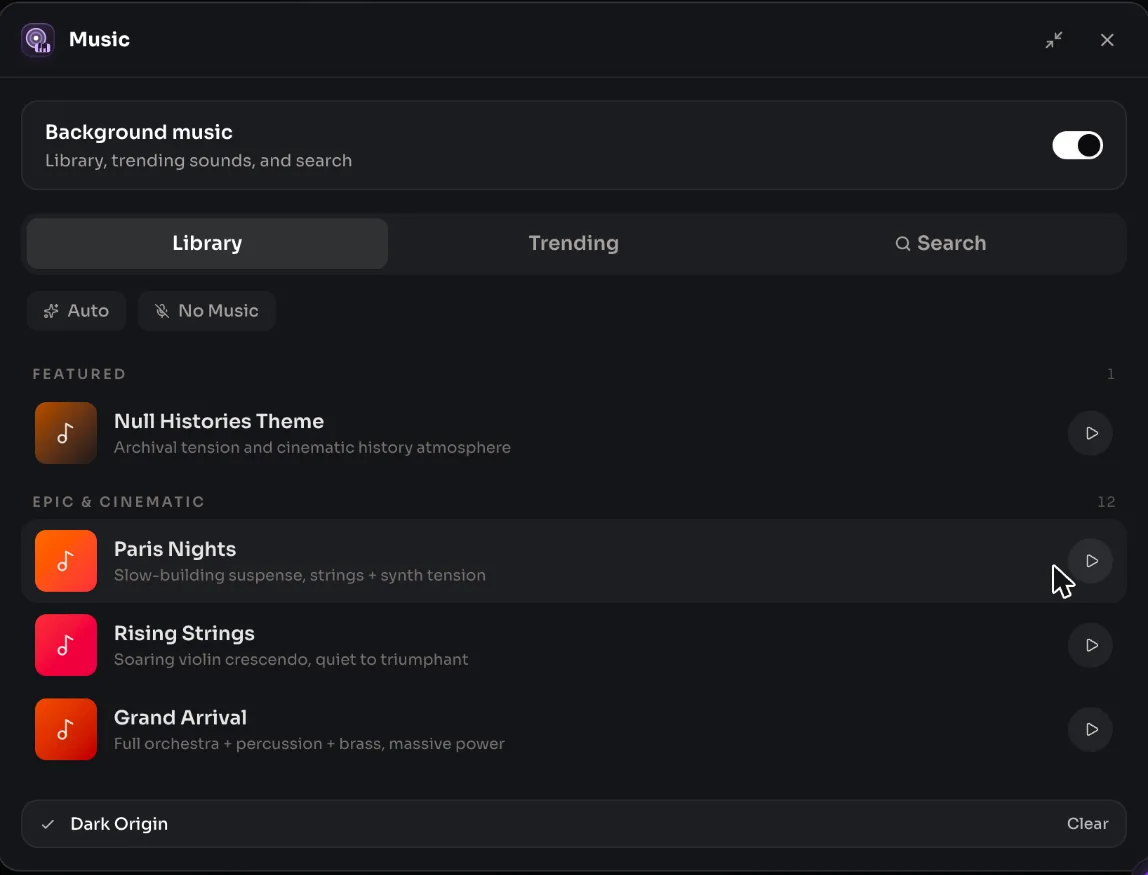
Background music library

Available nowMusic picker in every video workflow

Pick background music from the library, browse trending sounds, search, let FluxNote choose automatically, or switch music off.

What you can do

  • Use the Library, Trending and Search tabs
  • Choose Auto to let FluxNote pick a track that fits the story
  • Choose No Music to export without a track
  • Browse curated groups such as Featured and Epic and Cinematic, with a play button to preview each track
Background music picker with Library, Trending and Search tabs

Edit and publish

4 features

Video editor

Available nowOpen the full editor from any project

Every generated video lands on an editable timeline. Scenes, voiceover, captions, music and timing stay in one project, so you can change any part afterwards.

What you can do

  • Rewrite lines and replace footage
  • Change caption styles and adjust audio
  • Add transitions
  • Export for vertical, square or landscape
  • Edit generated or uploaded video

AI video editor →

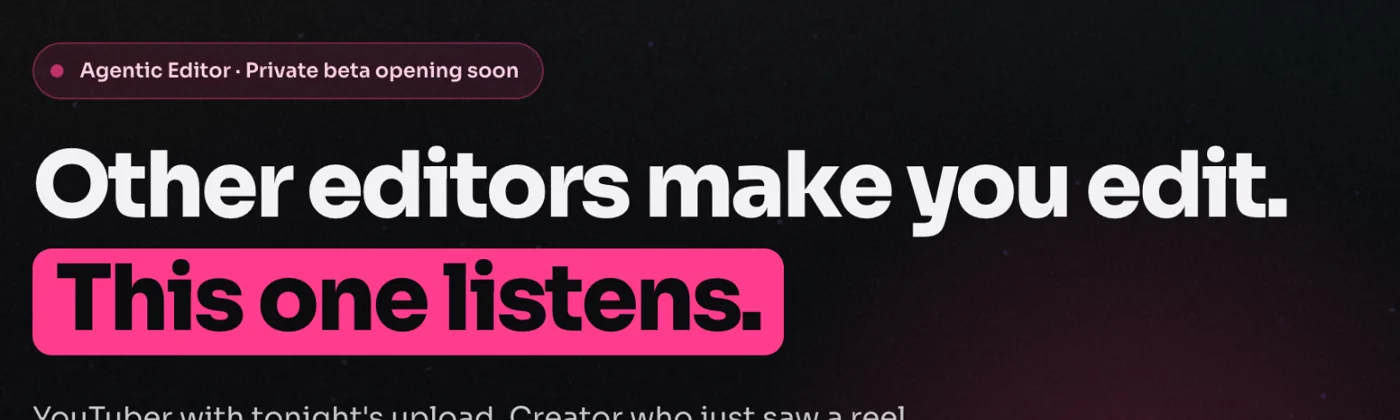
Agentic Editor

Coming soonAgentic Editor (private beta, opening soon)

Other editors make you edit. This one listens. Tell the Agentic Editor what you want in plain words, and its agent cuts, adds captions, music and B-roll, checks its own work and hands you a video that is ready to ship. It is in private beta, opening soon, and early access is free during the beta.

What you can do

  • Drop footage or paste a link, then say what you want in any language
  • For YouTubers: drop an hour of footage and get a tight cut with the ums gone, captions on and chapters marked
  • For creators: paste a reel or Short and the agent rebuilds its pacing, captions and hook with your footage
  • For new channels: describe the idea and it scripts, generates visuals, adds a voice and edits episode one
  • Still drag clips yourself at any time

Options and limits

  • Join the waitlist in the app. You get one email the day your invite opens.
Agentic Editor announcement: Other editors make you edit. This one listens.

Auto-posting and scheduling

Available nowAutopilot and project publish step

Plan, approve, schedule and publish content across connected social accounts from the same workflow used to create it, instead of exporting and uploading every post by hand.

What you can do

  • Connect social accounts as destinations
  • Schedule by day, time and timezone
  • Choose review-first approval or automatic publishing
  • Build a content week, then publish at the selected times

Options and limits

  • Publish to 9 social platforms on paid plans
  • Free plans can create content but cannot connect social auto-publishing
  • Multiple accounts per platform need the Max plan and above
  • YouTube posting is having issues right now, so some uploads may fail. Posting to the other platforms works normally, and you can always download the video and upload it yourself

Auto-posting →

Assets, Search and History

Available nowAssets and Search in the sidebar

Everything you create is kept. Assets holds your files, Search finds them, and each studio has its own History tab for previous generations.

What you can do

  • Open Assets to browse your files
  • Use Search to find past work
  • Reopen any previous generation from a studio's History tab

Platform

6 features

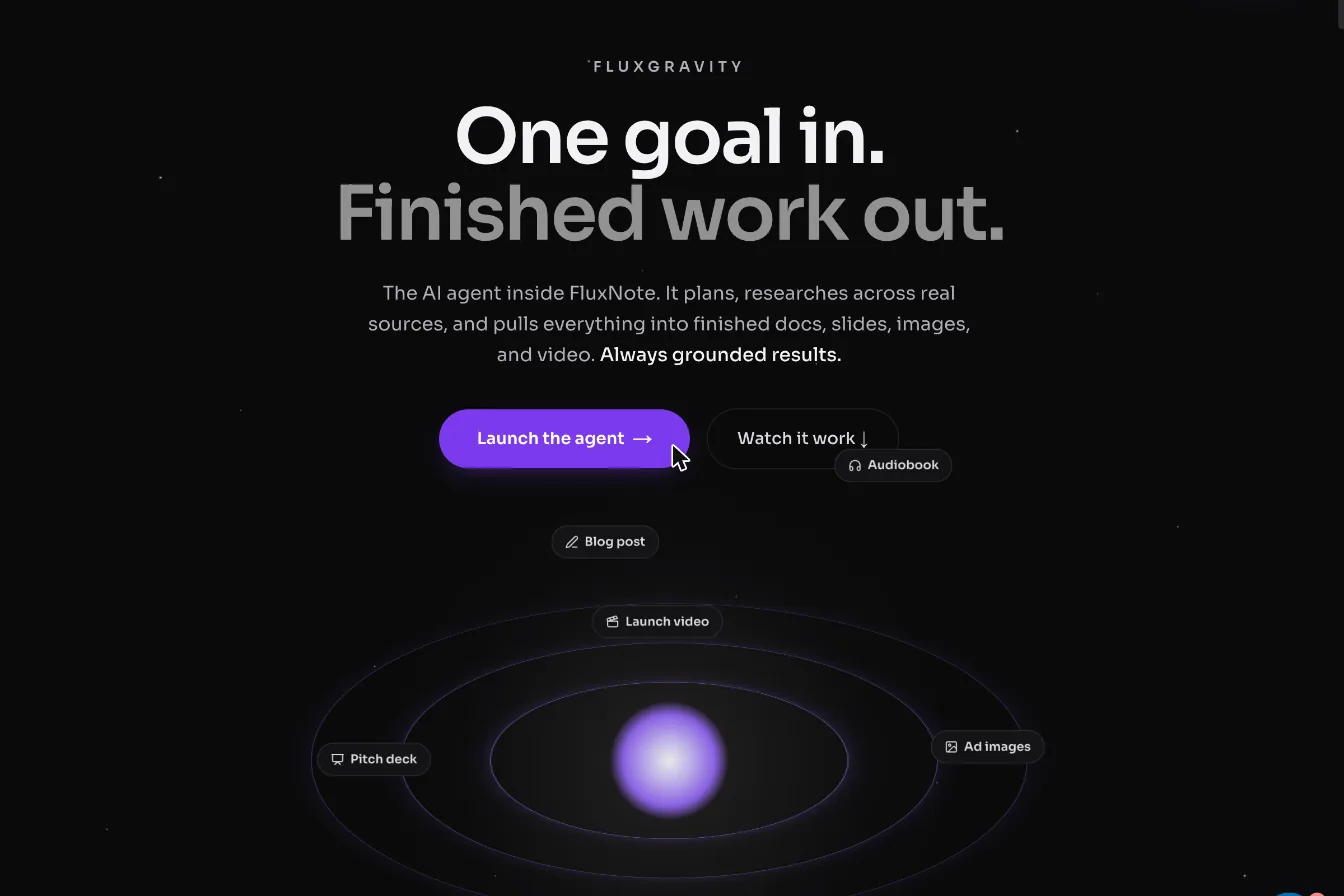
FluxGravity agent

Available nowFluxGravity

One goal in, finished work out. FluxGravity is the AI agent inside FluxNote. It plans, researches across real sources, and pulls everything into finished docs, slides, images and video.

What you can do

  • Give it a goal and let it coordinate research, documents, slides, images, audio and video
  • Use Auto mode so each task is routed to the model that does it best, across Claude, GPT, Gemini and others
  • See the mission run live: research, brief, pricing sheet, launch video and more

Options and limits

  • One subscription instead of separate model subscriptions
  • Starting points include a pitch deck, ad images, a launch video, a blog post and an audiobook
FluxGravity: One goal in. Finished work out.

FluxGravity agent →

Free creator tools

Available nowFree tools directory

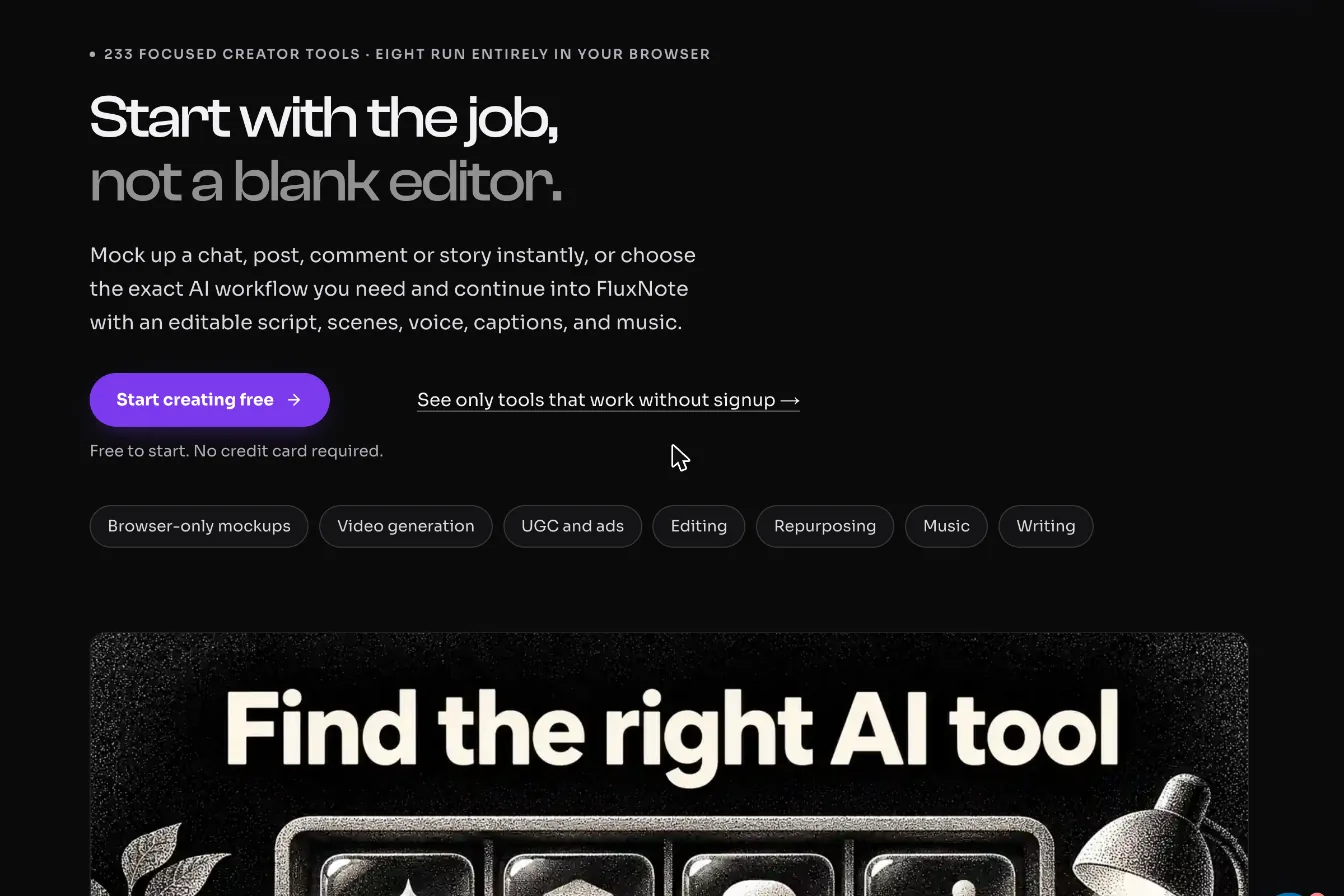
233 focused creator tools for the exact job, not a blank editor. Eight run entirely in your browser with no sign-up and nothing uploaded.

What you can do

  • Mock up fake chat, post and comment videos or screenshots (iMessage, tweet, Reddit story, AI chat and more)
  • Use focused AI video workflows: faceless video, TikTok video, YouTube Shorts, podcast video, documentary and more
  • Generate scripts, hooks, thumbnails and captions
  • Remove silences, extract a first frame, edit and convert, translate, resize and crop
  • Repurpose articles, Reddit posts and PDFs into video
  • Continue any tool into FluxNote with an editable script, scenes, voice, captions and music

Options and limits

  • Categories include audio and voice, captions and subtitles, ads and UGC, editing, music, writing, design, education, storytelling, repurposing and automation
Free creator tools: start with the job, not a blank editor

Browse all free tools →

Developers: REST API, MCP and CLI

Available nowDevelopers

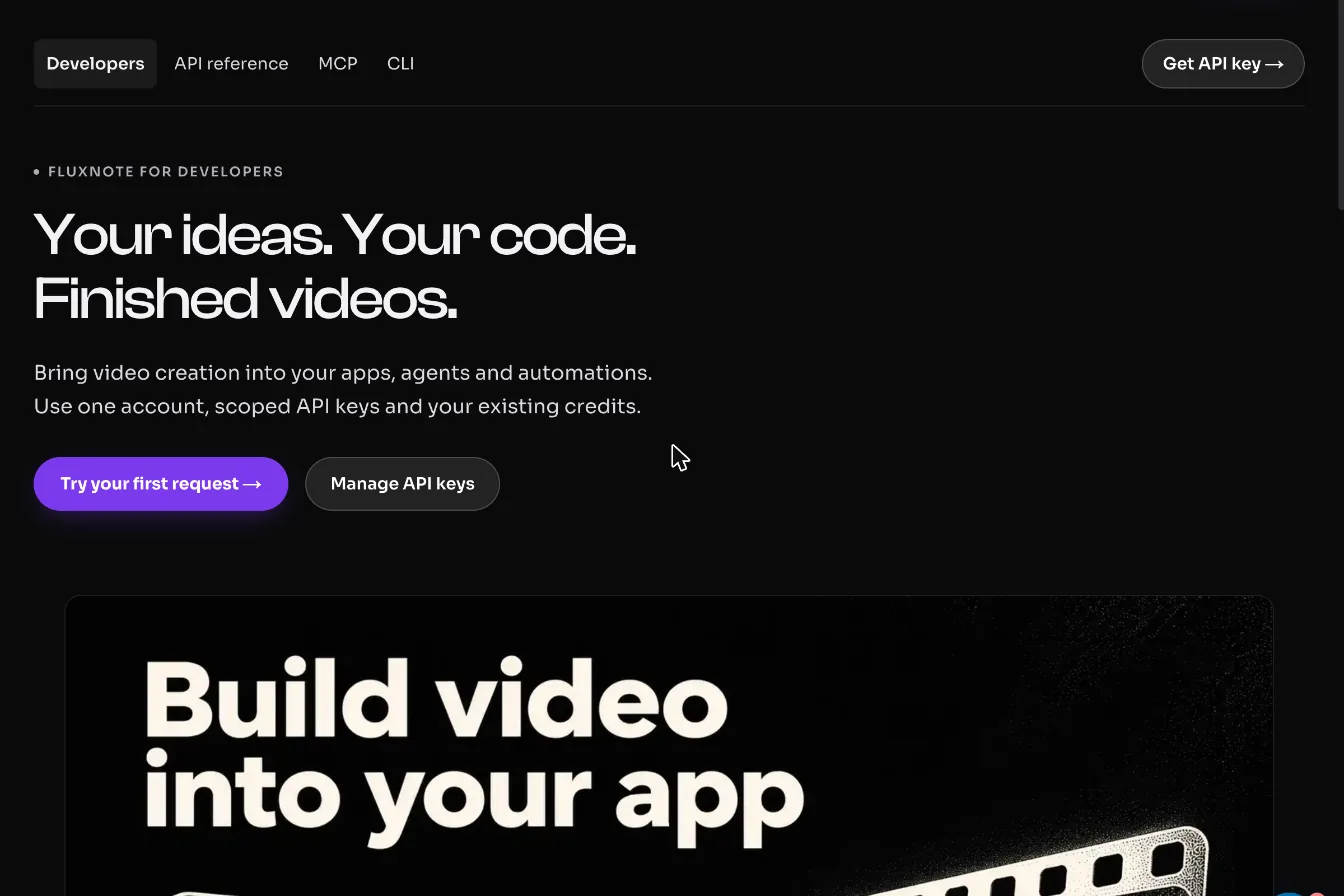
Bring video creation into your own apps, agents and automations with one account, scoped API keys and your existing credits.

What you can do

  • REST API with 38 endpoints for videos, images, AI clips, music, voiceovers, lip sync, audiobooks, Autopilot series and social publishing
  • Create, poll its status and download the result
  • Estimate the credit cost before starting
  • MCP server: connect a compatible AI client to your account and run approved workflows with scoped tools
  • CLI preview: work from your terminal or CI with structured JSON output, polling and safe retries (npm publication is pending)

Options and limits

  • Pro plan and above
  • Scoped API keys
  • API reference, MCP and CLI documentation
  • Calls use your plan credits
FluxNote for developers: your ideas, your code, finished videos

Developers →

Models in one subscription

Available nowModels

FluxNote puts many image, video, voice and music models in one workspace on one credit balance.

What you can do

  • Image: 24 models in the Image Studio picker, including GPT Image 2.5, FLUX.3, Nano Banana Pro, Seedream 5.5, Ideogram 3 and FLUX Kontext, from fast drafts to photoreal and identity-lock models
  • Video: models including Veo, Kling, Seedance, Runway, Hailuo and PixVerse (premium video models start at Rise)
  • Music: Studio Music, Suno, Google Lyria, MiniMax Music and Stable Audio
  • Voice: 4,000+ voices in 38 languages

Options and limits

  • Model access varies by plan
  • Video models are grouped into Premium and Standard, with clip length and resolution shown for each, and an Audio badge for models with native audio

Image models →Video models →

Plans, credits and top-ups

Available nowPricing

Everything runs on one credit pool for images, clips, episodes, voice and music. The Free plan includes 100 credits a month with no credit card, and no FluxNote video is watermarked on any plan. Paid plans add monthly credits, more studios and higher limits.

What you can do

  • Free: 100 credits a month with no credit card
  • Basic (starter): 1,000 credits a month, about 250 AI images, 20 faceless videos and 25 AI clips, 1080p HD exports, standard and budget models only, 1 Autopilot series and 1 episode a week
  • Rise: 2,500 credits a month, about 625 AI images, 50 faceless videos and 62 AI clips, 2 Autopilot episodes a week, 1 audiobook a month
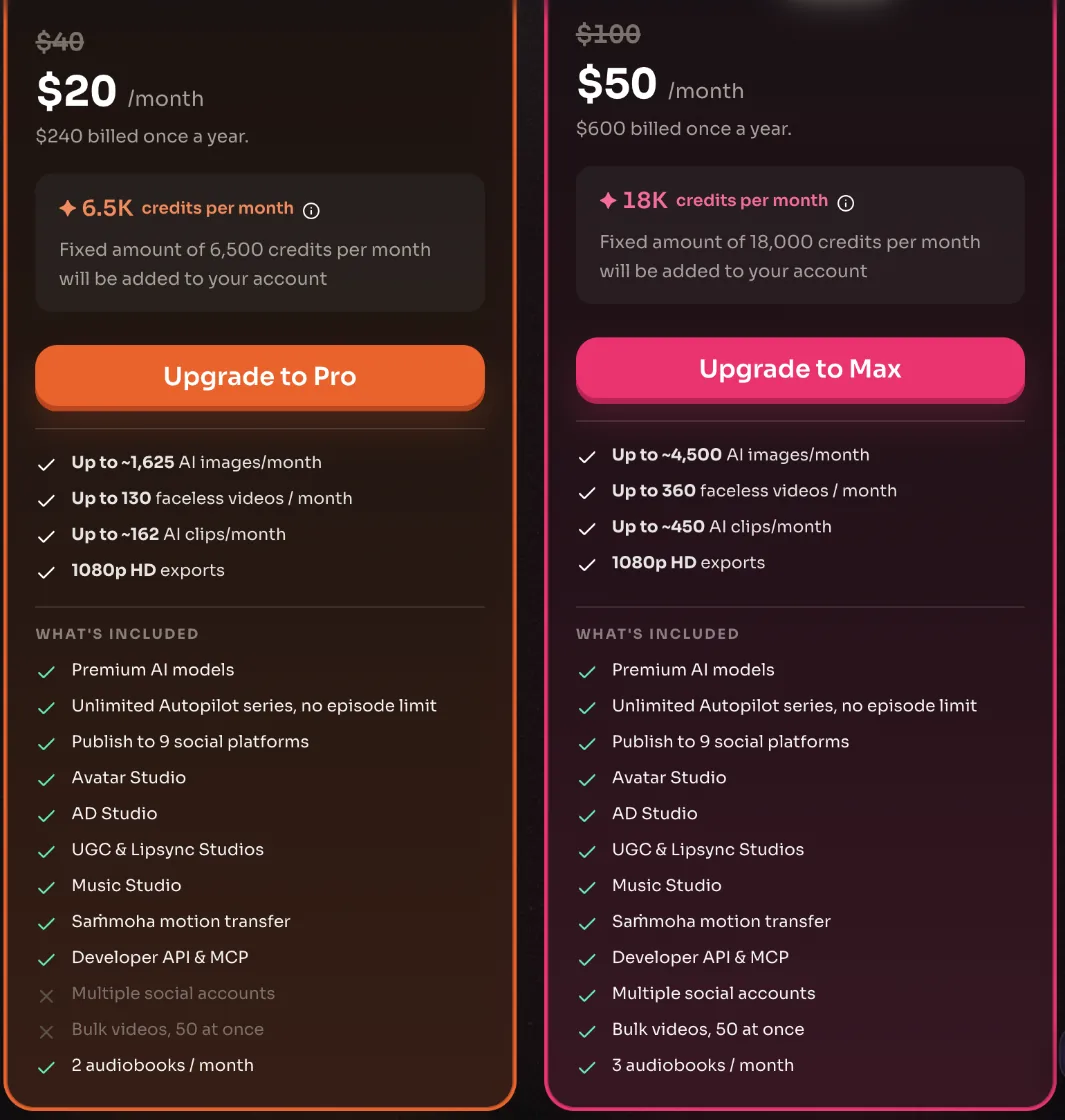
  • Pro (recommended): 6,500 credits a month, about 1,625 AI images, 130 faceless videos and 162 AI clips, unlimited Autopilot series, 2 audiobooks a month
  • Max (best value): 18,000 credits a month, about 4,500 AI images, 360 faceless videos and 450 AI clips, 3 audiobooks a month
  • Ultra: 45,000 credits a month, about 11,250 AI images, 1,125 AI clips and 900 faceless videos, with every studio, API and MCP, multiple social accounts, bulk videos and 6 audiobooks a month
  • All paid plans: 1080p HD exports and publishing to 9 social platforms. Premium AI models start at Rise; Basic uses standard and budget models
  • Billing: Monthly, Quarterly (25% off) or Yearly (40% off)
  • Need more in a month? Top up $24 for +2,500 credits, $48 for +6,500 (save 23%) or $120 for +18,000 (save 30%). Top-ups stack on your plan and last 30 days

Options and limits

  • Basic from $12 a month, or $7 a month billed yearly ($84 a year)
  • Rise from $24 a month, or $14 a month billed yearly ($168 a year)
  • Pro from $48 a month, or $29 a month billed yearly ($348 a year)
  • Max from $120 a month, or $72 a month billed yearly ($864 a year)
  • Ultra from $240 a month, or $144 a month billed yearly ($1,728 a year)
  • Quarterly shows Rise $18, Pro $36 and Max $90 a month, billed every 3 months ($54, $108 and $270)
  • Plan credits are added every month on your billing date and reset monthly, with no roll-over
  • Failed generations are refunded to your balance automatically
  • Cancel any time from Dashboard, Billing. You keep access until the end of the period you paid for
  • Checkout is by Stripe, with cards, Apple Pay and Google Pay
  • No FluxNote video is watermarked on any plan. Free Image Studio downloads carry a small FluxNote.io mark, and FluxClips free trial exports are watermarked
Pro and Max plan cards with yearly billing, monthly credits, allowances and included studios

Pricing →No watermark →

Which plan unlocks which feature

Available nowPricing › The studios in each plan

The core tools are on every plan. Studios and options marked Rise+, Pro+ or Max+ start at that plan and include every plan above it.

What you can do

  • Basic and above: faceless videos, Kids Studio, Audiobooks (the monthly count depends on the plan), editing and scheduling, 4,000+ voices
  • Rise and above: Avatar Studio, AD Studio, UGC Studio, Lipsync Studio and Music Studio
  • Pro and above: Sammoha motion transfer, and the Developer API and MCP
  • Max and above: Multiple social accounts (several YouTube channels or TikTok accounts) and Bulk videos, up to 50 at once
  • Autopilot: Basic has one saved series and 1 episode a week, Rise makes 2 episodes a week, and Pro and above have no episode limit

Options and limits

  • Bulk videos makes up to 50 videos from a list of topics or scripts, with one style, voice and length for all of them. Each video uses credits as it starts
  • Premium AI models, including Seedance 2.5, are marked on the paid plan cards

Credits

Typical credit costs

What typical actions cost, from the app's pricing page and studios on 25 November 2026. They depend on the model, length and plan, so the app always shows the exact price before you generate.
Typical credit costs by action
ActionPrice shown
AI imageabout 4 credits (credit-efficient models; premium models up to 25)
AI video clip, short clip on a standard modelabout 40 credits
Faceless video, 30 seconds with stock footage50 credits (AI visuals and longer videos cost more; 100 credits for 30 seconds with Cinematic Story 2.0 as shown in Create)
Music track40 to 120 credits (Studio Music is 90 credits a minute)
Kids Studio7.5 credits per second
Lipsync Studio, Kling Standard12 credits per second of audio
Sammoha, Fix lip sync option+18 credits per second
AD Studio, 10-second ad at default settings990 credits

Plain answers

Feature FAQ

What features does FluxNote include?

FluxNote includes AI video generation, UGC and ad creation, lip sync, AI voiceover, animated captions, Music Studio, Image Studio, image-to-video, a full video editor, auto-posting, FluxGravity, Audiobook Studio and free creator tools. This page walks through all 34 feature areas.

Does FluxNote include UGC Ads Studio?

Yes. AD Studio and the UGC workflows create creator-style product ads and media with presenters, lip sync, voiceover, music, captions, product assets and brand controls. They are available on Rise and above.

Can FluxNote generate music and voiceovers?

Yes. Music Studio (Rise and above) generates songs, instrumentals and background tracks, and the voice picker offers 4,000+ voices in 38 languages for video and audiobook narration.

Does FluxNote offer free AI tools?

Yes. The free tools directory lists 233 focused browser and AI workflows for video, images, audio, captions, scripts, editing, social mockups and repurposing.

How many features does FluxNote have?

This page lists 34 feature areas, covering every studio and tool in the app sidebar plus the platform features on the site.

What is the difference between Faceless, AI Toolkit and Autopilot?

They are the modes in the app's top navigation. Faceless turns an idea into a finished video, AI Toolkit holds the studios (Avatar, Sammoha, Kids, Slideshow, Music, Lipsync, Broadcast and more), and Autopilot runs a series on a schedule. Agentic Editor is coming soon.

Which features are new?

Avatar Studio, Sammoha, Kids Studio and Slideshow Studio are marked New in the app, and the Agentic Editor is coming soon.

Is there a free plan?

Yes. The Free plan gives 100 credits a month with no credit card, and Basic starts at $12 a month with 1,000 credits. No FluxNote video is watermarked on any plan.

How much does FluxNote cost?

Paid plans are Basic ($12 a month, 1,000 credits), Rise ($24 a month), Pro ($48), Max ($120) and Ultra ($240), with lower monthly prices on Quarterly and Yearly billing. Top-ups start at $24 for 2,500 credits. See the pricing page for current offers.

Do unused credits roll over?

No. Plan credits reset each month. Top-up credits stack on your plan and last 30 days.

Can I post directly to social media?

Yes, on paid plans. Free plans can create content but cannot connect social auto-publishing, and Basic includes publishing to 9 platforms.

Does FluxNote have an API?

Yes. There is a REST API with 38 endpoints, an MCP server and a CLI preview.

Where can I try something without signing up?

Eight of the 233 free creator tools run entirely in your browser with no sign-up and nothing uploaded.
Go deeper

Dedicated feature pages

The biggest features have their own pages, with steps, examples and answers.

Turn one idea into a finished video

Edit every layer, then schedule the finished work without rebuilding it in another tool.

Start creating free

Free to start. No credit card required.

Preview FluxNote