Guide
Gpt image 2OpenaiChatgpt imagesAi image generationGPT Image 2 (OpenAI): 機能、リリース日、新機能 2026
ChatGPT Images 2.0としても知られるGPT Image 2は、2026年4月にリリースされたOpenAIの次世代画像モデルです。その中心的な考え方は「推論」です。すぐに描画するのではなく、モデルはピクセルをレンダリングする前に調査、計画、自己チェックを行います。これにより、ほぼ完璧なテキスト、強力なプロンプト遵守、そして一連の画像全体でキャラクターを一貫して維持する能力が実現します。その機能と性能を比較してみましょう。
By the FluxNote Editorial Team
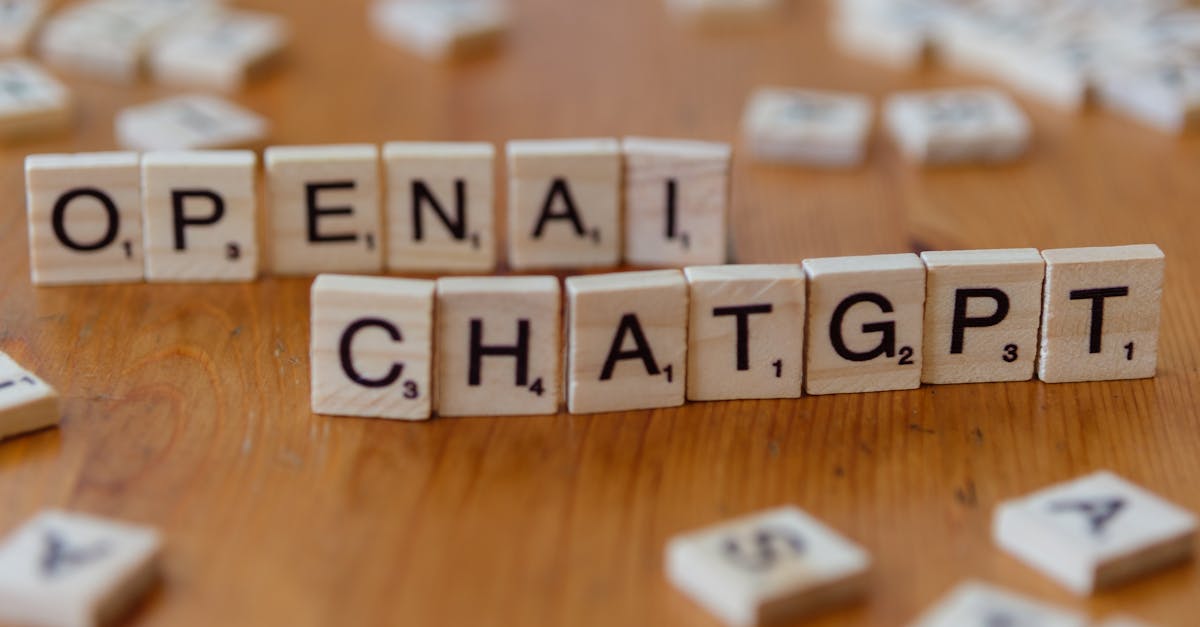
GPT Image 2とは?
GPT Image 2は、2026年4月にChatGPTユーザー向けにリリースされ、その後すぐにAPIアクセスも提供されたOpenAIの主力画像生成モデルです。画像生成にOシリーズ推論をもたらした初の画像モデルであり、レンダリング前に計画と自己チェックを行います。新しい自己回帰アーキテクチャに基づいて構築されており、2026年半ば現在、arena.aiの画像リーダーボードで生成と編集の両方でトップを走っています。仕様を一覧で示します。
| 属性 | GPT Image 2 |
|---|---|
| メーカー | OpenAI |
| 別名 | ChatGPT Images 2.0 |
| リリース | 2026年4月 |
| 解像度 | ネイティブ2K、ベータ版で4K |
| テキスト精度 | 文字レベルで約99% |
| 一貫性 | プロンプトあたり最大8枚の整合性のある画像 |
| アスペクト比 | 3:1(超ワイド)から1:3(超縦長) |
GPT Image 2の新機能
大きな変更点は推論です。GPT Image 2はOシリーズ推論を使用して、レンダリング前に調査、計画、自己チェックを行うため、プロンプトを非常に厳密に守り、テキストを正確に生成します。ラテン文字、CJK、ヒンディー語、ベンガル語のスクリプト全体で、文字レベルのテキスト精度は約99%を報告しています。単一のプロンプトから最大8枚の整合性のある画像を生成でき、画像セット全体でキャラクターやオブジェクトを一貫して維持できます。3:1から1:3のアスペクト比をサポートし、新しいアーキテクチャのおかげで、前世代モデルよりも3~5倍高速に動作します。
GPT Image 2は何に適していますか?
署名的なアートスタイルよりも、精度と一貫性が重要な場合にGPT Image 2を使用してください。キャラクターが同じでなければならないマルチパネルシーケンスやストーリーボード、製品を再利用するマーケティングセット、正確なオン画像テキストが多い画像、そして以前は正確にするために繰り返し描き直す必要があったあらゆるものに適しています。計画ステップにより、無駄な生成が少なくなります。強力で独特な美的感覚を求めるなら、Midjourneyが依然として専門家です。信頼性が高く、正確で、繰り返し可能な出力を求めるなら、GPT Image 2がリードします。
GPT Image 2の使い方
GPT Image 2はChatGPT内および開発者向けのOpenAI APIを通じて利用できます。APIの配線をスキップして画像を完成したビデオに変換したい場合は、FluxNoteのImage Studioで画像を生成し、音声とキャプションを1つの共有ワークフローでビデオパイプラインに供給します。
FluxNoteで無料開始して、画像やプロンプトをキャプション付きの完成したビデオに今日から変換しましょう。
Pro Tips
- オン画像テキストが含まれるものにはGPT Image 2を頼りにしてください。ほぼ99%の文字精度がその主な利点です。
- パネル間でキャラクターを一貫させたい場合は、1つのプロンプトでフルセット(最大8枚)を要求してください。それが計画ステップの目的です。
- 明確で構造化された指示を与えてください。レンダリング前に推論するため、正確なプロンプトは古いモデルよりも効果的です。
Create Videos With AI
From inspiration to your own creation
Put your next idea into action.
Videos, images and ads. One creative studio. Pick what you want to make—or try the walkthrough before you sign up.
Find the right look for your next idea.
Generate images and compare AI models in one workspace. Go from a written idea to a visual you can build on.
- 01 Describe your image
- 02 Compare models
- 03 Choose your direction
Start with an account. Create at your own pace.
Loading walkthrough… Full-screen link below if needed.
Tool access and generation allowances depend on your plan.
Frequently Asked Questions
Related Resources
- GuideNano Banana Pro (Gemini 3 Pro Image)
- GuideMidjourney V8: Release Date, Features & What's New (2026)
- GuideSeedream 4 (ByteDance)
- GuideFLUX.2: Black Forest Labs' New AI Image Model Explained
- GuideBest Flux Model: Schnell vs Dev vs Pro vs Krea (2026)
- ToolGPT-4o Image Generator Free, No ChatGPT Plus Required 2026
- GuideDALL-E 3 vs GPT Image: OpenAI [2026]
- GuideGPT Image Prompts: Copy-Paste AI Image Prompt Library