Alternatives
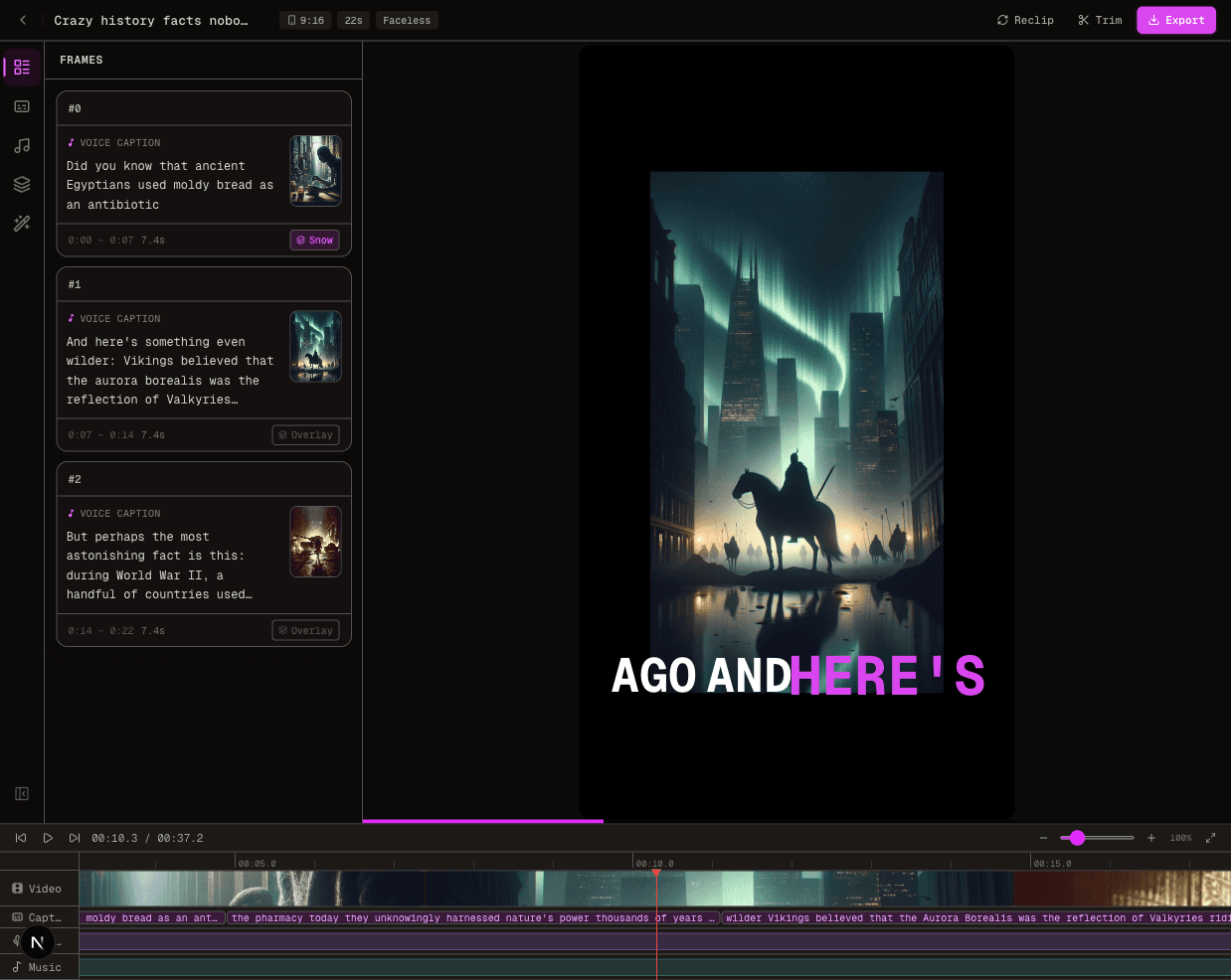
Crayo.ai Alternative: Start Creating With FluxNote
Try a Crayo alternative without assuming unlimited free generation. Start an original faceless project in FluxNote, then check the controls and allowance you actually need.
Last updated: September 19, 2026
Your script → an editable video draft
Have a faceless-video idea? Try making it.
Start with your own script in FluxNote. Review the scenes, narration and captions before choosing a paid plan.
Why look beyond Crayo.ai?
Crayo now offers clipping, subtitles, voiceovers, AI images and a web editor. Choose an alternative for a specific workflow or budget—not because Crayo lacks these tools.
- Compare workflow credits and export minutes separately before subscribing.
- Confirm whether the feature you need is available in your account and plan.
- Compare the full billed total: an annual monthly-equivalent price is not a monthly subscription.
Top Alternatives
FluxNoteTop Pick
FluxNote brings image generation, AI video, faceless creation, voice and editing into one creative workspace. Start with your own topic, script or product brief, choose the relevant studio, then review the draft before publishing. Short-form and long-form workflows are available; confirm the duration and controls of the selected format.
Recommended
Pros
- Create from a topic or script rather than requiring existing footage
- Review scenes, narration and captions in an editable project
- Explore image and video creation in one workspace
Cons
- Free generation is limited; it is not unlimited video production
- Premium models and advanced tools depend on the plan
Choose an alternative for one job, not every feature
A creator leaving a clipping workflow has different needs from someone starting an original narrated channel. Write down the input you already own and the finished asset you need.
For an original story, that might be a 150-word script, five visual scenes and a readable captioned export. For repurposing, it might be a licensed interview and one self-contained answer.
Do not assume that a tool useful for the first job supports the second. Your shortlist should follow the actual production requirement.
What free access needs to prove
Check the allowance in your FluxNote account before generating. Free access should be treated as an evaluation opportunity, not a promise of unlimited videos, commercial rights to every asset, or access to every model.
Inspect whether your chosen workflow is available, whether the export meets your publishing requirement and what happens when an allowance is exhausted. Save the terms relevant to your decision.
If the trial cannot establish an essential requirement, ask support before upgrading rather than guessing from a marketing headline.
A practical replacement brief
Use a simple original explanation: why a houseplant can wilt even when its soil is wet. Supply a script that identifies the species, avoids universal care advice and separates possible causes from certainty.
Request one visual idea per sentence. In FluxNote, review the available faceless styles and choose a treatment that explains the subject instead of merely decorating it.
Check the narration of plant names and remove visuals that contradict the advice. This is an evaluation exercise, not a measured product benchmark.
Record the costs of switching
Keep your original text, asset permissions and brand references outside either application. Rebuilding a project is not the same as importing its editable timeline.
Before cancelling an existing subscription, produce one acceptable replacement, inspect it on a phone and record the corrections required. A free draft that takes extensive repair may not be the cheapest working option.
Conversely, a paid feature list does not establish that you need every feature. Decide using the smallest workflow that produces a result you can responsibly publish.
Keep a trial decision log
Create a small evaluation note before spending any free allowance.
Record the task, the input you supplied, the available control you used and the correction still needed.
For the plant explanation, one entry might read: “Scene three shows a dry pot although the narration discusses wet soil; replacement visual needed.” Another might record that the plant name requires a pronunciation check.
These are observable project issues, not reasons to label an entire product good or bad.
After the first revision, distinguish three outcomes. Ready means the export meets the brief and its rights are clear.
Repairable means the required correction is available but still needs work. Unanswered means the trial has not demonstrated an essential capability.
Do not buy a larger allowance merely to turn unanswered into assumed. Save the original script and the reviewed output so a subsequent plan change does not erase the basis for your decision.
This record makes the free evaluation useful even if you ultimately choose a different workflow.
Start with FluxNote, then decide
Create a FluxNote account to test your original brief. Keep the project narrow: one story, one output and a short acceptance checklist.
Compare narration clarity, scene relevance and caption legibility before comparing subscription totals. For an overview of the competitor’s own positioning, consult Crayo.
For current FluxNote access, review plans. Return to the decision after completing the draft, not after looking only at the generated thumbnail.
Video · image · voice · music · publishing
Try your next video idea in FluxNote
Use your own script to evaluate scenes, narration and captions. Check the available generation allowance before choosing a paid plan.