Comparison
FluxNote vs Faceless.so: Editing, Automation & Free Tools
Compare FluxNote and Faceless.so workflows, editing and automation. Try free creator tools and evaluate one project before choosing a plan.
Last updated: September 17, 2026
On this page 18 sections
| Feature | FluxNote | Faceless.so |
|---|---|---|
| Faceless production | Create and review narrated videos | Advertises video creation and series |
| Editing | Review and edit projects | Advertises Studio editing |
| Free utilities | Titles, captions and permitted media processing | Advertises a free tools directory |
| Billing | Check current plan and allowances | Check current plan and interval |
FluxNoteRecommended
Pros
- Faceless, image, video and ad workflows in one workspace
- Separate free creator utilities
Faceless.so
Pros
- Series workflow
- Advertised editor and multi-platform publishing
Cons
- Check selected-plan limits against your requirements.
FluxNote vs Faceless.so: the practical difference
FluxNote is worth evaluating when faceless videos are one part of your creative work, alongside images, individual video clips and advertising assets. If your brief changes from a narrated story today to a product creative tomorrow, try those different tasks in the same workspace before choosing a subscription.
Faceless.so advertises faceless production, a Studio editor and automated series. Do not make your decision on the assumption that it has no editor. The meaningful comparison is how each workflow handles your script, corrections, output and publishing requirements.
This comparison is published by FluxNote. It uses public product information and proposes a practical evaluation; it is not an independent ranking or a hands-on performance benchmark. We have not measured which product renders faster or produces better retention.
Compare the production workflow, not just the feature labels
A feature being listed is only the beginning. For example, “editing” might cover the adjustment you need, but you should still check whether correcting a single scene preserves the rest of your work.
| Decision | What to evaluate in FluxNote | What to check in Faceless.so |
|---|---|---|
| Narrated faceless video | Build a project around your script, visuals and captions | Run the same brief through its advertised creation workflow |
| Revisions | Correct a visual, pronunciation and caption before export | Check those exact edits in its advertised Studio |
| Different creative tasks | Try an image, video clip and ad creative alongside the narrated project | Verify whether the particular output you need is included |
| Recurring publishing | Review Autopilot, supported accounts and eligible-plan requirements | Check its series workflow and current publishing destinations |
| Free entry point | Use a standalone title or caption tool before opening an account | Distinguish its free utilities from credit-based rendering |
| Final cost | Check allowances for your chosen workflow and revisions | Check billing interval, credits and export restrictions |
A useful test ends with a file you would actually publish, not merely a successful generation. Record any manual corrections and outside tools needed to finish it.
Choose a scorecard before you see either result
A comparison becomes more useful when you define success before generating anything. Otherwise, a striking opening shot can distract from missing information, difficult revisions or a file that does not suit your destination. Make a short scorecard with requirements tied to your work, not every feature a vendor lists.
For a narrated educational channel, give more attention to factual fidelity, pronunciation and readable captions. For a product demonstration, accurate appearance and the sequence of actions may be non-negotiable. For recurring publishing, account compatibility and schedule control can matter more than a particular visual style.
| Criterion | Evidence to record | Decision rule |
|---|---|---|
| Brief fidelity | Note each required point that appears correctly | Missing essential information requires correction |
| Visual relevance | Record scenes that actually demonstrate the narration | Decorative but misleading scenes need replacement |
| Revision effort | Count specific edits and active editing time | Compare the effort for equivalent changes |
| Delivery fit | Inspect the final file on the intended device | A preview alone does not establish export suitability |
| Recurring operation | Check destination and scheduling requirements | Do not score an unavailable connection as supported |
Use a simple scale of not demonstrated, demonstrated with correction, or ready for this project. Do not turn an untested feature into a zero score: mark it unknown and investigate. This prevents absence of evidence from becoming a false claim about either product.
Keep essential requirements separate from preferences. A perfect colour palette cannot compensate for an unsupported destination if publishing there is the entire job. Conversely, a channel that uploads manually may not need automated publishing at all.
A fair test brief you can use in both products
Use a small original project that represents your channel. Here is an illustrative brief, not a claim about a generated result:
“Create a vertical narrated video explaining three ways to keep a desk organised. Open with the problem of losing important notes. Show one tray for incoming papers, one place for frequently used items and a short end-of-day reset. Use plain language, readable captions and a calm voice. Finish by asking viewers which desk habit they would change.”
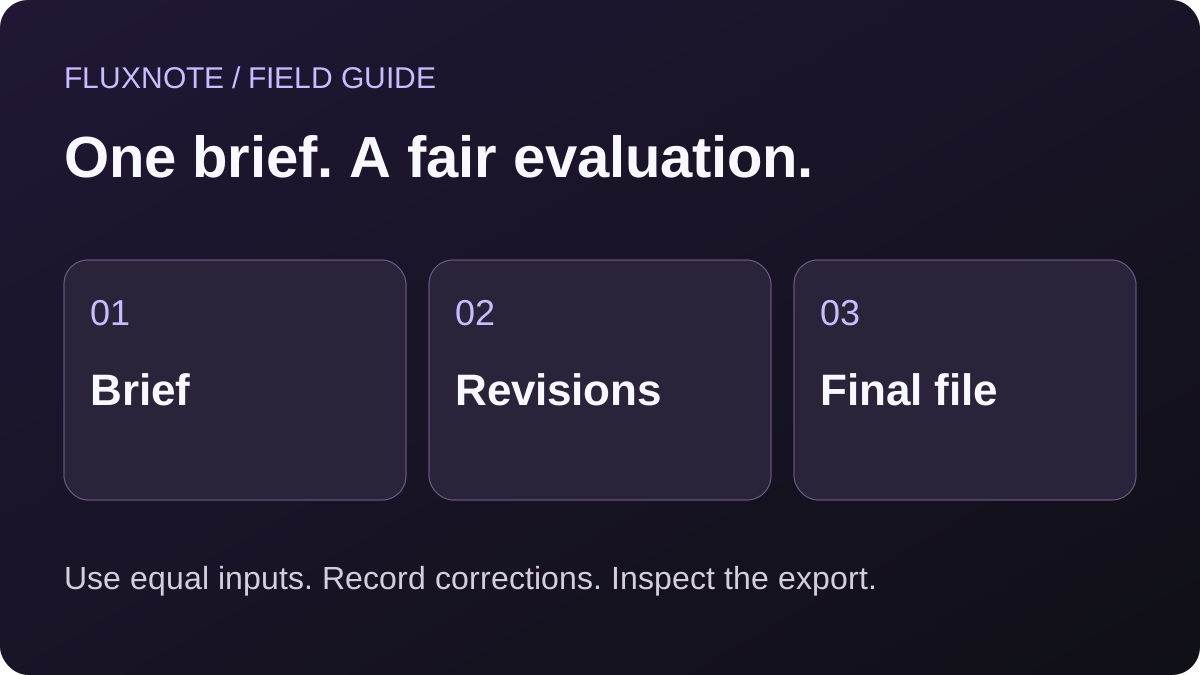
Bring the same approved script and assets to both products. Keep the target length and aspect ratio consistent. Avoid comparing one polished second attempt with the other product’s first draft.
Then deliberately request three corrections: replace an unsuitable visual, fix one caption and change a sentence in the narration. Note what stays intact, what must regenerate and whether another charge applies. This exposes revision friction that a polished marketing example cannot tell you.
An original sample script and shot plan for the evaluation
The following script is an editorial example you can adapt. It has not been generated in both services or measured for audience performance. It is deliberately modest so that you can evaluate communication rather than spectacle.
“Important papers keep disappearing under yesterday’s notes? Give incoming paperwork one place to land. Put an empty tray beside your working area, then move each new sheet there instead of spreading it across the desk.
Keep your daily essentials together, with only the items you actually reach for. Before you finish, return loose notes to the tray and clear the space you will use tomorrow.
Start with one corner today.”
Pair the script with this shot plan:
| Beat | Proposed visual | What to inspect |
|---|---|---|
| Problem | Papers partly covering a desk notebook | The problem is understandable without narration |
| First action | A sheet being placed into a tray | The action matches the sentence |
| Daily essentials | A small group of relevant desk items | No unrelated objects compete with the point |
| Reset | A visibly cleared working area | The change follows from the preceding steps |
| Close | One organised corner | The image supports a manageable next action |
Do not require the generator to invent legible text on every sheet of paper. Use captions for the message and let the scene communicate the action. If you need a particular brand or physical product, provide an authorised reference and inspect its appearance rather than assuming exact reproduction.
This example also gives you a correction task: replace the tray scene with a folder-based approach and update the corresponding sentence. Observe how much of the finished piece must change.
Copy-paste brief: run a controlled first project in FluxNote
Use the following as a starting brief in the idea or script field of the faceless workflow, adapting it to the controls available in your account. It is an untested prompt example, not a preconfigured one-click project.
Project brief
Create a narrated desk-organisation explainer for people working from a small home desk. Use my supplied script as the approved information. Keep the tone calm and practical. Show the problem, one place for incoming papers, a small group of daily essentials and an end-of-day reset. Prefer clear scenes over elaborate effects. Do not add productivity statistics, testimonials, brand claims or promises about time saved. Make captions easy to read. I will review the result before publishing.
If you enter an idea rather than an approved script, compare the proposed wording with your intended message before accepting it. The prompt expresses your constraints; it does not guarantee that every instruction will be followed without correction.
The published faceless walkthrough demonstrates the broad sequence of selecting a style, adding an idea and customising a project. Use that walkthrough to orient yourself, then inspect the current account interface. Button labels and available options may change.
After the first result, save a note of your selected settings outside the app. Record what you changed and why. A reproducible brief is more valuable for evaluation than a memory that one attempt looked good.
Open FluxNote to try your brief. This link opens account signup; it does not automatically insert the sample prompt or run a generation.
Editing checks for scripts, voice and captions
Before export, listen without watching the screen. Does the narration still explain the idea clearly? Check names, numbers and any specialist vocabulary. A voice that sounds natural on a generic sentence may need attention on your topic.
Watch again on a phone with sound off. Captions should remain readable against the scene and should not cover the essential object. Check punctuation and line breaks rather than judging only the animation style.
Finally, review the connection between narration and visuals. An attractive scene is not necessarily the right scene. For the desk example, footage of an office building does not demonstrate how to organise papers. Make the correction in the editor and record the effort.
FluxNote gives you an editable creative workflow to evaluate. Faceless.so also advertises editing. The deciding evidence is whether you can make these particular corrections comfortably within the plan you would buy.
Compare short-form and longer projects separately
A good short-form result does not automatically establish the suitability of a workflow for a longer production. The questions change when the story has several sections, recurring subjects and more opportunities for repetition. Treat a longer piece as a separate test, using the current duration and plan options actually available in each product.
For a short, single-topic explainer, inspect the opening, one clear idea and the closing action. Every scene needs a reason to exist. For a longer outline, write a beginning, several distinct points and a conclusion that follows from them. Check that later sections add information instead of restating the introduction.
Ask whether you can maintain the intended visual direction across the project and whether revisions remain manageable. If a changed sentence alters pacing, inspect the nearby scenes rather than assuming the timeline still works. Also review whether the final output fits the destination and the allowance on your chosen plan.
FluxNote presents both short-form and long-form creation in its studio overview. That is a reason to investigate the relevant workflow, not a promise that every model, format or plan supports the same duration. Verify the exact option in your account.
For Faceless.so, use current product information and account controls to determine whether your proposed longer project is supported. If it is outside the selected workflow, record that boundary explicitly instead of attempting an unequal test.
Use separate scorecards for separate jobs. Combining results from unrelated formats into one universal winner conceals the decision you actually need to make.
A brand and asset review before you judge visual quality
Visual polish is only one part of a usable result. A product video can look impressive while showing the wrong packaging, and an educational clip can be attractive while illustrating the wrong action. Write down the details that must stay correct before you begin.
For the desk example, you may not care about the colour of a generic pencil. For a stationery business promoting its own organiser, the shape, compartments and visible branding could be central to the brief.
Use your authorised product assets and review the generated or edited scene carefully. Do not present an imagined variation as the actual item.
Check the background as well as the foreground. An accidental sign, logo or inconsistent object can distract from the intended message. For recurring characters or repeated locations, compare adjacent scenes for continuity rather than checking them in isolation.
Voice and music require similar attention. Verify that you have permission for any supplied recording or track and that your intended use meets the relevant terms. A converter successfully processing a file is not evidence of a licence.
Keep an asset register with the filename, origin, intended use and any approval note. This is a practical production record, not legal advice or a substitute for reviewing applicable licences.
For either product, classify the outcome as suitable, suitable after changes, or unsuitable for the brief. That tells you more than choosing the prettiest single frame. It also provides a clearer question to ask support when an important requirement remains uncertain.
Autopilot and recurring publishing: what to verify
If daily production is your priority, evaluate the recurring series separately from a one-off video. FluxNote’s Autopilot overview explains its generation-and-publishing workflow. Automation requires an eligible plan and valid account connections.
Set a realistic topic, posting schedule and timezone. Confirm that the destination account type is supported and that you have permission to connect it. Check what happens when a connection expires or a scheduled item needs attention. These operational details matter more than the word “automatic.”
For Faceless.so, review the current series and publishing information on its official website. Verify destinations and limits in the account you intend to use; do not assume a marketing feature is available on every tier.
Automation is not a substitute for editorial responsibility. You still need to review factual claims, asset rights and whether the output suits your audience. Neither service can promise views, monetization approval or sales.
Pricing comparison: calculate the cost of accepted output
Compare the plan that supports your real workflow, not the lowest price visible on a landing page. Open FluxNote’s current pricing and the competitor’s current plan details alongside your test notes.
Record the billing interval, included generation allowance, eligible tools, export conditions, publishing access and any additional-credit charges. Check whether an annual headline price requires a larger upfront payment. Credits are product-specific units: a larger credit number does not automatically buy more finished videos.
For your own calculation, divide subscription and extra generation spending by the number of usable videos completed during that period. As a hypothetical example, $30 spent for ten accepted videos is $3 per accepted video; ten initial drafts with only five usable results would make it $6. These are arithmetic examples, not either company’s prices.
Also account for your editing time and any separate subscriptions you still need. The broader FluxNote workspace is relevant when it replaces tasks you genuinely perform, not merely because it lists more tools.
A fictional cost worksheet with revisions included
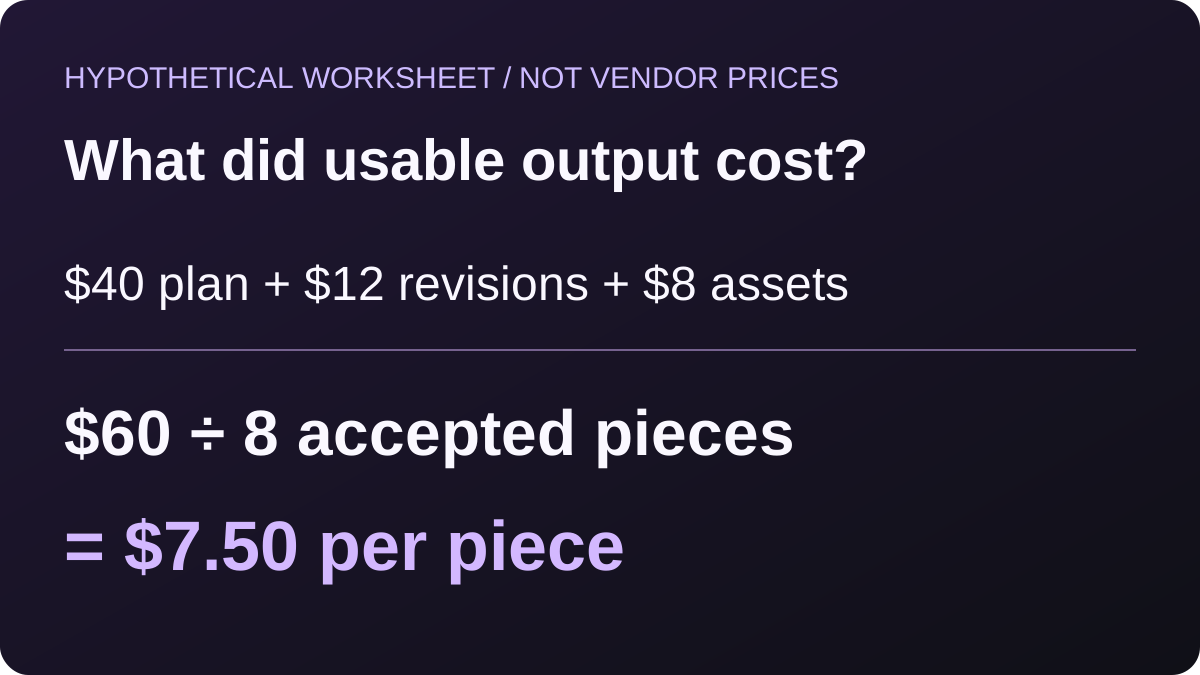
Consider a hypothetical creator planning eight finished pieces. The numbers below are invented to show the calculation; they do not describe FluxNote or Faceless.so plans. Replace every amount with the actual terms and costs from your own test.
| Item | Example amount | Why it belongs in the worksheet |
|---|---|---|
| Subscription allocated to the period | $40 | The base commitment |
| Additional generation spending | $12 | Repeated attempts can change the total |
| Separate assets used for this project | $8 | Outside costs remain production costs |
| Total cash spending | $60 | Sum of the items above |
| Accepted finished pieces | 8 | Count usable outputs, not attempts |
| Cash cost per accepted piece | $7.50 | $60 divided by eight |
Now imagine only six pieces meet the brief within that period. The same $60 becomes $10 per accepted piece. This does not prove that a product is expensive; it shows why the acceptance rule needs to be consistent.
Keep editing time in a separate column unless you choose an explicit hourly value for your own labour. Combining money and minutes without stating that assumption produces a misleading total. Also distinguish a one-time learning session from the repeated effort needed for every project.
If one subscription serves several tasks, allocate its cost consistently. Do not assign the entire subscription to a single video while treating the other product’s image and ad work as free.
Use the worksheet after a representative pilot, not before you know which plan or generation mode the work needs. Current billing terms remain the source of truth.
Free tools: useful starting points, different from full video rendering
If you are still developing the idea, start with a specific small task:
- Use the YouTube title generator to explore a clear promise for the video.
- Use the TikTok caption generator to draft supporting social copy.
- Use Instagram audio extraction, TikTok to MP3 or YouTube Shorts to MP3 only for media you own or are authorised to process.
Downloading a publicly accessible clip does not give you rights to republish its soundtrack. Keep rights clearance separate from technical access.
Faceless.so also offers a free-tools directory. Free utility access is not the same as unlimited finished-video generation on either product. Confirm the limits at the point of use. The FluxNote tools can help you prepare a brief, while account-based studio creation has its own requirements.
Troubleshooting during an evaluation: isolate one variable
If a result disappoints, diagnose the specific problem before discarding the entire workflow. A vague brief, an unsuitable style and a technical failure are different issues. Changing all three at once makes it difficult to learn what helped.
If the story is generic, rewrite the brief around one audience question and one desired action. Supply the approved information instead of asking the system to invent the premise and the evidence together. If a scene does not match the narration, give a concrete visual action to show.
If pronunciation is wrong, identify the exact word and review the options available in the voice workflow. Do not repeatedly regenerate the whole project without checking whether a narrower correction is possible. Record any additional charge rather than assuming retries are free.
If captions are distracting, inspect their size, placement and contrast in the actual output. A desktop preview can conceal problems that become obvious at phone size. If the export looks different from the editor preview, keep both observations and ask about the specific discrepancy.
If a generation appears stuck, check its existing status before submitting another request. Duplicate attempts can complicate cost comparisons and leave you uncertain which result belongs to which change.
The goal is not to excuse failures. It is to distinguish a fixable input problem from a workflow limitation that affects your real job. Stop the test when an essential requirement remains unresolved, and record the reason plainly.
How to compare support and repeatability without inventing scores
Support quality is important, but a comparison page should not give response-time ratings without evidence. If assistance matters to your decision, ask each provider the same concrete question about the workflow you intend to buy.
For example, describe your destination account type, intended posting frequency and whether you need to approve content before publication. Ask which plan supports that exact setup. Keep the answer and the date, and distinguish a support statement from behaviour you have verified in your own account.
For repeatability, run a second project with a related but different topic. In the desk series, that could be organising a drawer rather than a desktop. Keep the audience and tone similar, but change the required visual actions. This checks whether the first result was reusable as a process rather than a lucky match.
Record where you needed new instructions. Did the second project require a different brief, a fresh style decision or a correction you had already encountered? The record helps you build a production checklist and evaluate ongoing effort.
Avoid presenting two attempts as a statistical reliability study. They can inform a personal buying decision, but they do not establish a general success rate.
If you publish your own comparison later, separate observations, provider claims and preferences. “I needed to change two captions on this project” is an observation; “this product always needs more editing” is a broader claim requiring much stronger evidence.
Which workflow should you try first?
For a creator who needs narrated videos plus visuals for other projects, start in FluxNote with one faceless piece and one image or clip task. That combination tells you whether an all-in-one workspace actually reduces switching for your week.
For a channel focused almost entirely on repeating one format, put more weight on series setup, publishing reliability and how easily you correct a recurring problem. Compare both products on that narrow job. A broad creative workspace is not automatically the better choice for every schedule.
For an agency or business, use a representative client brief with approved assets. Check brand-specific names, claims and review steps before you consider scaling production. Do not evaluate a tool on an unrelated cinematic demo if the real job is an explanatory product video.
Create a FluxNote account and bring the test brief above. You can review the workflow before deciding which paid allowances you need.
Make the buying decision from a short written summary
At the end of the pilot, write a short decision note before opening a checkout page. It should state the project, the essential requirements, the selected plan assumptions, the unresolved questions and the next action.
An illustrative conclusion might read: “For our narrated desk series, we need clear captions and the ability to revise the product scene. We also make supporting images each week.
FluxNote is worth continuing to evaluate because those tasks can be explored in the same workspace. We still need to verify the appropriate generation allowance and the destination account before enabling automation.”
That example is not a test result or a claim that FluxNote won a benchmark. Its value is the structure: it connects a product choice to a real need and leaves unknowns visible.
If the conclusion is that both products meet the essential requirements, choose based on the workflow you find easier to sustain and the terms you are comfortable with. If neither meets them, keep the current process while clarifying the missing capability.
Do not use projected views or ad revenue to justify a subscription before you have evidence for those outcomes. The immediate decision is whether you can produce suitable work at an acceptable cost.
Return to this note after several completed projects. It will help you identify whether the initial assumption held up or whether the production process needs adjustment.
Sources and comparison boundaries
Product references: FluxNote creative studio, FluxNote pricing, Faceless.so and Faceless.so free tools. Public information reviewed September 17, 2026; verify current plan terms before purchasing.
The worked brief, revision checklist and cost calculation are our suggested evaluation methods. They are not customer results or measured product benchmarks. For a practical switching sequence rather than this side-by-side evaluation, see the Faceless.so alternative guide.
The Verdict
Choose using a representative project and the actual plan requirements.
Choose FluxNote when:
- You need faceless production alongside images, clips and ad creative.
Choose Faceless.so when:
- Its advertised series workflow meets your requirements after testing.
Video · image · voice · music · publishing
Try your comparison brief in FluxNote
Bring your approved script, review the scenes and captions, and evaluate one finished project before choosing a plan.