Alternatives
Faceless.so Alternative: Try FluxNote's Creative Studio
Explore FluxNote as a Faceless.so alternative for faceless videos, images and ads. Try free tools and compare workflows before subscribing.
Last updated: September 17, 2026
On this page 19 sections
Why look beyond Faceless.so?
Advertises faceless video creation, automated series and a Studio editor.
- Verify the selected plan against your own production and publishing needs.
FluxNote as a Faceless.so alternative
FluxNoteOur studio
A workspace for faceless videos, images, clips and ad creative.
Recommended
Pros
- Multiple creative workflows
- Task-specific free utilities
Cons
- Account-based creation has plan and generation limits.
Looking for a Faceless.so alternative? Start with the job you need to finish
Try FluxNote if you want a workspace for faceless storytelling that also supports images, video clips and ad creative. The aim is not to replace a subscription simply because another product exists. It is to make your actual production process easier to complete.
Write down the reason you are considering a change: editing effort, the types of creative assets you need, account publishing requirements or the cost of repeated generation. Choose one measurable task from that list for a pilot project.
This guide is written by FluxNote and focuses on evaluating a move to our product. The recommendation is not an independently tested market ranking. Faceless.so advertises its own editor and series workflow; the question is whether FluxNote fits your work better, not whether the competitor lacks all those capabilities.
Write a switching brief that names the actual problem
Before moving a channel, describe the problem in a sentence that another person could understand. “I want a better AI tool” does not tell you what to test. “I need to revise an educational scene and create a matching supporting image without rebuilding the whole concept” gives your pilot a clear purpose.
List the tasks you currently perform in order: research, script preparation, asset selection, generation, review, export and publication. Beside each, mark whether you do it yourself, use another service or rely on a scheduled process. This is an inventory of your workflow, not a claim that FluxNote replaces every item automatically.
Next, identify the bottleneck. It may be the time needed to correct captions, the effort of gathering approved assets or uncertainty about what will publish next. Choose one bottleneck for the first test and leave the rest unchanged where possible.
Write down what would count as success. For example, you might require a completed pilot with the correct message, an approved final file and a documented way to repeat the process. Avoid setting a goal such as “get more views” for an editor migration test; distribution outcomes involve more than the production tool.
Keep a short list of reasons to stop or postpone. An unavailable destination, an unresolved asset permission or a plan that cannot cover the intended task is a useful finding. It is better to identify that before moving a schedule than after a commitment is due.
Three situations where a broader creative studio is worth testing
The first is a mixed content schedule. You might need a narrated explainer for a channel, an image for a post and a short product scene for a campaign. Test those tasks together in FluxNote rather than treating each as a separate buying decision.
The second is a project that needs deliberate revisions. If you want to shape the script, narration, visuals and captions before publishing, use your pilot to practise the specific corrections that matter. A workflow is useful only if you can finish the changes without losing control of the project.
The third is a recurring series that sits beside one-off creative work. FluxNote provides an Autopilot workflow as well as studio creation. Check your eligible plan and supported account connections before making automation part of the migration.
None of these situations proves you need to switch. If your current setup already completes the job reliably at an acceptable cost, use a trial to gather evidence before moving the rest of your production.
Map your current tasks to a FluxNote starting point
| Your next task | Where to begin | What a successful pilot should show |
|---|---|---|
| Narrated faceless story | Faceless creation workflow | A coherent script, appropriate scenes and readable captions |
| Standalone visual | Image workflow | An asset that fits the brief without misleading details |
| Short generated shot | AI Video Studio | Motion and framing suited to the surrounding project |
| Product creative | Ad creation workflow | Approved product claims and a clear message |
| Repeating channel series | Autopilot | A supported account, correct schedule and suitable series direction |
| Title or social caption | Free creator utilities | Useful text that accurately represents your content |
Choose one row first. Attempting every feature before finishing a single project makes evaluation harder. Once the pilot works, add the adjacent task that currently forces you to switch tools.
Access, generation allowances and available options depend on your account and plan. Review current pricing against this task list instead of assuming that every workflow has identical limits.
Worked example: turn an original idea into a faceless explainer
Consider a small stationery business that wants to explain how to organise a desk. This is a sample production exercise, not a customer case study or a performance claim.
Start with a single audience question: “Where should I put paperwork so I do not lose it?” Write a short answer before requesting visuals. Your sequence might show the cluttered starting point, an incoming-paper tray, a place for frequently used items and a finished desk.
Open the faceless workflow in FluxNote, choose a suitable style and bring your original idea or script. Review the resulting narration and scenes against that sequence. Remove any sentence that implies an unsupported productivity benefit or makes a promise the business cannot substantiate.
Check the captions at phone size. Then review the closing action: inviting viewers to save the organisation checklist is different from asking them to buy a particular product. Choose the action that matches the piece.
Start your FluxNote project with this brief, or replace it with a real topic from your own business. The pilot should leave you with a repeatable process, not only a good-looking first frame.
Use an original story rather than rebuilding a competitor’s demo
For a second illustrative project, imagine a small homewares shop explaining how to choose a place for a reading lamp. The business wants a helpful tip, not a claim that a particular lamp cures eye strain or improves health. The example below is an editorial exercise and has not been tested as a generated output.
The approved message is simple: identify the activity, notice where light is needed and check the position in the actual room. Avoid introducing technical specifications that the business has not supplied.
A possible narration is: “Before choosing a reading lamp, look at the spot where you actually sit. Put the light near the page, not just near an empty corner.
Check whether your hand or a nearby object casts a shadow across the book. Try the position with the room lights you normally use.
A lamp that looks right in a photo still needs to work in your space.”
Build a small sequence around those actions: a reading chair and book, the light near the page, a visible shadow being corrected and the final arrangement. Keep the product generic unless the shop provides approved product references.
The value of this exercise is its specificity. You can judge whether the scene demonstrates the advice, whether the captions are legible and whether the result makes an unsupported claim. A spectacular unrelated demo cannot answer those questions.
Use your own real business question in place of the lamp example when you begin the pilot.
A copy-paste creative brief for your first FluxNote project
The following prompt is a suggested input to adapt, not a tested command or a guarantee of output. Use it with the idea or script controls shown in your account.
Copy-paste brief
Make a narrated explainer for a homewares shop about positioning a reading lamp. Use only the approved narration I provide. The audience is people arranging a small reading corner. Show the chair and book, the light near the page, a shadow being corrected and the finished arrangement. Keep the tone helpful rather than urgent. Do not invent product specifications, medical benefits, discounts, customer reviews or performance statistics. Prefer scenes that demonstrate the advice. Add readable captions, and leave the result for my review rather than treating it as approved advertising.
Before entering the brief, replace the subject and audience with your own details. If you do not have approved narration yet, draft that first and identify statements that need verification. Supplying a longer prompt does not eliminate the need for review.
FluxNote’s published faceless product walkthrough shows a style-selection and customisation sequence. It is an orientation aid, not proof that the exact prompt above has been tested. Check current settings, account requirements and generation allowances when you try it.
Keep the initial attempt small enough to inspect thoroughly. Record the result and the edits you need before experimenting with a more complex scene.
Create an account to build your pilot. You will need to enter your own brief; the signup link does not populate the project automatically.
Review the pilot with an approval checklist
An approval checklist turns “looks good” into a repeatable decision. Work through the final output rather than only the editor thumbnail. If possible, ask someone unfamiliar with the brief what the piece is explaining; their answer can reveal a missing connection.
Start with the message. Does the narration answer the intended question? Has a generated sentence introduced a claim that was not approved? In the reading-lamp example, remove any unsupported statement about health or productivity even if it sounds persuasive.
Next inspect the scenes. The lamp, page and shadow need to communicate the described action. A beautiful room shot is not enough if it never shows the relevant placement. Check whether the product appearance is acceptable for the intended use and whether supplied references were handled appropriately.
Then listen for pronunciation and watch the captions at a realistic phone size. Read the final call to action aloud. Make sure it describes an action the viewer can actually take and does not promise a nonexistent offer.
| Approval question | If the answer is no |
|---|---|
| Is the message accurate and complete? | Correct the script before further polish |
| Do scenes demonstrate the required actions? | Replace or revise the mismatched scene |
| Are assets and recordings authorised? | Resolve permission or use another asset |
| Is the final file readable and understandable? | Adjust presentation and inspect another export |
| Is the destination and publication copy correct? | Fix delivery details before scheduling |
Keep the checklist with the source pack. It is especially useful when a second person takes over production later.
Prepare a migration pack before moving a series
Keep a local record of the material you are entitled to use. Include your approved scripts, original assets, naming conventions, pronunciation notes and the style instructions that make your channel recognisable.
Do not assume that a project file from another product can be imported as an editable FluxNote project. This guide does not promise cross-product project compatibility. Plan to recreate the pilot from source materials you own, and check any export permissions before reusing existing output.
Record the current posting schedule, account timezone and upcoming commitments. If another service is already scheduled to publish, avoid connecting overlapping automation until you have reviewed both schedules. Publishing the same piece twice is not a successful migration.
Keep the old workflow available while you test the replacement, subject to your billing preferences. Verify renewal and cancellation terms independently; moving your assets does not cancel a subscription.
Create a source pack that survives a change of software
Organise the pilot materials in a folder you control. The exact naming convention is your choice, but consistent names make it easier to tell which script and assets belong to a final result. Do not rely on a screenshot of the old dashboard as your only production record.
A simple source pack can contain the approved script, asset files you are allowed to use, the intended audience, pronunciation notes, a sample of the desired visual direction and the final publication copy. Keep a separate note for unknowns rather than silently filling them with guesses.
| File or note | Example content | Why keep it |
|---|---|---|
| Brief | Audience, question and closing action | Preserves the purpose of the video |
| Approved script | Final wording and checked claims | Prevents an old draft being reused |
| Asset register | Origin and permitted use of supplied media | Keeps technical access separate from permission |
| Style note | Tone, framing and caption preferences | Helps recreate a consistent direction |
| Review record | Corrections and approval decision | Explains why a version was accepted |
| Delivery note | Destination, timezone and final filename | Reduces publishing ambiguity |
This is a manual organisational template, not a promised FluxNote import format. The presence of these files does not mean another application can ingest them automatically.
Exclude passwords, access tokens and private customer information from a general creative brief. Share only the information needed for the task. If a client has supplied restricted material, follow that agreement when deciding which services may process it.
The source pack gives you a fallback even if a project cannot be reopened in the original software.
Build a small first-week rollout instead of moving everything at once
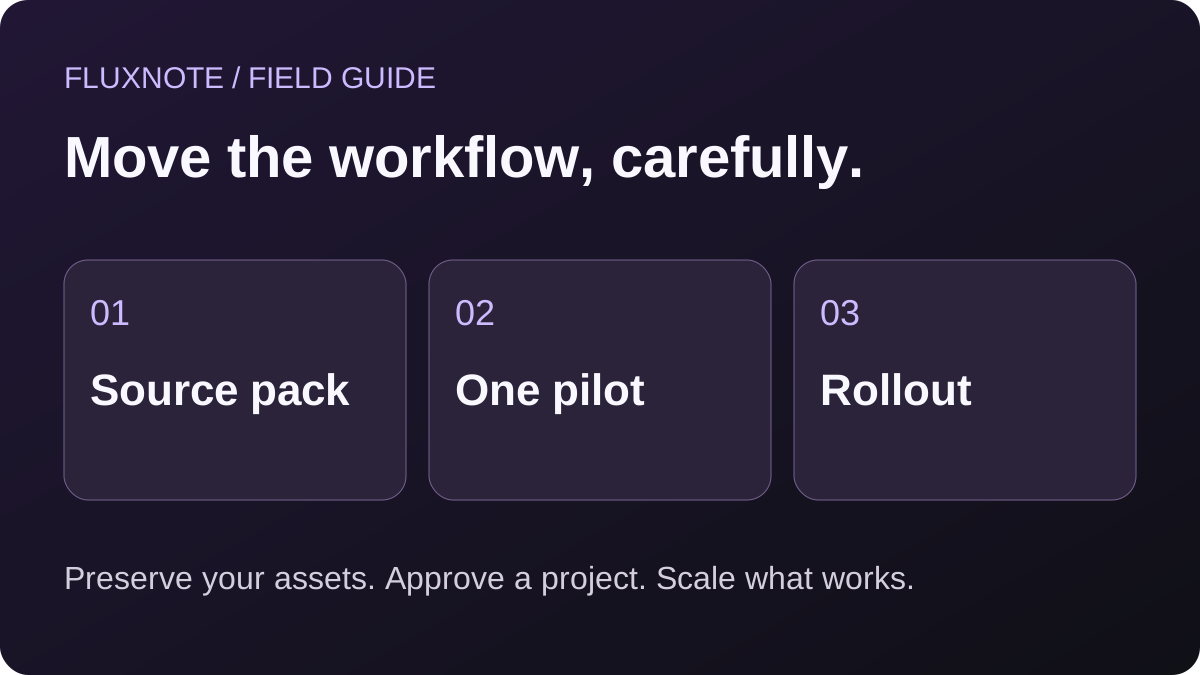
Use this as a suggested rollout, not a promise about production speed:
- First, complete one manual pilot and list the corrections needed.
- Next, create a second piece on a related topic to check whether the style is repeatable.
- Then, try an adjacent task such as a supporting visual or a different caption.
- Finally, if recurring publishing matters, test an eligible Autopilot setup with an account you manage.
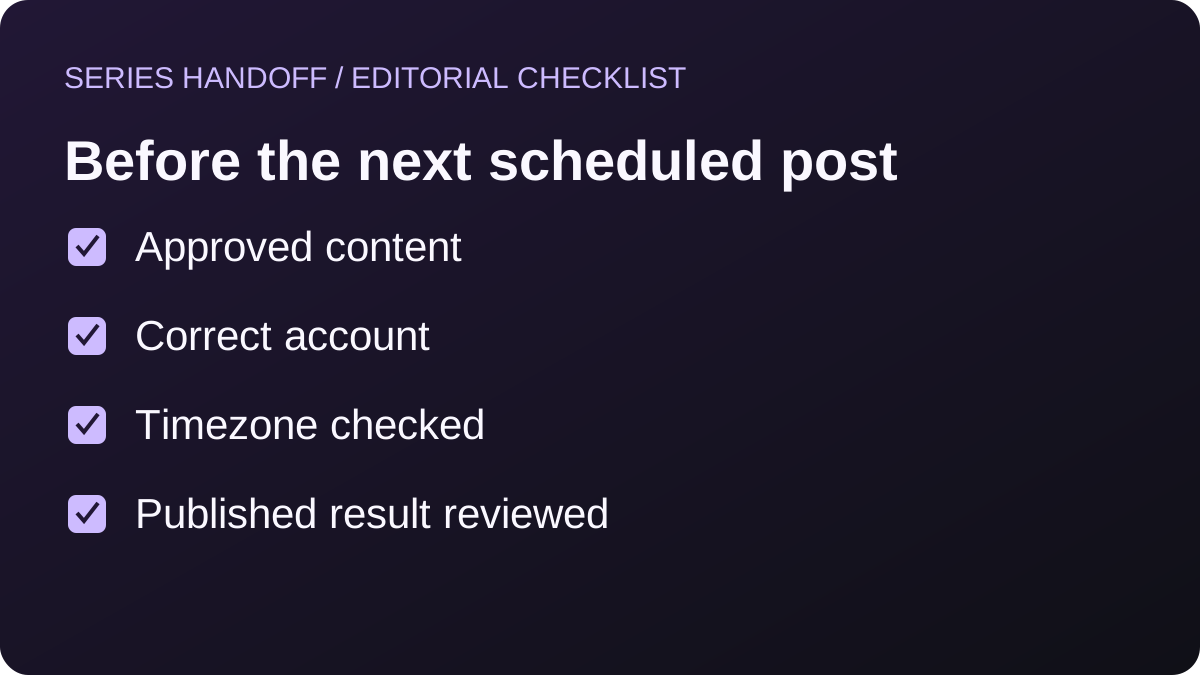
Keep a simple review sheet for each output: brief met, factual claims checked, assets authorised, narration reviewed, captions readable and destination correct. Mark the project complete only after the final export or publication step has been checked.
A useful stopping rule is to pause expansion whenever you cannot explain an unexpected result. Solve the repeatable problem first. Producing more drafts will not fix a misunderstood setting, an expired account connection or an inaccurate script.
Add supporting images and ad creative without changing the message
Once the narrated pilot is acceptable, try an adjacent asset that belongs to the same campaign. This is where evaluating a broader workspace becomes more concrete. You are not asking whether it has more features in the abstract; you are asking whether the next required task is easier to complete.
For the homewares example, a supporting image might show the reading corner with a short caption about checking lamp placement. An ad creative might focus on an actual product supplied by the shop, using only approved claims and an offer that exists. The educational video and the ad are different pieces, so review them separately.
Reuse the approved message and reference materials, not an assumption that the second output inherits every detail automatically. Check product appearance, any visible text and the intended format. If the image is illustrative rather than a photograph of the exact product, do not present it as product documentation.
You can explore the image, video and ad workflows described in FluxNote’s studio overview. Available options and usage allowances vary; this guide does not imply that one generation covers every asset type.
Do not add extra assets merely to justify the subscription. Choose the next item you would genuinely need for the project. If a supporting image does not serve the audience or distribution plan, skip it.
Save the accepted creative with a clear filename and approval note so that a later caption or campaign update does not accidentally use an older draft.
Plan recurring creation as a separate operational step
After completing manual projects, decide whether the recurring series needs automation. A working one-off export does not verify a publishing connection or prove that your proposed cadence fits the plan.
Write a simple series charter: intended audience, topic boundaries, acceptable sources, visual direction and content you do not want included. For a homewares shop, the series might cover small-space arrangement tips while excluding health claims, invented product tests and unannounced offers.
Use the Autopilot overview to understand FluxNote’s recurring creation and publishing proposition. Confirm current eligible-plan requirements and supported accounts inside the product. Do not connect a client account unless you are authorised to manage it.
Keep a schedule record outside the app during the transition. Note which service is responsible for each upcoming publication and the timezone used. If the previous service still has queued work, reconcile that queue before adding a replacement schedule.
Where review controls are available, understand how they interact with publishing. If your organisation requires approval before every post, verify that the actual workflow meets that requirement rather than assuming a general automation feature does.
Check the first completed publication at the destination. Confirm the intended account, content, caption and timing. A scheduled status is not the same as a post being visible correctly.
Only increase the cadence once you understand the process and can identify who will handle failures or account reconnection.
Use free tools to prepare the next project
You do not need to begin with a finished video. If the idea is still vague, use the YouTube title generator to draft a focused promise. Compare title options against the content you can actually deliver. Avoid a headline that promises an answer your script never gives.
For distribution copy, the TikTok caption generator provides a separate starting task. Edit the result for your audience and keep any product statements consistent with the video.
For an authorised media workflow, Instagram audio, TikTok MP3 and Shorts MP3 utilities can process supported sources within their limits. They do not grant permission to reuse someone else’s recording or music.
These utilities are distinct from studio rendering. A free text result or download does not imply unlimited free video generation. Use them to prepare the next step, then review the studio’s current requirements when you open an account.
Check the economics before cancelling another service
Make a list of subscriptions you actually use for this workflow. A broader studio only saves you money if it replaces required tasks at the quality and allowance you need. Keeping every old subscription while adding a new one may increase the total.
During the pilot, record accepted outputs, discarded attempts, revision charges if applicable and the time you spend correcting each piece. Compare the current monthly or annual commitment with your realistic publishing volume.
For example, if you need twelve usable videos in a month, check whether the relevant plan covers the workflow with room for revisions. Do not treat twelve initial generations as twelve finished videos automatically. Also check whether publishing automation requires a different tier from manual creation.
Use FluxNote’s pricing page for current terms. We do not label FluxNote universally cheaper because workflows, billing intervals and allowances differ. The right decision is based on your finished work and total spend.
Troubleshoot a migration without losing the last good version
When a pilot fails, keep the last acceptable version and record the next change. That habit makes it possible to distinguish progress from a different result. Replacing the script, style and assets simultaneously can leave you unable to explain why the output changed.
If the old project cannot be imported, return to the source pack and recreate the brief manually. Do not rename an incompatible file and expect it to become an editable project. Ask about supported inputs if the interface does not make them clear.
If narration or captions differ from the approved wording, identify the exact passage and correct it before adding more visual polish. If the visual is the problem, narrow the scene description to the action that matters instead of requesting a more elaborate aesthetic.
If a free media utility loses its status connection, use the existing-job status check rather than repeatedly starting the same conversion. That advice applies to the utility flow; it is not a statement that every studio generation uses the same mechanism.
If a publishing connection fails, verify permissions and the correct account before recreating the entire series. Keep credentials out of support screenshots and shared project notes.
Record unresolved issues as blockers, not hidden exceptions. If the required destination or output remains unavailable, keep the affected work on the existing process while you evaluate alternatives.
A successful migration is one you can operate reliably, not one that forces every pending task into the new software immediately.
Measure whether the switch improved production
Choose measurements tied to work you can observe. Count completed approved projects, active correction time, rejected attempts and the number of outside services still needed. Keep publication results in a separate view because changes in topic, audience and distribution can affect them.
For each pilot, record the brief date, accepted version, major corrections and completion decision. Use the same definition of “approved” across projects. Otherwise, accepting a rougher result can make the new process appear faster without actually improving it.
A small review log might say: “The first lamp video needed a script correction and a scene replacement. The second used a clearer input brief and required only a caption adjustment.” That is useful process information. It is not enough to claim a general percentage improvement or guaranteed time saving.
Compare recurring effort after the initial learning period, but do not erase the learning cost from your decision. Both onboarding and ongoing work matter when you have a deadline.
Also inspect whether the broader workspace reduced actual switching. If you still use the same outside tools for every supporting asset, identify why. It may be a requirement the new workflow does not meet, or it may simply be a habit you have not evaluated yet.
At the end of the pilot, decide whether to expand, revise the workflow or postpone. Keep that decision explicit rather than continuing to generate content without a clear acceptance rule.
A handoff checklist for a teammate or client
Before handing production to someone else, make the successful process understandable without your presence. Share the approved brief, the source pack, the current style notes and the checklist used to approve the pilot. Explain which parts are examples and which are actual business facts.
Name a person responsible for content approval and another for publication if those roles are separate. If one person handles both, write that down anyway. Ambiguous ownership can cause duplicate posting or leave a failed connection unnoticed.
Include the current account and plan assumptions in the handoff, but never put passwords or tokens into a content document. Use your organisation’s approved method for granting access. This guide does not assume a particular team-permission feature or client workspace is included on every FluxNote plan.
Show the teammate one corrected example and explain the reason for the correction. “Replace this scene because it does not demonstrate the shadow problem” teaches the decision better than “make it better.”
Agree on what should trigger another review: a new product claim, a change in destination, a different format or an unfamiliar asset source. Reusing a successful template does not mean every future project is automatically approved.
Finally, keep the old delivery record until pending work is accounted for. A clean handoff preserves both the creative intention and the operational details. That is the foundation for scaling the workflow without repeatedly rediscovering the same mistakes.
When to postpone switching—and what to do next
Postpone the move if you cannot yet recreate an important project from authorised source material, if a required account type is unsupported or if the chosen plan does not cover the output you need. You can still use a small pilot to identify the missing requirement.
If the pilot succeeds, write down the successful settings and approval checks before adding more projects. This gives you a practical starting point for the next piece without assuming every topic behaves identically.
For detailed evaluation criteria, read FluxNote vs Faceless.so. For the next production step, create your FluxNote account and start with one brief rather than migrating an entire channel at once.
References: FluxNote studio overview, current FluxNote plans, Faceless.so product information and its free-tools directory. Examples and rollout steps are editorial recommendations, not measured customer outcomes.
Video · image · voice · music · publishing
Build your first FluxNote pilot
Bring one original brief and your authorised assets. Create, review and document a project before moving the rest of your workflow.