AI Image Generator
Free AI Image Generator Online: Prompts to Pictures
Turn a written idea into a picture in your browser. Create a free account, choose an available image model and try a prompt for a product photo, illustration or social post. Generation uses credits; review the cost before creating.
Last updated: September 13, 2026
Image Studio · Your prompt · Your project
Your next image starts with your own idea.
Create a free account, open Image Studio and test a prompt for your next project. Check the generation cost, review the result and decide what fits.
How It Works
Create a free account
Sign up without a credit card, then open Image Studio. An account is required to generate and save images.
Describe your picture
Choose a subject, setting, lighting and composition. Start with a single scene instead of many competing instructions.
Check settings and generate
Choose an available model and aspect ratio. Review the displayed cost before generating and inspect the output.
Refine or animate
Save your result, improve one detail at a time, or explore image-to-video with its separate costs and plan limits.
Key Benefits
Create in your browser
No local model installation or GPU configuration needed. Account access and an internet connection are required.
Start with a real brief
Create concepts for products, social posts and illustrations with the composition your project needs.
Explore a wider studio
Image, video and audio workflows are available in the same workspace, with access and usage depending on your plan.
How do you create your first image online?
Open Image Studio after creating a free account. Begin with one subject rather than a scene containing many people, props and competing instructions.
Choose the intended shape before generating: portrait for a story, square for a feed post, or landscape for a presentation. Select from the models available in your account and review the credit estimate.
After generation, inspect faces, hands, lettering and product details at full size. Save the version that matches your brief before experimenting further.
This page is a walkthrough; the generation itself happens in the app.
What makes a useful text-to-image prompt?
Use a simple structure: subject, setting, lighting, composition and style. For example: “A ceramic coffee cup on a pale wooden counter, soft morning window light, close-up product photograph, empty space on the left for a headline, no lettering.” This is a suggested brief, not a claim about how an existing sample was made.
Describe visible characteristics instead of repeating quality words. If the result feels busy, remove objects.
If the subject is too small, ask for a closer crop. Keep a copy of successful prompts to give future experiments a clear starting point.
Which example prompts fit your project?
Choose a brief that matches the deliverable, then change the subject and colors to suit your own work.
| Project | Starting prompt | Check before using |
|---|---|---|
| Product concept | Matte reusable bottle on a stone ledge, soft side light, neutral background | Shape and label accuracy |
| Article illustration | Neighborhood garden, warm muted colors, wide composition with open sky | Headline space and focal point |
| Social background | Layered violet and cream paper shapes, portrait layout, clean center | Contrast and crop safety |
| Story setting | Quiet mountain cabin at dusk, warm windows, cinematic framing | Perspective and scene readability |
These examples are creative directions, not guaranteed outputs. For branded work, compare generated details with the real product. Do not publish an invented label, feature or endorsement simply because the image looks convincing.
How can you refine a picture without wasting credits?
Treat each generation as a controlled experiment. Change composition language while keeping the subject and lighting stable when the framing is wrong.
Change the palette when the colors are wrong. Switching every setting at once makes it hard to learn what helped.
Use a lower-cost available model for exploratory drafts if its output meets the task, but read the estimate instead of assuming one model is always cheapest. Save allowance for revisions.
More variations do not necessarily mean more useful work: compare each candidate with the brief and stop when it meets your acceptance criteria.
Do you need an account, and what is free?
Yes, this workflow requires a FluxNote account. Free access is limited, not an unlimited supply of images or automatic access to every premium feature.
The pricing page explains included allowances, and the app shows the selected generation cost. A credit balance does not translate into a fixed number of pictures because models and settings vary.
For a detailed evaluation checklist, read the free image allowance guide. That page focuses on choosing a plan and budgeting attempts; this page focuses on turning a prompt into a usable image.
Can you turn your image into a video?
An approved still can be a starting frame for an image-to-video project. Save the image, open the supported video workflow and describe a small movement, such as a gentle camera push or drifting clouds.
Animation is a separate generation task with its own model cost and plan eligibility. Begin with a short test and inspect distortion, unwanted movement and changes to the subject.
A moving clip is not automatically a complete narrated story. Explore image-to-video creation for the next step, and check which editing features are included before planning a full production.
What should you check before publishing?
Generated pictures still need editorial review. Check spelling, product accuracy, distorted anatomy and unintended symbols.
Only upload reference material you have permission to use, especially client work or identifiable people. For commercial projects, review the terms, applicable model conditions and third-party rights; generated content is not automatically cleared for every use.
Avoid presenting a concept as proof of an actual product feature or event. Export at an appropriate size for the destination, write a helpful image description, and inspect the final crop on a phone as well as a larger display.
What kind of result can you explore?
The illustration below is an existing sample from the creative library. It is not the result of the suggested prompts above or a guarantee that your first attempt will look the same.
Use it to consider a visual direction, then test your own brief. A useful evaluation asks whether the tool can produce a suitable image, whether revisions improve it predictably, and whether the download fits the intended placement.
If the wider project also needs narration or motion, evaluate those stages separately rather than assuming that a successful still image proves the whole workflow.
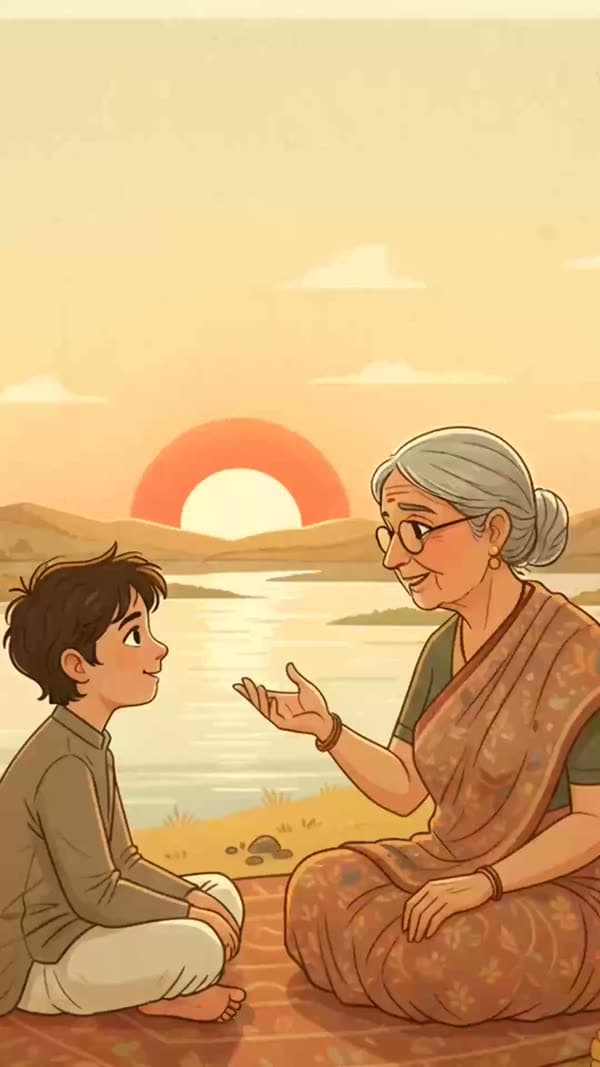
Image Studio · Your prompt · Your project
Your next image starts with your own idea.
Create a free account, open Image Studio and test a prompt for your next project. Check the generation cost, review the result and decide what fits.