Comparison
Crayo.ai vs GhostShorts: Consider FluxNote for Faceless Videos
Comparing Crayo.ai and GhostShorts? Include FluxNote in your shortlist when you want faceless video production alongside image, video and editing tools.
Last updated: September 19, 2026
| Feature | FluxNote | Crayo.ai |
|---|---|---|
| Creative workspace | Image, video, faceless and ad workflows | Clipping, image, voice and editing tools listed |
| Plan decision | Verify model and generation allowances | Verify workflow credits and export minutes |
| Evaluation | Try an original brief and review the draft | Test the specific workflow you need |
FluxNoteRecommended
Pros
- Images, video and faceless creation in one workspace
- Review narration, scenes and captions
- Explore ads and original creative alongside your channel content
Crayo.ai
Pros
- Clipping and subtitle workflows
- Voiceover and image tools
- Web-based editing
Cons
- Usage allowances require careful comparison
- Verify selected workflow and export limits before purchase
Define what faceless means for this project
A faceless video can be an excerpt of footage you have permission to reuse, an illustrated lesson, or a narrated sequence built from original scenes. Those formats need different evidence and controls.
Decide whether your priority is selecting moments from existing material or constructing a coherent explanation from scratch. Write that requirement before comparing product names.
Otherwise a polished clipping demo can distract from missing story controls, or a compelling generated scene can distract from the need to preserve a speaker’s exact meaning.
Compare the source of the story
Consult Crayo’s site and the GhostShorts site for the current workflows. This article does not claim a verified head-to-head performance result.
During evaluation, ask how a script is supplied, how an unwanted scene is corrected and whether a narration change requires rebuilding unrelated material. Check the specific workflow rather than assuming every advertised tool is integrated with it.
Record unanswered questions and seek a demonstration that uses your own subject matter.
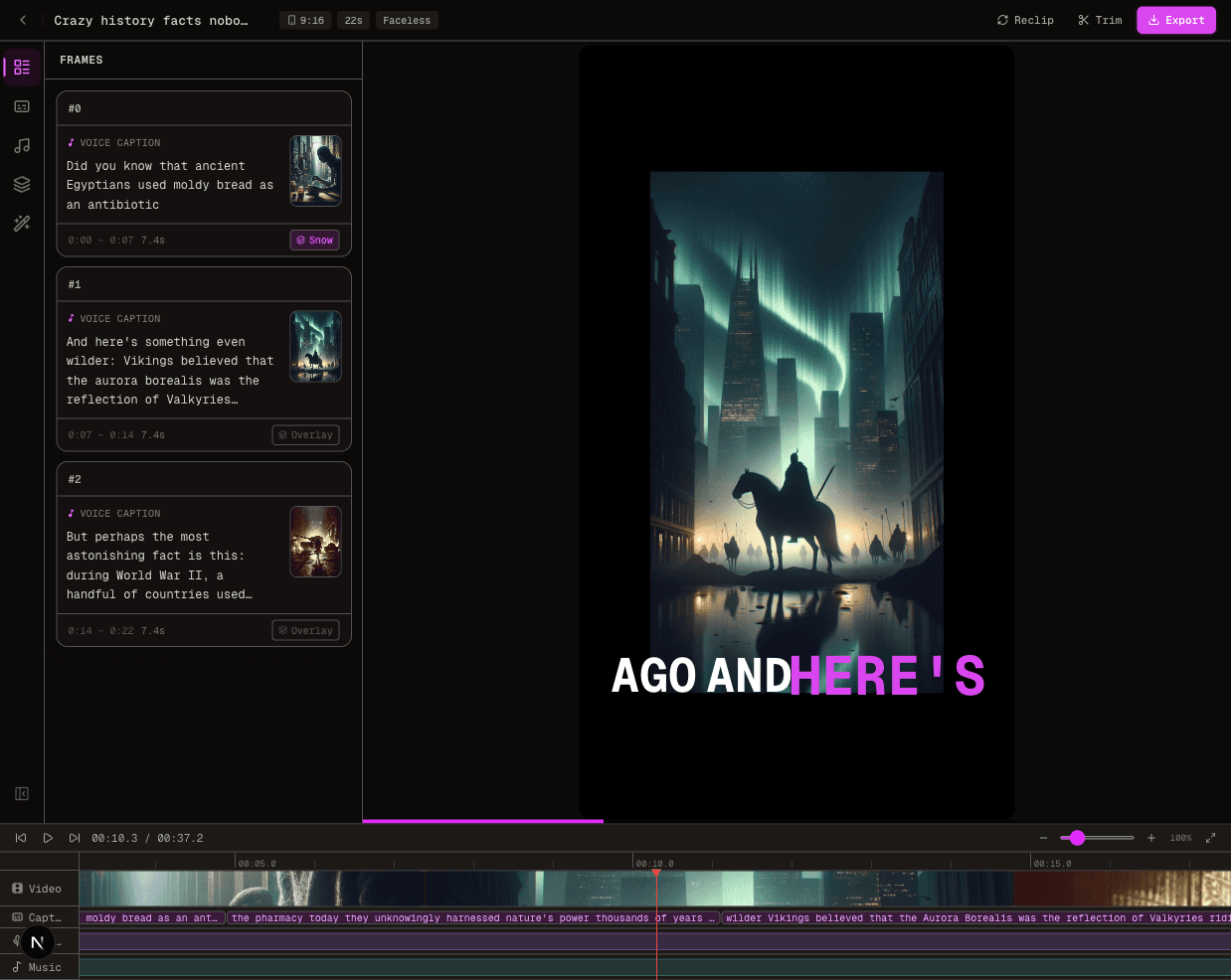
Test a history episode without inventing evidence
Outline an event in three beats: what happened, what people at the time knew, and why the event matters now. Keep sources beside the script.
A generated image can illustrate a setting, but it cannot prove that a particular person was present or that a quoted statement was made. Label reconstructions when needed.
During review, stop at each scene transition and ask whether the new visual adds information. Remove decorative scenes that make the episode longer without making its explanation clearer.
Evaluate the weekly production handoff
Imagine someone else completing the next episode. They should receive the source notes, pronunciation list, scene plan and publishing checklist, not just a finished file.
Ask whether you can reliably retain the inputs you own and whether the current export options meet your channel requirements. Do not assume editable project files move between applications.
A repeatable workflow needs a clear correction process and an owner for factual review. Neither automation nor a recurring schedule removes that responsibility.
Create an evidence map for the episode
For the history exercise, pair each script sentence with its source note and intended visual role. A date may be supported by a reference document, while an illustrated street scene is simply a reconstruction.
Store those separately so an editor cannot accidentally describe the generated scene as archival footage. If two sources disagree, preserve the uncertainty in the narration or narrow the claim instead of selecting whichever version sounds more dramatic.
The production handoff should also identify names that need pronunciation review, quotations that must remain exact and scenes that require a reconstruction label.
After a revision, check the surrounding sequence again: moving an image earlier can imply that it depicts a different event.
A final reviewer should be able to trace the explanation back to the notes without asking the generator what it intended.
Use this evidence map in every evaluated tool; its purpose is to test how well the workflow supports responsible authorship, not to let visual polish stand in for historical accuracy.
Where FluxNote fits in this decision
Use FluxNote when you want to develop original narrated scenes alongside other creative work. Build a sample faceless episode and inspect the selected format’s capabilities before committing to a series.
Compare the resulting editorial work against your other options.
Do not pay for an entire production stack on the strength of one attractive frame.
The useful result is a repeatable episode you can explain, correct and publish responsibly.
The Verdict
Comparing Crayo.ai and GhostShorts? Include FluxNote in your shortlist when you want faceless video production alongside image, video and editing tools.
Choose FluxNote when:
- You want several creative workflows in one workspace
- You want to develop original faceless stories or ad concepts
- Your test project fits the available controls and allowance
Choose Crayo.ai when:
- Its workflow already meets your verified requirements
- Your project test supports keeping your existing setup
Video · image · voice · music · publishing
Seen enough? Try FluxNote free
Compare the workflow yourself. Create a real project in FluxNote with 100 bonus credits—no credit card required.