Comparison
GoFaceless vs Crayo.ai: A FluxNote Workflow Alternative
Looking at GoFaceless and Crayo.ai for a YouTube channel? Test FluxNote with one original episode before committing to a production stack.
Last updated: September 19, 2026
| Feature | FluxNote | Crayo.ai |
|---|---|---|
| Creative workspace | Image, video, faceless and ad workflows | Clipping, image, voice and editing tools listed |
| Plan decision | Verify model and generation allowances | Verify workflow credits and export minutes |
| Evaluation | Try an original brief and review the draft | Test the specific workflow you need |
FluxNoteRecommended
Pros
- Images, video and faceless creation in one workspace
- Review narration, scenes and captions
- Explore ads and original creative alongside your channel content
Crayo.ai
Pros
- Clipping and subtitle workflows
- Voiceover and image tools
- Web-based editing
Cons
- Usage allowances require careful comparison
- Verify selected workflow and export limits before purchase
Choose a repeatable editorial premise
Begin with a question the channel will answer consistently. A series about practical desk organization might examine cable management, lighting and storage in separate episodes.
Each video needs a distinct explanation and example; changing the title over the same script is not a series strategy. Write three episode outlines before selecting a tool.
If the outlines are interchangeable, resolve the editorial problem first. Software can accelerate production, but it cannot establish why viewers should return for another episode.
Check the operational requirements directly
Use Crayo’s official website to inspect its current tools and verify GoFaceless through the product account or documentation you intend to purchase from. We do not claim verified GoFaceless pricing, posting integrations or generation limits here.
Request confirmation of any requirement that determines your purchase. Keep publishing access, video production and analytics separate on your checklist.
A product that generates a file does not necessarily publish it, and a publishing integration does not establish the quality of the underlying episode.
Build an episode handoff that survives mistakes
Prepare a research note, a narration script, a visual plan and a final review checklist. Assign a person to approve factual statements and asset rights before publication.
If a render has the wrong object or an awkward pronunciation, the correction should be visible in the handoff rather than buried in a private chat. Keep a copy of the original inputs.
Test how to recover when an export is rejected or a scheduled asset needs replacing. These ordinary failures matter more than an idealized hands-off demonstration.
Judge cadence by finished episodes
Do not select a daily posting schedule until you know how long a reviewed episode takes. Time research and corrections as well as generation.
Prepare a modest backlog and leave room to respond to viewer questions. Assess whether later episodes answer something new or simply recycle the first outline.
Revenue and audience growth remain uncertain; no production application guarantees monetization approval. The right cadence is one you can maintain without turning uncertain claims or repetitive content into a publishing habit.
Rehearse an episode that must not publish
A recurring channel needs a stop condition as well as a schedule. For the desk-organization series, imagine the draft unexpectedly shows a product logo you do not have permission to imply endorses the channel.
The reviewer should be able to mark the episode as held, identify the scene and assign the correction. The publishing operator should see that status before selecting a file or enabling any scheduled action.
Rehearse this with a sample rather than discovering the gap during a real release. Replace the scene, check that the narration still matches and verify which exported file is the approved version.
If your selected system supports scheduling, confirm its actual update and cancellation controls in the account before relying on them. Keep a simple episode register with topic, review owner, approved asset and publication state.
This does not require an elaborate automation stack. It requires a clear boundary between a draft that exists and an episode that someone has accepted responsibility for publishing.
Test the creative stage in FluxNote
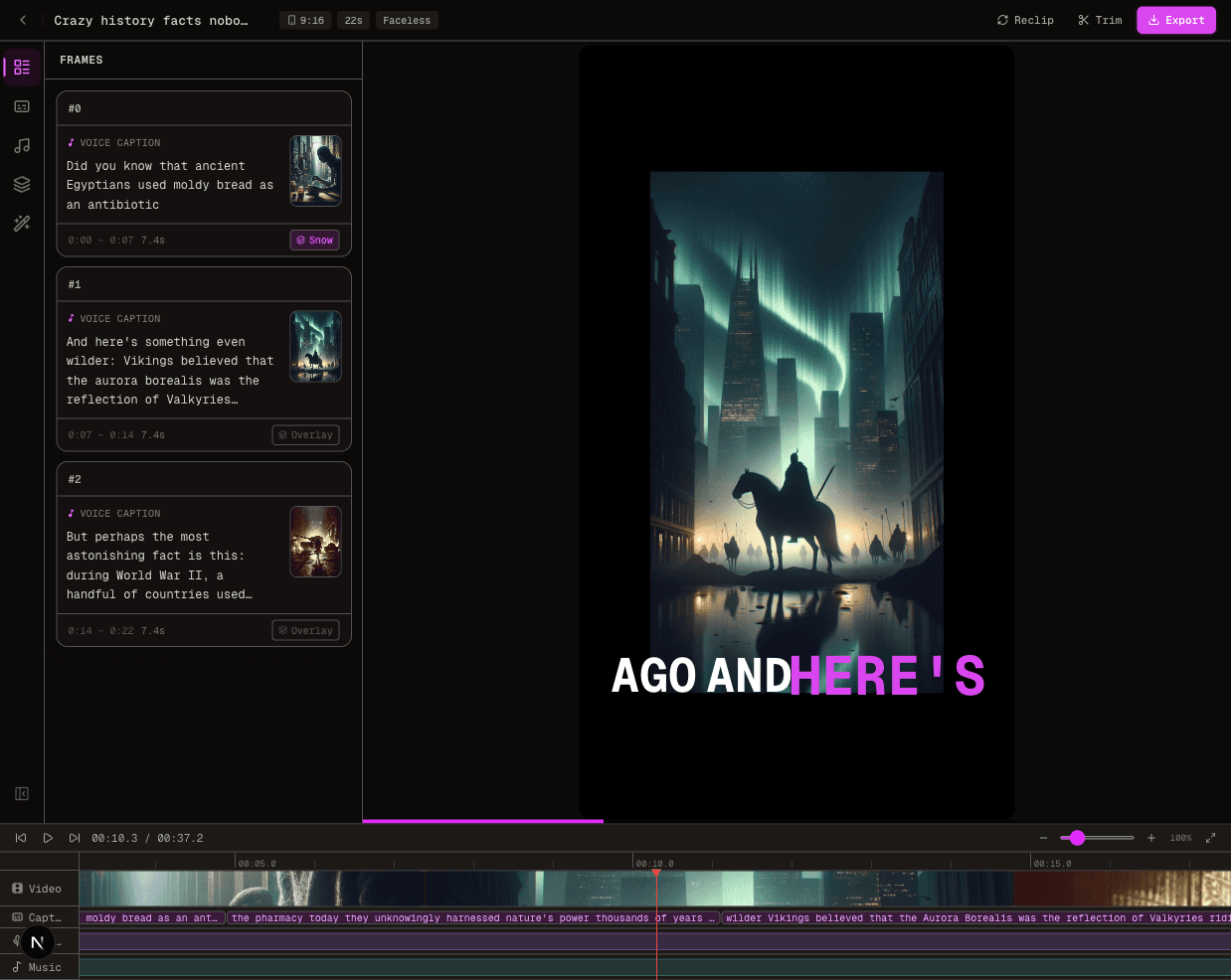
Open FluxNote with one episode brief and choose a suitable faceless format. Review its duration and editing controls before planning the full series.
Use the draft to assess scene relevance and narration clarity, then keep the publishing decision separate. If you need automated posting, verify the currently available channel connections and account requirements in the product.
A successful sample should reduce uncertainty about your process, not encourage an unverified claim that the channel will run itself.
The Verdict
Looking at GoFaceless and Crayo.ai for a YouTube channel? Test FluxNote with one original episode before committing to a production stack.
Choose FluxNote when:
- You want several creative workflows in one workspace
- You want to develop original faceless stories or ad concepts
- Your test project fits the available controls and allowance
Choose Crayo.ai when:
- Its workflow already meets your verified requirements
- Your project test supports keeping your existing setup
Video · image · voice · music · publishing
Seen enough? Try FluxNote free
Compare the workflow yourself. Create a real project in FluxNote with 100 bonus credits—no credit card required.