Comparison
FluxNote vs Crayo.ai for Faceless Content
Start a faceless story in FluxNote and compare the workflow with Crayo using the same script. Choose by scene relevance, narration, editing and plan fit.
Last updated: September 19, 2026
| Feature | FluxNote | Crayo.ai |
|---|---|---|
| Creative workspace | Image, video, faceless and ad workflows | Clipping, image, voice and editing tools listed |
| Plan decision | Verify model and generation allowances | Verify workflow credits and export minutes |
| Evaluation | Try an original brief and review the draft | Test the specific workflow you need |
FluxNoteRecommended
Pros
- Images, video and faceless creation in one workspace
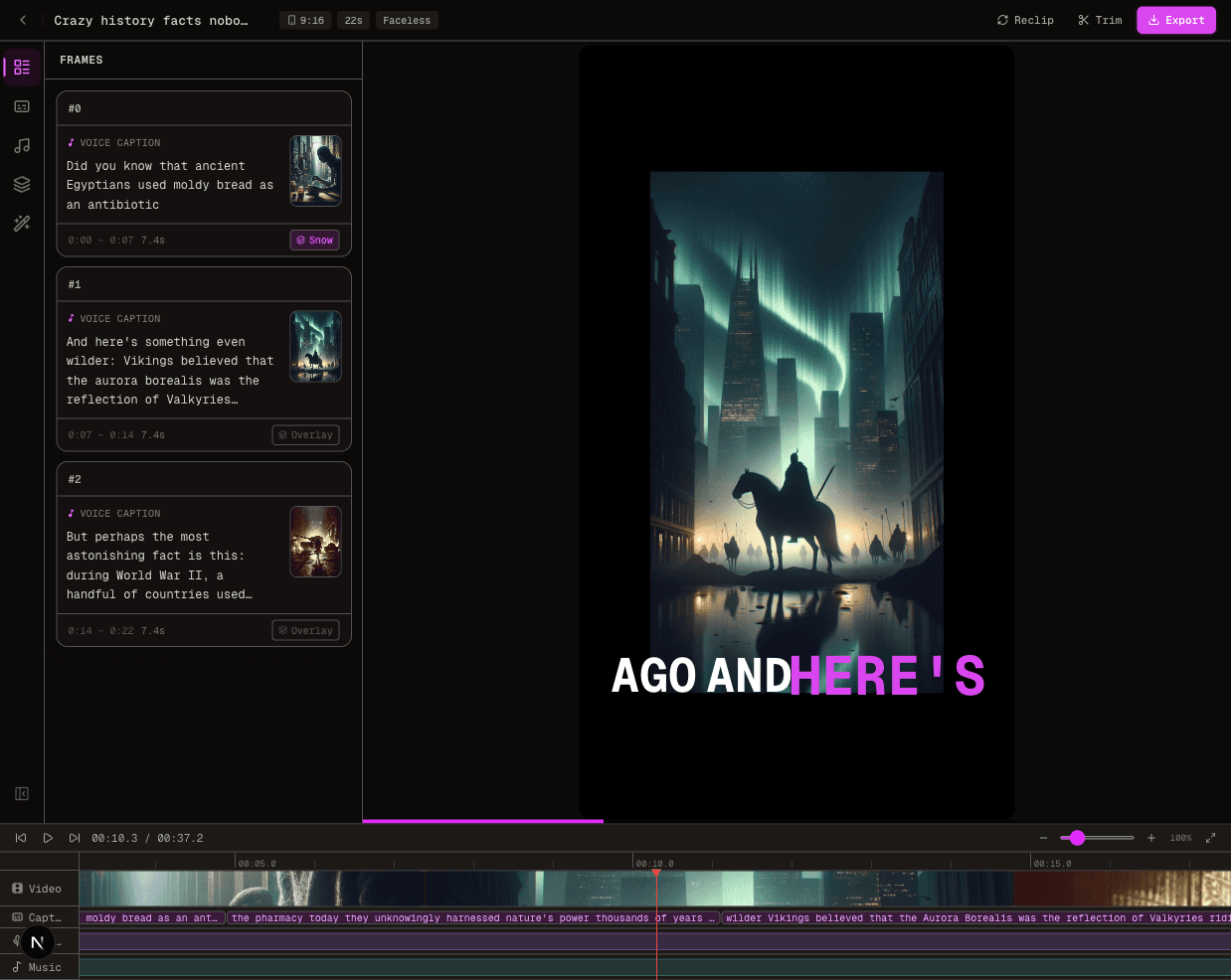
- Review narration, scenes and captions
- Explore ads and original creative alongside your channel content
Crayo.ai
Pros
- Clipping and subtitle workflows
- Voiceover and image tools
- Web-based editing
Cons
- Usage allowances require careful comparison
- Verify selected workflow and export limits before purchase
Faceless content still needs a point of view
Removing an on-camera presenter does not remove the need for authorship. Decide what the viewer should understand at the end and which example makes that lesson concrete.
A sequence of unrelated attractive scenes can obscure a simple explanation. Before opening an application, write a one-sentence argument and arrange three supporting beats.
Use that structure to judge the resulting draft. Avoid using an anonymous voice to present uncertain claims as authoritative; the creator still owns the responsibility for what is said.
Compare short and longer treatments separately
A brief answer and a developed explanation should not be tested as if they were the same output. For the short version, remove detours and make the first scene intelligible immediately.
For the longer version, add transitions, evidence and examples rather than stretching sentences. Confirm each selected workflow’s duration support.
In FluxNote, choose the format appropriate to the project. Refer to Crayo’s current tools when checking the corresponding workflow; do not infer support from an old screenshot or a generic product description.
Use the desk-organization continuity test
Draft a practical explanation of reducing clutter on a small desk. Follow the same desk through a problem, a change and the result.
During evaluation, check whether the objects change unexpectedly between scenes, whether an instruction appears before the viewer sees the relevant object, and whether captions obscure the working area. Make a correction list by timestamp.
This exercise isolates continuity and explanation quality without relying on copyrighted entertainment clips or a fabricated claim about either product’s performance.
Review narration as part of meaning
Listen without looking at the video. The script should still make sense, including references such as this object or the next step.
Then view it muted and check whether essential information survives. Treat captions as an accessibility and comprehension layer, not only an animation style.
Correct names, numbers and ambiguous punctuation. If a sentence requires a misleading visual to seem convincing, rewrite the sentence.
A smooth synthetic voice does not turn an unsupported statement into reliable advice.
Repair continuity without rewriting the lesson
In the desk example, suppose a storage tray changes shape between the demonstration and the result. First determine whether the mismatch affects the explanation.
If viewers must identify that tray to follow the instruction, it is not merely a stylistic difference. Revise the scene reference or use an authorized still of the same object where the chosen workflow supports it.
If the available controls cannot preserve it, simplify the visual plan instead of pretending the inconsistency is intentional.
Next inspect references in the narration. “Place it here” is unclear if the named object disappeared during a revision. Replace ambiguous wording with a concrete reference, then check caption timing and the following transition.
Preserve a before-and-after review note so you can tell whether the change fixed the problem or introduced another. This exercise separates useful editing control from attractive first-pass output.
The goal is not perfect visual sameness everywhere; it is a sequence in which every scene supports the same understandable action.
Make the choice from a reviewed draft
Create your faceless test in FluxNote. Record the corrections needed for short and longer versions separately.
Check current plans for access relevant to the chosen format. If another workflow already gives you dependable results, include switching effort in the decision.
This first-party comparison recommends testing FluxNote where its creative controls fit the work; it does not present a universal quality ranking or a promise that every generation will be ready to publish.
The Verdict
Start a faceless story in FluxNote and compare the workflow with Crayo using the same script. Choose by scene relevance, narration, editing and plan fit.
Choose FluxNote when:
- You want several creative workflows in one workspace
- You want to develop original faceless stories or ad concepts
- Your test project fits the available controls and allowance
Choose Crayo.ai when:
- Its workflow already meets your verified requirements
- Your project test supports keeping your existing setup
Video · image · voice · music · publishing
Seen enough? Try FluxNote free
Compare the workflow yourself. Create a real project in FluxNote with 100 bonus credits—no credit card required.