Guide
Davinci AIDavinci AI ReviewDavinci AI PricingDavinci AI AlternativeDaVinci AI Review, Pricing, Cancel and Alternative (2026)
DaVinci AI (davinci.ai) is an AI image and video generator that sells monthly credits across many models. This page sets out what its own pages say about plans, cancellation, refunds and who runs it, and when FluxNote, which makes finished short videos from a topic or script, is the better fit.
By the FluxNote Editorial Team
Quick verdict: who should read on
DaVinci AI is a paid image and video generator. It puts many third-party models behind one login and bills you a monthly credit allowance. If you want to try a lot of image and video models in one place, that is exactly what it does, and its own pages say so.
If what you want is a finished short video, with the script, voiceover and captions already done, a tool built around that job is the simpler route.
That is the gap we built FluxNote to fill, so you should know we wrote this page and that we compete with DaVinci.
We have tried to be fair: the facts about DaVinci come from its own pages, and we say where it is the better choice.
What is DaVinci AI?
According to the FAQ on davinci.ai/contact, DaVinci is "a next-generation AI platform built for image and video creation" that lets you generate, transform and animate visuals from text prompts, reference images, or both. It brings several image and video models into one interface, and which models you can use depends on your plan.
This page is about davinci.ai, the AI image and video generator. It is not DaVinci Resolve, the desktop video editor, which is a different product from a different company.
The pricing page lists the plan benefits in the same words on every tier: access to more than 36 image models, access to more than 29 video models, an image editor, a video editor, an enhancer to upscale images and videos, and templates.
The FAQ names models such as Nano Banana, Seedream, Kling 3.0, Veo 3.1 and Seedance 2.0.
The tiers differ in the monthly credit allowance, not in the model list shown on the pricing page.
How much does DaVinci AI cost?
The pricing page at davinci.ai/app/pricing shows four plans, each billed annually with an "Annual 40% OFF" label on the page. It lists these monthly credit allowances and the generation counts printed beside them:
| Plan | Credits a month | Counts printed on the plan |
|---|---|---|
| Pro | 2,200 | up to 169 Nano Banana images, up to 23 Seedance 2.0 Fast videos |
| Max | 4,500 | up to 346 Nano Banana images, up to 48 Seedance 2.0 Fast videos |
| Ultimate | 6,500 | up to 500 Nano Banana images, up to 70 Seedance 2.0 Fast videos |
| Creator | 11,500 | up to 884 Nano Banana images, up to 125 Seedance 2.0 Fast videos |
The dollar amounts did not render as real numbers when the page was read (each showed as $0 a month), so this page does not quote a price. Check the pricing page directly.
The Terms say prices may vary by location, platform, purchase channel or promotion, and the refund policy says prices are in U.S. dollars and may vary in countries other than the U.S.
Two details worth knowing before you compare.
The FAQ describes four tiers called Basic, Creator, Pro and Ultimate, while the pricing page showed Pro, Max, Ultimate and Creator, so the plan names have changed or differ by page.
And the counts above are "up to" figures tied to one model each: a different model or a longer video uses credits at a different rate, and the pricing page does not list those rates in the text that was read.
How does DaVinci AI cancellation and refunds work?
All of this is from DaVinci's own Refund Policy (davinci.ai/refund-policy), Terms (davinci.ai/terms) and FAQ.
Cancelling.
The FAQ says you can cancel at any time via Account, then Plans, and the subscription stays active to the end of the current billing cycle. The Refund Policy adds that cancelling turns off automatic renewal, that deleting the app does not cancel a subscription, and that for a website purchase you can cancel from the link in the confirmation email, from the Stripe Customer Portal, or by contacting [email protected] or the Contact Us form. It advises cancelling at least 24 hours before the next billing date. Purchases made through the App Store or Google Play are managed with Apple or Google instead.
Refunds.
The policy states that subscription fees are non-refundable and that, except where the law requires otherwise, purchases are final. For the United States it says that where no credit has been consumed, you may request a refund within three calendar days of your first purchase, and that once any credit from the purchase has been used to generate content, the purchase is non-refundable. Other regions have different windows (for example fourteen days for the EU, EEA, UK, Turkiye and Switzerland, seven days for a list of other countries), and the same "credit consumed" condition applies. Refund requests go to [email protected] and must be made within the current subscription period.
The practical point: because generating anything uses a credit, trying the product on a paid plan usually ends the refund option. Decide on the plan size before you generate.
Is DaVinci AI legit and safe?
Here is what can be checked from DaVinci's own pages, and what cannot.
- A named company. The Terms list the company as HubX Yazilim Hizmetleri Anonim Sirketi, with an address in Izmir, Turkiye, and the support email [email protected]. The Refund Policy names the same company.
- Published rules. There is a Refund Policy, Terms of Service, a cancellation route and a contact page, all readable without logging in.
- A working product description. The pricing page lists plan credits and model counts, and the FAQ lists the models it offers.
- Payments. The Refund Policy says payment goes through Stripe or PayPal. The Terms add that a company called HubX Studios LTD acts as merchant of record and that, for payment issues, other merchants may process the payment, so the name on your card statement may differ from the product name.
Things this page could not verify: how many people use it, how reliable generation is, how fast support replies, whether the output quality matches the model names it lists, and any review scores.
Look at independent user reviews for those, and note that the refund rules above are strict once credits are used.
Nothing on its own pages shows it to be anything other than a subscription AI generator with a written refund policy.
On safety: use the website or the official App Store or Google Play listing.
The pages we read describe those routes, and we did not verify any APK download, so avoid unofficial APK files that promise unlocked paid features.
Because the name on your card statement may differ from the product name, check the merchant listed in your confirmation email before you dispute a charge.
Who is DaVinci AI a good fit for?
From its own description, DaVinci fits someone who wants to compare image and video models in one interface, upscale or retouch results in built-in editors, and pay a monthly credit allowance. It also lists templates, which suits people who like to start from a ready look.
One line in the Terms is worth reading before you rely on it for work. Section 5.8 says the app is intended for personal, entertainment and creative purposes and is not designed or intended for business or professional purposes, and that using it that way is at your own risk.
The FAQ separately says content you generate belongs to you, under DaVinci's License and Terms of Use. If you plan client work or paid ads, read both and decide for yourself.
What is a DaVinci AI alternative for finished short videos?
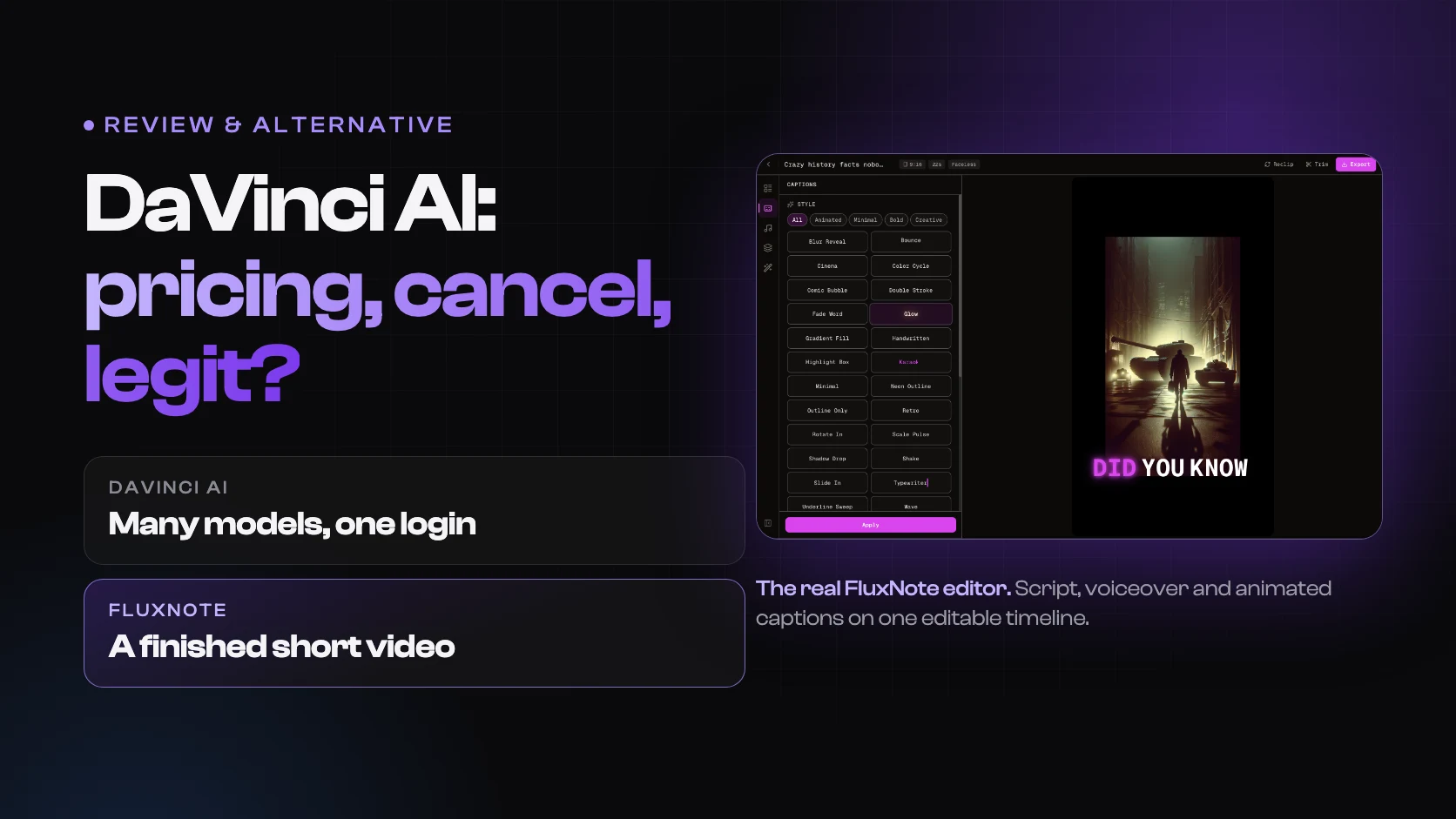
DaVinci AI is built around generating images and clips. We built FluxNote around producing a finished short video: you give it a topic or paste a script and it adds an AI voiceover, captions and visuals, then can post to TikTok, Instagram and other connected accounts.
So the two overlap on AI video clips, but the job each is organised around differs.
Here is how the two line up on the things people ask about most.
| DaVinci AI | FluxNote | |
|---|---|---|
| Main job | Image and video generation across many models | Finished short videos from a topic or script, plus an image studio |
| Free access | Browser version available free; pro features need a paid plan (Refund Policy) | Free plan, no card: 100 credits a month, about one finished video up to 30 seconds at 720p. Following on Instagram and TikTok adds 100 credits each, once, so a new account can make three videos in its first month |
| Paid entry | See the pricing page (shown as $0 in the text read) | Basic at $5 a month billed yearly ($10 monthly), 1,000 credits, about 10 finished videos |
| Plan sizes | Pro 2,200 to Creator 11,500 credits a month | Basic 1,000, Rise 2,500, Pro 6,500, Max 18,000, Ultra 45,000 credits a month |
| Voiceover and captions | Not listed on the pages read | 350+ voices in 27 languages, 25 animated caption styles |
| Cancel | Account, then Plans; active to end of cycle | Dashboard, then Billing; active to end of paid period |
| Refunds | Written policy with country windows | See its refund page |
| Commercial use | Terms say personal and entertainment use; FAQ says outputs belong to you | Paid plans include commercial use rights |
Paid plans above Basic include premium video models. The pricing page names Veo 3.1, Kling 3.0, Runway, Seedance and Hailuo.
Basic uses standard and budget models. Credits are one shared pool that resets on your billing date and does not roll over.
Videos carry no watermark on any plan. For current prices and plan details see the pricing page, and for the free-plan limits and what the videos look like see the guide on free AI video generators with no watermark.
When DaVinci is the better pick
If you want to run one prompt through a dozen image models and pick the winner, use DaVinci. That is what it is built for, and it publishes the numbers: more than 36 image models and more than 29 video models. We built around the other end of the job, the finished video, not around lining models up next to each other.
A few things are worth knowing before you sign up with us. The Free plan is small: after the first month, about one video a month at 720p, and accounts in India, Pakistan, Bangladesh and Nepal get no monthly free credits.
Basic, from $5 a month billed yearly, is offered to free accounts outside India, so you start on Free and upgrade from there. It makes new videos; it does not re-edit footage you have already shot.
And posting straight to YouTube from the app is paused for now, so you download the video and upload it yourself.
Comparing it with another multi-model tool instead? Read the Higgsfield alternatives page and the Higgsfield AI review.
When to stay with DaVinci AI
Stay with DaVinci if you mainly make still images and short generated clips and value having many models in a single place.
Stay if its built-in image editor, video editor and enhancer cover your workflow, or if you already know your monthly credit need and the plan fits it.
Stay if you only need to change the plan: the cancellation route above is straightforward and runs to the end of the billing cycle.
Consider a different tool if your output is a complete short video with narration and captions, if you want a free plan you can actually finish a video on before paying, or if you need a plain commercial-use statement.
How we checked this page
We are the FluxNote editorial team, and we compete with DaVinci AI. DaVinci's details here come only from its own pages:
- Pricing and plan credits: davinci.ai/app/pricing
- Cancellation, support and company FAQ: davinci.ai/contact
- Refunds: davinci.ai/refund-policy
- Terms, including the personal and entertainment use clause: davinci.ai/terms
Anything we could not read there, such as exact dollar prices, we left out instead of guessing. Our own figures come from our pricing page and help center. We have not run a head-to-head test of the two products, so this page makes no claim about which output looks better.
Reviewed by our editorial team.
Create Videos With AI
From inspiration to your own creation
Put your next idea into action.
Videos, images and ads. One creative studio. Pick what you want to make—or try the walkthrough before you sign up.
Your ideas. Your videos. No camera required.
Turn your next story into a faceless video. Explore the workflow, then create your own in FluxNote.
- 01 Choose a style
- 02 Add your idea
- 03 Make it your own
Start with an account. Create at your own pace.
Tool access and generation allowances depend on your plan.
Frequently Asked Questions
Related Resources
- AlternativeHiggsfield Alternatives Compared: Price, Credits and Fit
- GuideHiggsfield AI Review 2026: Worth It, Legit, Who It Fits
- GuideDaVinci Resolve Pricing 2026
- GuideFlowith vs FluxNote Pricing: $10/mo & What You Get
- AlternativeFree DaVinci Resolve Alt? [2026] | FluxNote AI
- GuideDaVinci Resolve Alternative for Vertical Video (2026 Compared)